Blog · October 19, 2026
One Link for Every Loaf: How a Neighborhood Sourdough Baker Organized Her Weekend Pop-Ups
Hazel bakes 60 loaves a week from a shared commissary and sells at three different weekend markets. Customers kept DMing the same three questions. She built one SkyCanvas public profile, pinned it to her Instagram bio, and watched the repeat questions disappear within a week.
Hazel Marigold bakes about sixty loaves a week out of a shared commissary kitchen in Riverbend, Oregon. Two ovens, one long bench, and a rotating cast of other small food businesses sharing the sink. Her bread is slow, naturally leavened, made with hard red wheat from a mill about forty miles up the valley. Marigold Crumb Bakery is small on purpose.
The problem was never the baking. It was Thursday afternoon, when her phone would start buzzing with the same three questions over and over. Where are you this Saturday? How do I preorder? Do you still sell the dried starter kit? She would answer each one by hand, often in line at the grocery store, often with flour under her fingernails. By Friday night her thumbs hurt and she had still not posted the pickup instructions.
Her Instagram bio had room for exactly one link. She rotated it depending on the week, which meant that half her followers were always clicking through to last week’s thing. She needed one link that quietly held everything, and she needed it to look like it belonged to her bakery.
1. Starting from the SkyCanvas homepage
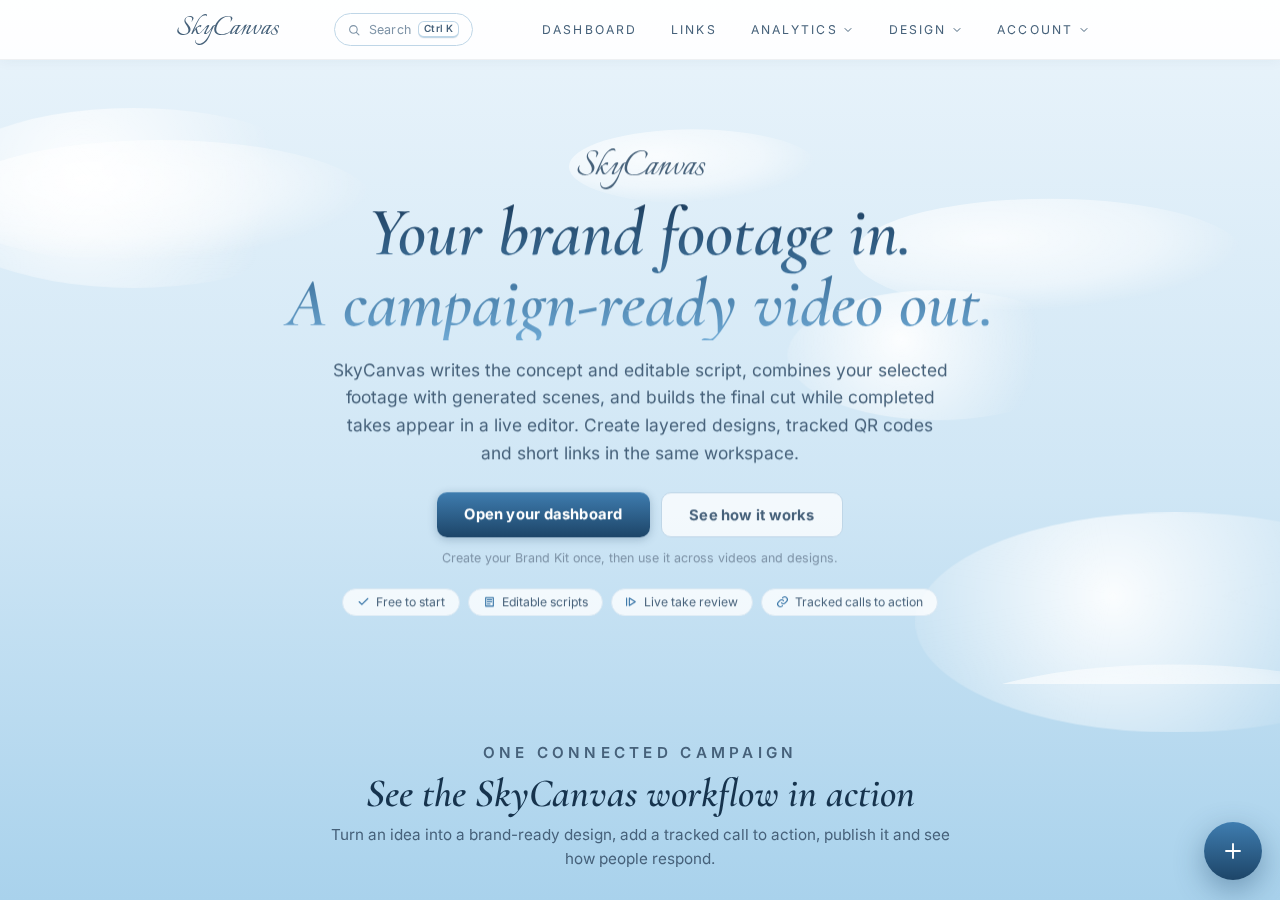
Hazel landed on the SkyCanvas homepage one Wednesday evening between the second proof and the shape. The pitch was simple enough that she did not need a tutorial: short links, QR codes, a public profile that holds all of them. She clicked through to create an account.
2. Making the account
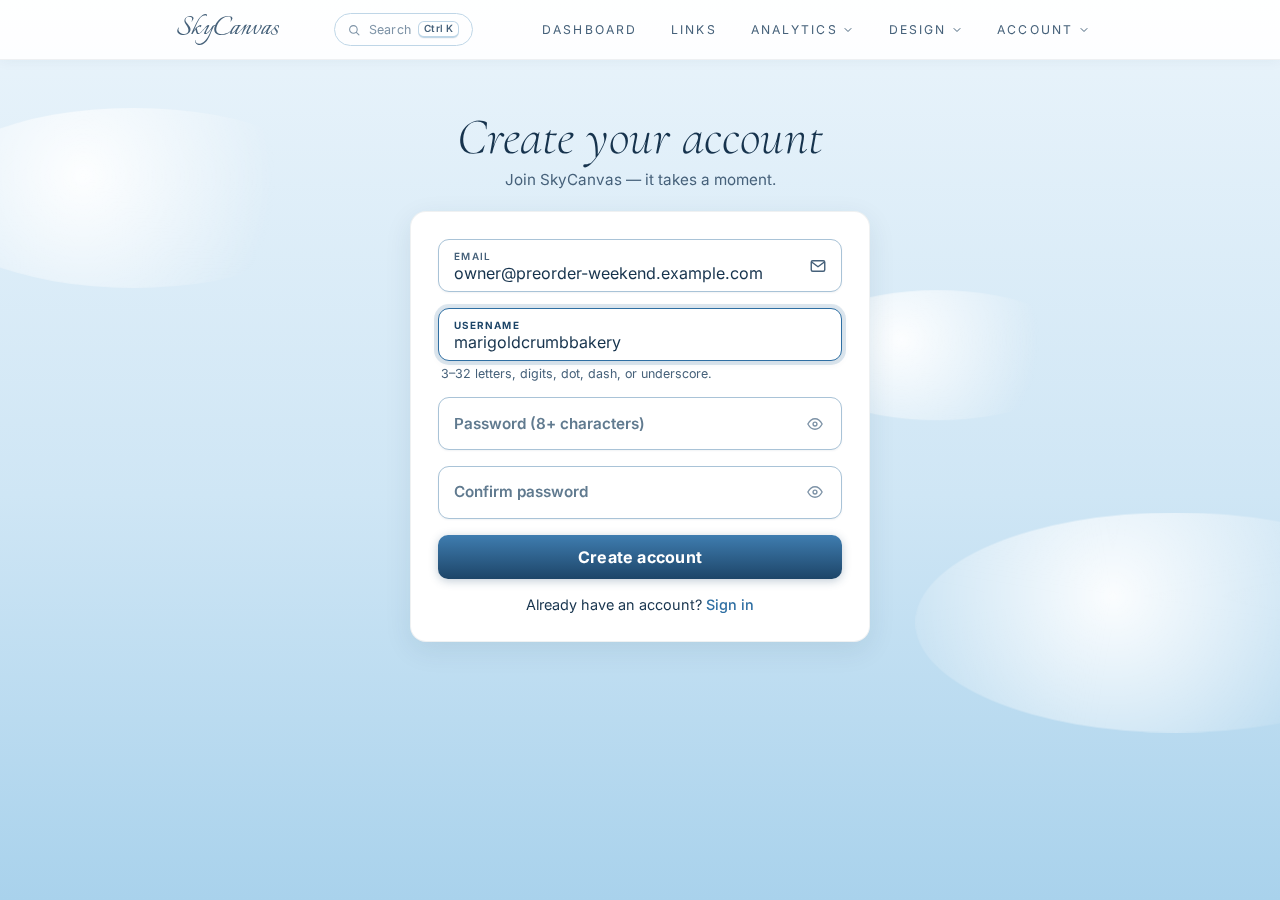
The signup form asked for an email and a username. She picked something close to her bakery name so the public profile URL would read cleanly later. Thirty seconds, no credit card, done. If you want to follow along with your own business, you can start the same way at skycanvas.online/register.
3. Landing on the dashboard
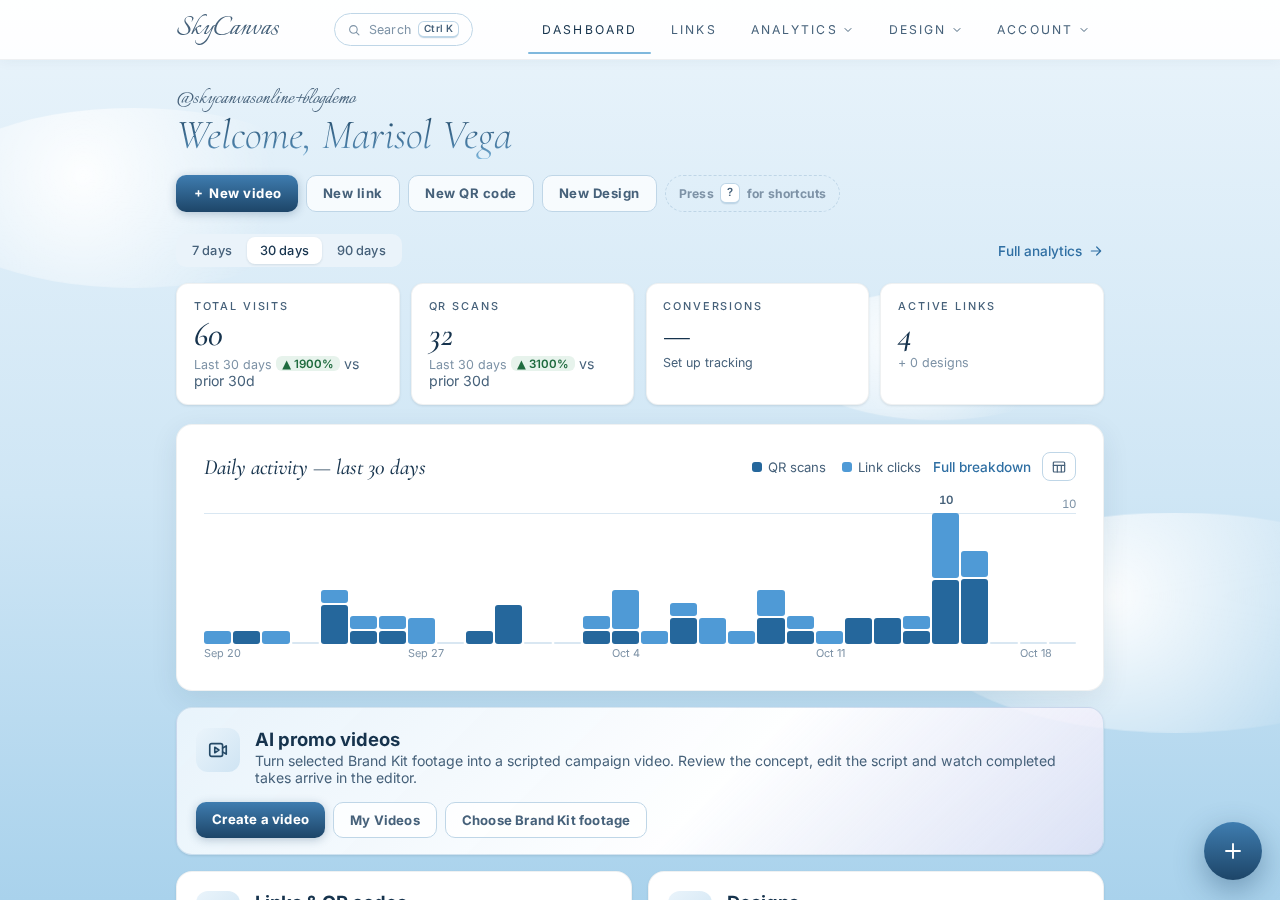
The dashboard greets you with four KPI tiles for clicks, QR scans, conversions and total links, and a daily activity chart underneath. Everything was at zero, which was honest and a little exciting. Hazel liked that she could see the whole picture on one screen. No chasing numbers across tabs.
Her first order of business was the one link she needed most urgently: the weekend preorder form.
4. Creating the preorder short link
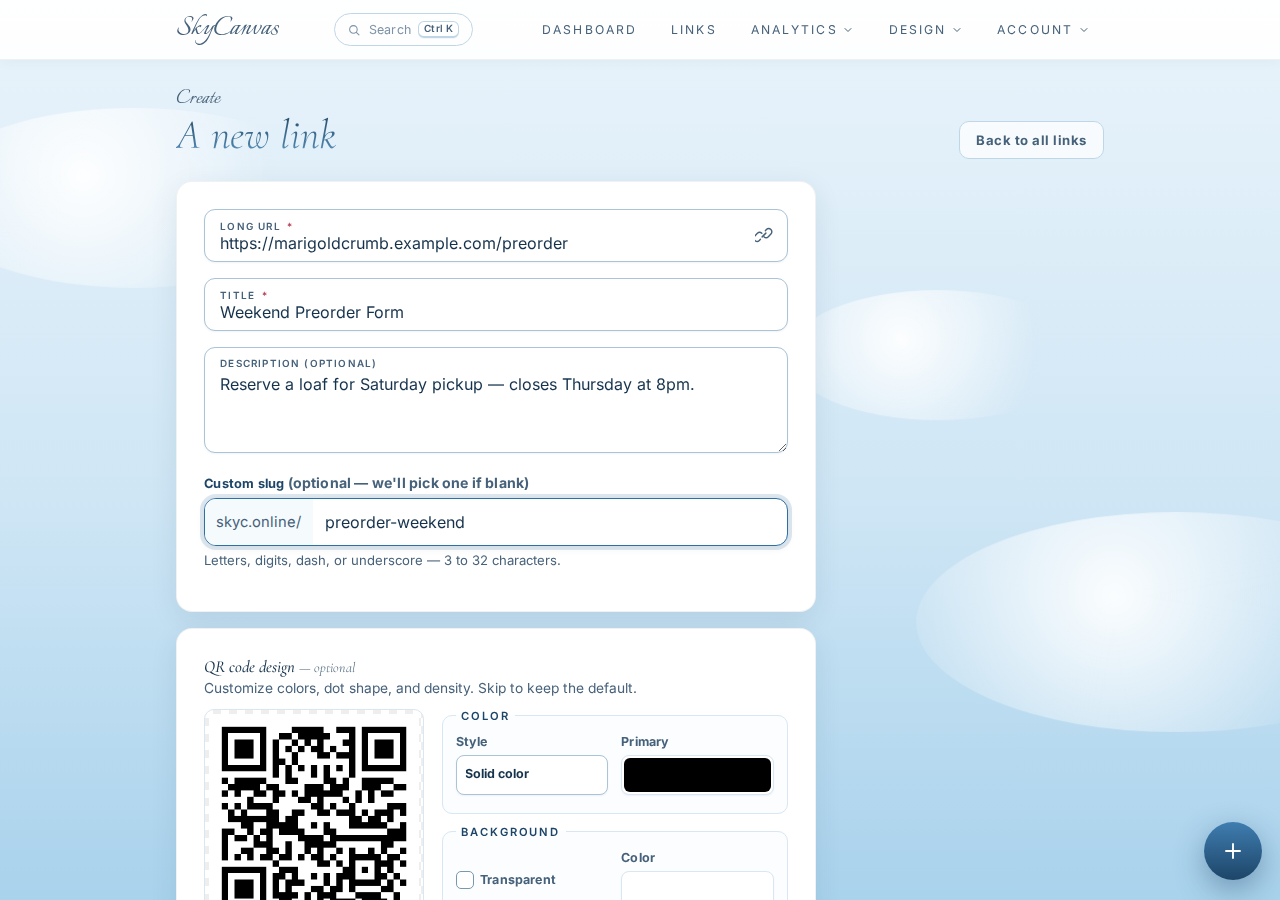
The new link form was four fields and a live QR preview. She pasted in the destination (her preorder form on marigoldcrumb.example.com), gave it the title Weekend Preorder Form, wrote a short description that said “Reserve a loaf for Saturday pickup, closes Thursday at 8pm,” and set the custom slug to preorder-weekend.
The QR preview on the right updated as she typed. She picked warm bakery browns for the foreground so the code would feel like it belonged next to her loaves and not like a shipping label.
5. The link is live
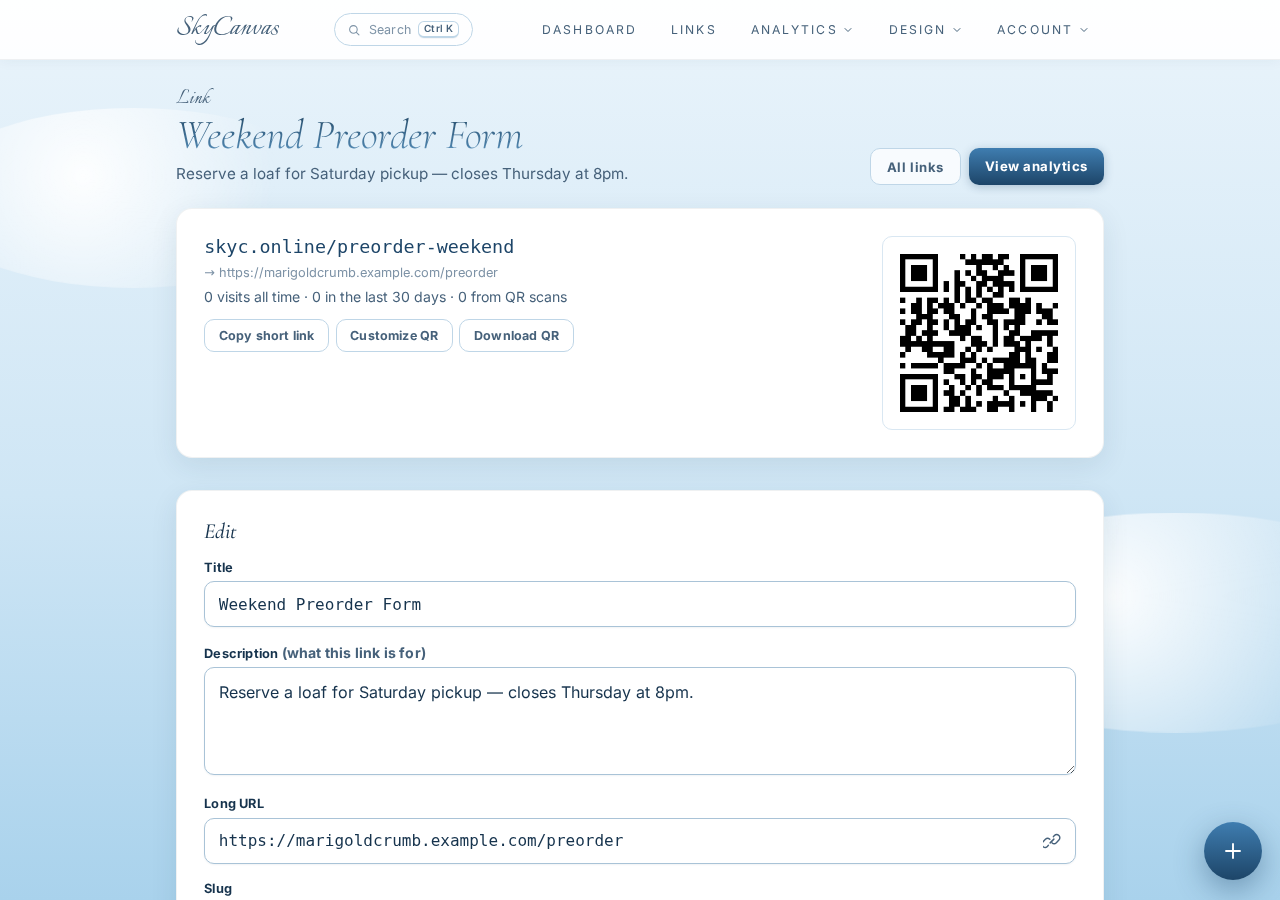
As soon as she saved, SkyCanvas showed her the finished link detail page. Her new short URL was skyc.online/preorder-weekend, pointing straight at her preorder form, with a downloadable QR code sitting right next to it. She could already picture that QR on a chalkboard at the booth.
She repeated the same quick flow four more times. One link for this weekend’s market schedule, one for the dried starter kit, one for Wednesday porch pickup subscriptions, and one for her short writing journal about the week’s bake. Five links in about ten minutes, each with its own clean slug.
6. Filling in the public profile
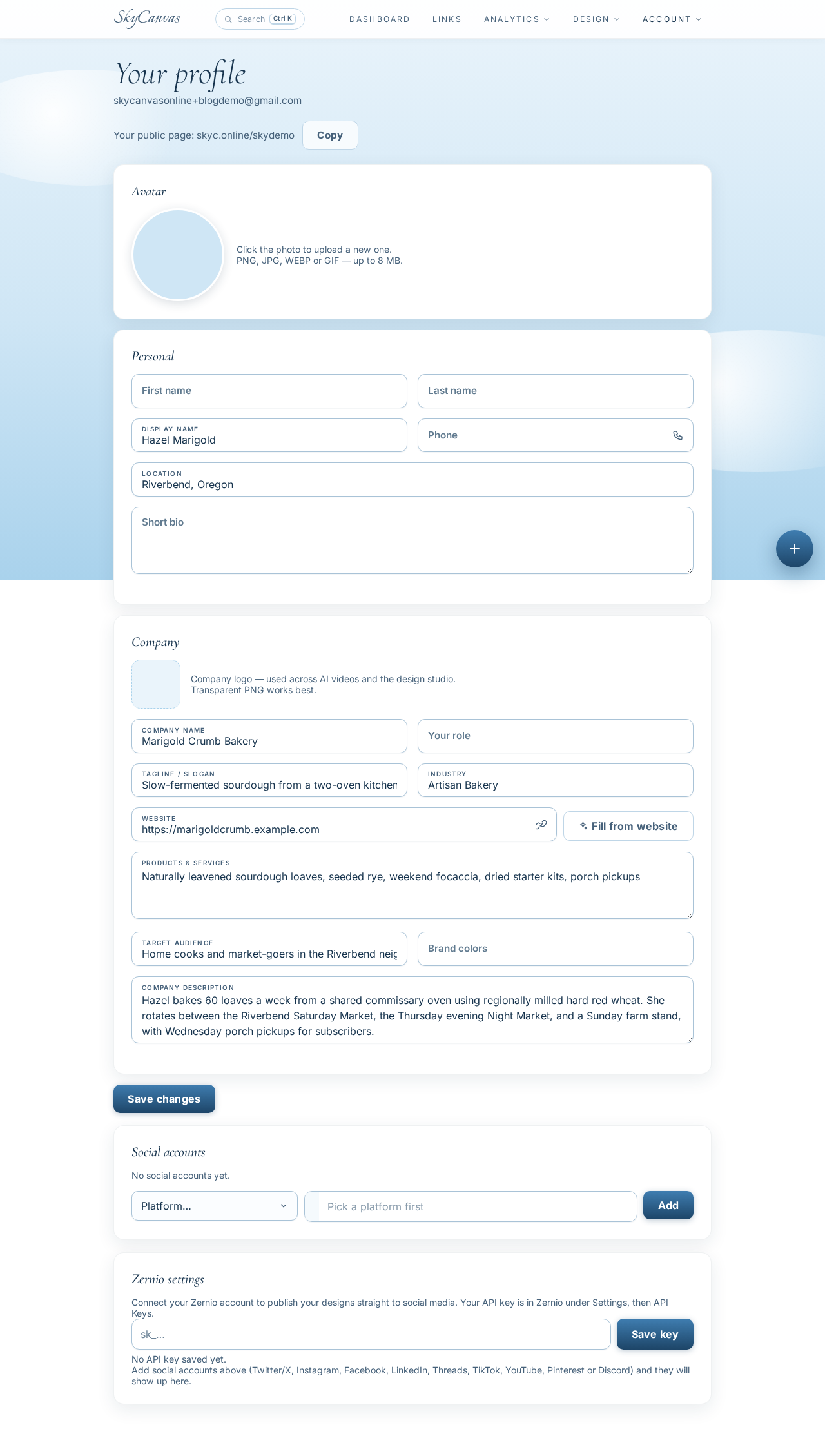
The link in bio only works if it feels like you when a stranger lands on it. Hazel opened the profile page and filled in the business details: Marigold Crumb Bakery, the tagline Slow-fermented sourdough from a two-oven kitchen, her industry, her services (loaves, seeded rye, focaccia, dried starter kits, porch pickups), and the audience she bakes for. Home cooks and market-goers in the Riverbend neighborhood who care about slow fermentation and local flour.
It felt like writing a tiny version of her About page, but the point was that it only lived in one place and every short link she had just made would show up on it automatically.
7. The page her customers actually see
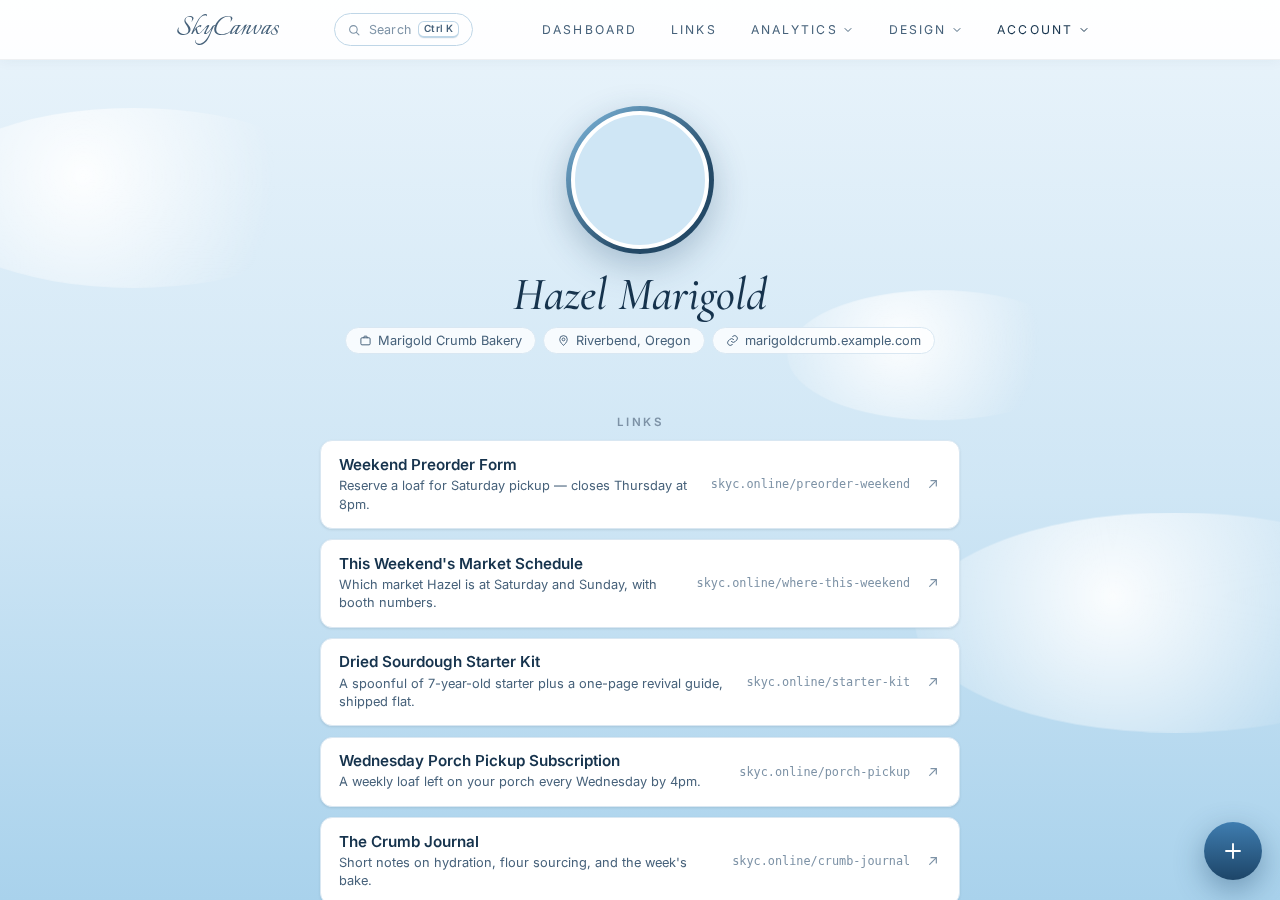
This is what a customer sees when they tap the link in her Instagram bio. Her name and tagline at the top, a few lines about what she bakes, and underneath it, the five links in the order she wanted them read.
- Weekend Preorder Form
- This Weekend’s Market Schedule
- Dried Sourdough Starter Kit
- Wednesday Porch Pickup Subscription
- The Crumb Journal
Every link is a tappable row. No clutter, no ads, no scrolling past things that are not hers. She copied the profile URL, pasted it into her Instagram bio, and closed her laptop in time to shape the final batch.
What changed the week after
By the next Thursday, Hazel’s DMs were different. Instead of three repeated questions, she got a few photos of torn crumb and one new question about shipping to Idaho. The preorder form filled up a day earlier than usual because people could actually find it. At the Saturday booth she taped a small card next to the chalkboard with the QR for skyc.online/preorder-weekend, and three customers who had never preordered before scanned it between slicing samples.
She did not get more hours in the day. She got the hours back that she used to spend typing the same answer over and over. Those hours are now spent on the bench, where they should be.
If you are running something small and personal and you keep answering the same questions, give yourself the same quiet relief. Start at skycanvas.online/register, make one link, build out your profile, and pin it to your bio tonight.
Marigold Crumb Bakery is a fictional business we created to show a real SkyCanvas workflow. Every screenshot is real, captured live while writing this guide.