Blog · October 9, 2026
Business Cards Before the Expo: A Beekeeper’s SkyCanvas Workflow
When a new wholesale coordinator joined Juniper Hive Co. one day before a regional food expo, the team used SkyCanvas to create a short link, branded QR code, and polished business card ready for printing.
Juniper Hive Co. had packed the honey samples, labeled the gift sets, and confirmed its table at a regional food expo in Bend. Then the family-run apiary realized its new wholesale coordinator, Maya Chen, had no business cards.
The expo opened the next morning. Maya needed something polished enough for independent grocers, gift shops, and chefs, but there was no time for a long design process. More importantly, the card needed to do more than share a phone number. It had to give every buyer an easy path to the company’s wholesale information.
The team opened SkyCanvas and built that path first. Then they turned it into a branded QR code and a print-ready card design.
1. Create the wholesale short link
Before working on the card, Maya created a dedicated link for retail buyers. This gave the QR code a short, readable destination instead of sending people directly to a longer website address.
From the SkyCanvas Links area, she selected the option to create a new short link and completed four fields:
- Destination URL:
https://juniperhive.example.com/wholesale - Title:
Juniper Hive Wholesale - Description:
Wholesale honey, gift sets, and contact details for retail buyers. - Custom slug:
juniper-wholesale
The live QR preview on the right made it clear that the code would be created from the finished short link. Maya could check the destination, wording, and slug before saving anything.
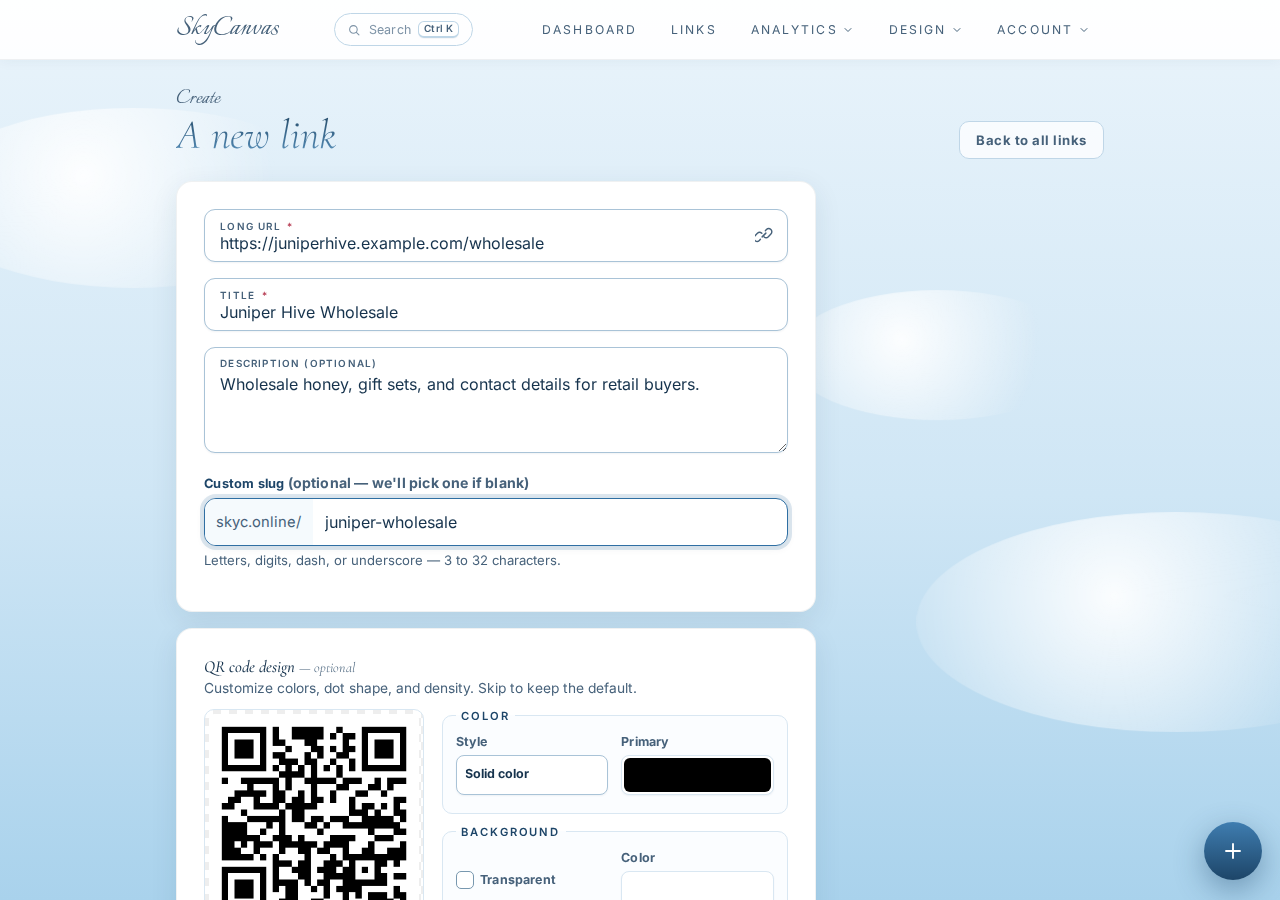
A descriptive title helps later when an account contains links for several campaigns. The custom slug also gave Maya a short address that was easy to recognize: skyc.online/juniper-wholesale.
2. Confirm the link and generated QR code
After creating the link, SkyCanvas opened its detail page. This screen brought the essential pieces together: the short URL, the original wholesale destination, and the generated QR code.
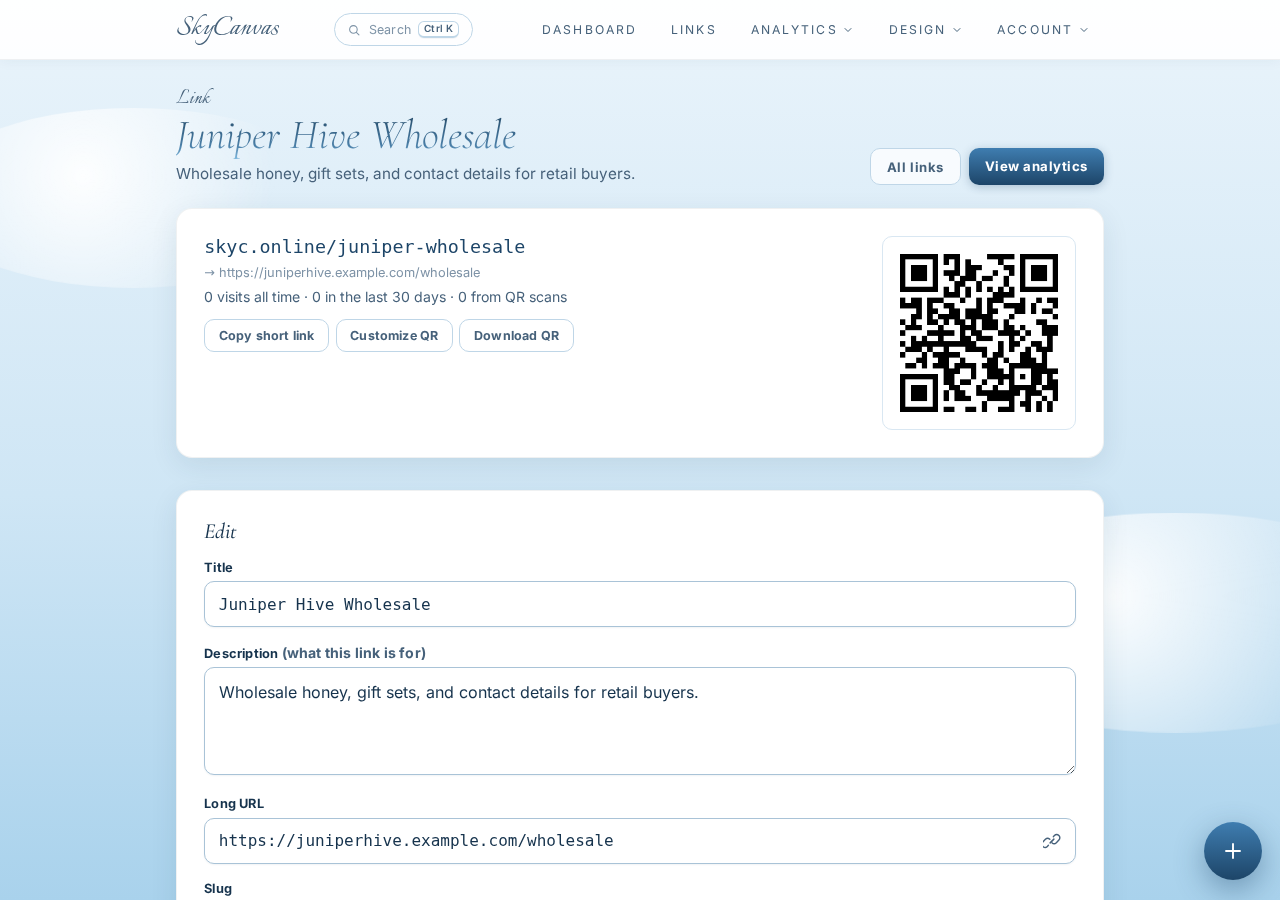
Maya checked the destination before moving on. That quick review mattered because the QR would soon become part of the printed card. A typo caught here takes seconds to fix, while a typo discovered after printing can waste an entire batch.
The generated code was already ready to download, but Juniper Hive had a warm, recognizable visual identity. Maya wanted the QR treatment to feel connected to the honey jars and booth signage rather than look like a separate technical element.
3. Apply the Juniper Hive colors
On the link page, Maya opened the QR customization controls. She selected a deep cocoa brown for the main modules, a golden amber accent, and a clean white background.
Those colors echoed the tones customers already associated with Juniper Hive: dark wood, amber honey, and bright paper labels. The live preview showed each change immediately, so Maya could balance brand character with a clear, high-contrast code.
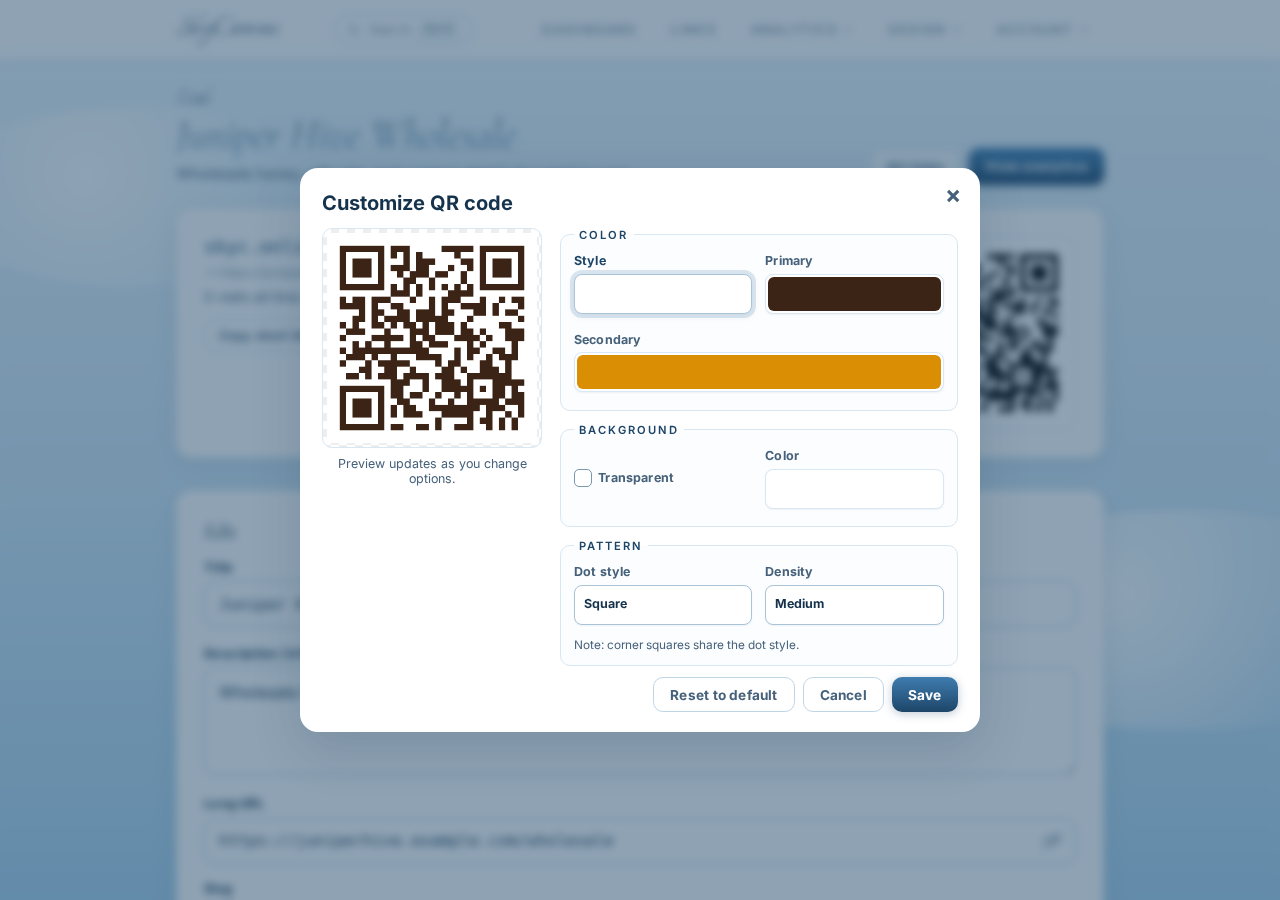
For a printed business card, contrast and breathing room are especially useful. A QR code may be viewed under convention-hall lighting or scanned while someone is holding a sample bag. A simple background and a prominent placement give it the best chance to remain easy to use.
4. Start a custom-size business card
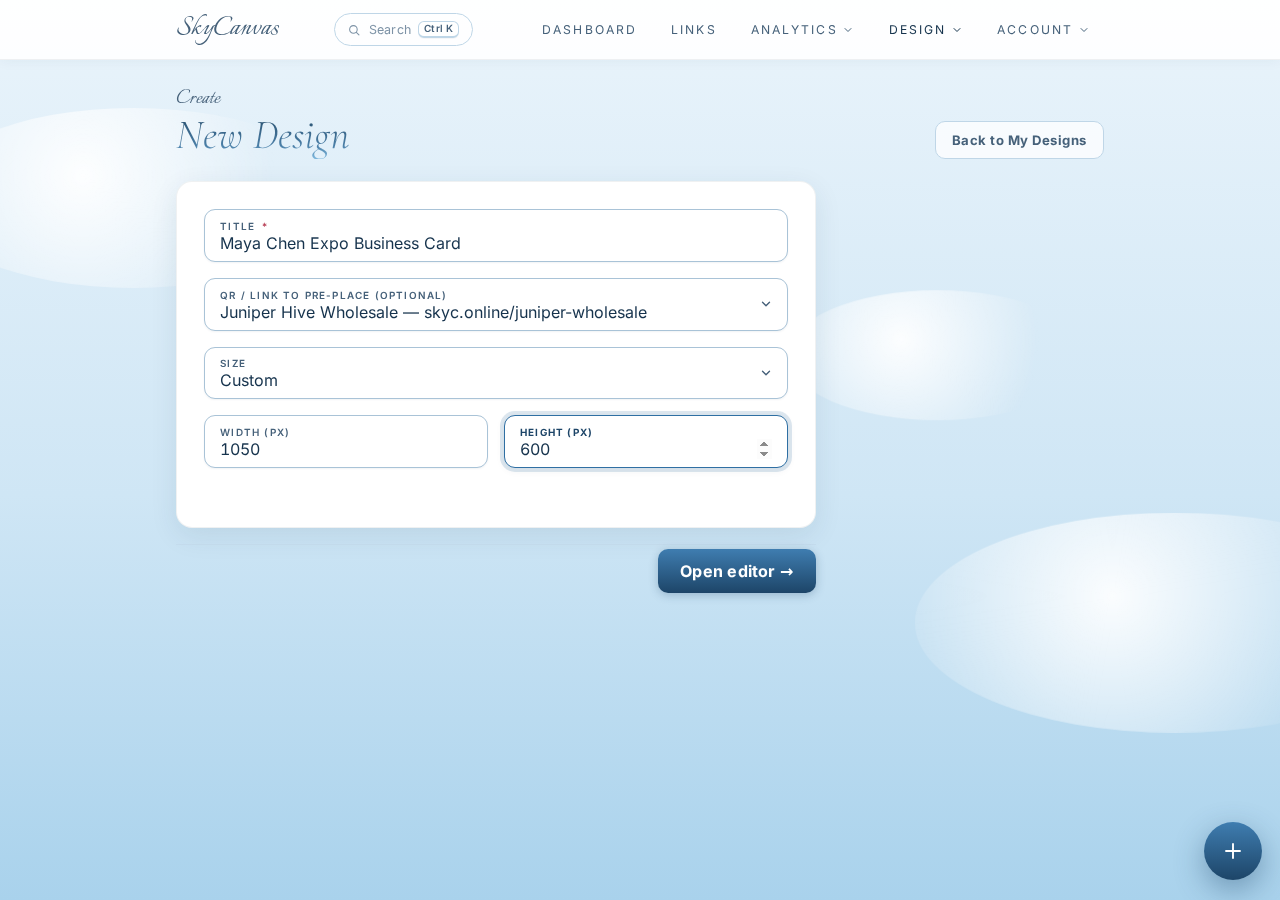
With the link and QR prepared, Maya moved to Marketing Materials and started a new design called Maya Chen Expo Business Card.
She chose a custom canvas measuring 1050 by 600 pixels, creating a wide landscape format suited to the card concept. She also selected the Juniper Hive wholesale link during setup. That connected the design to the QR code she had just prepared, allowing SkyCanvas to place it in the layout.
This order kept the workflow tidy. The destination came first, the branded QR came next, and the visual design was built around both.
5. Open the design editor
The blank project opened in the SkyCanvas editor. The canvas occupied the center, drawing and object tools appeared along the side, and the layers panel provided a place to manage individual design elements.
The toolbar also included the Design with AI option. Maya could have assembled every text block, shape, and color herself, but the expo deadline made a strong first draft more valuable than starting from an empty canvas.
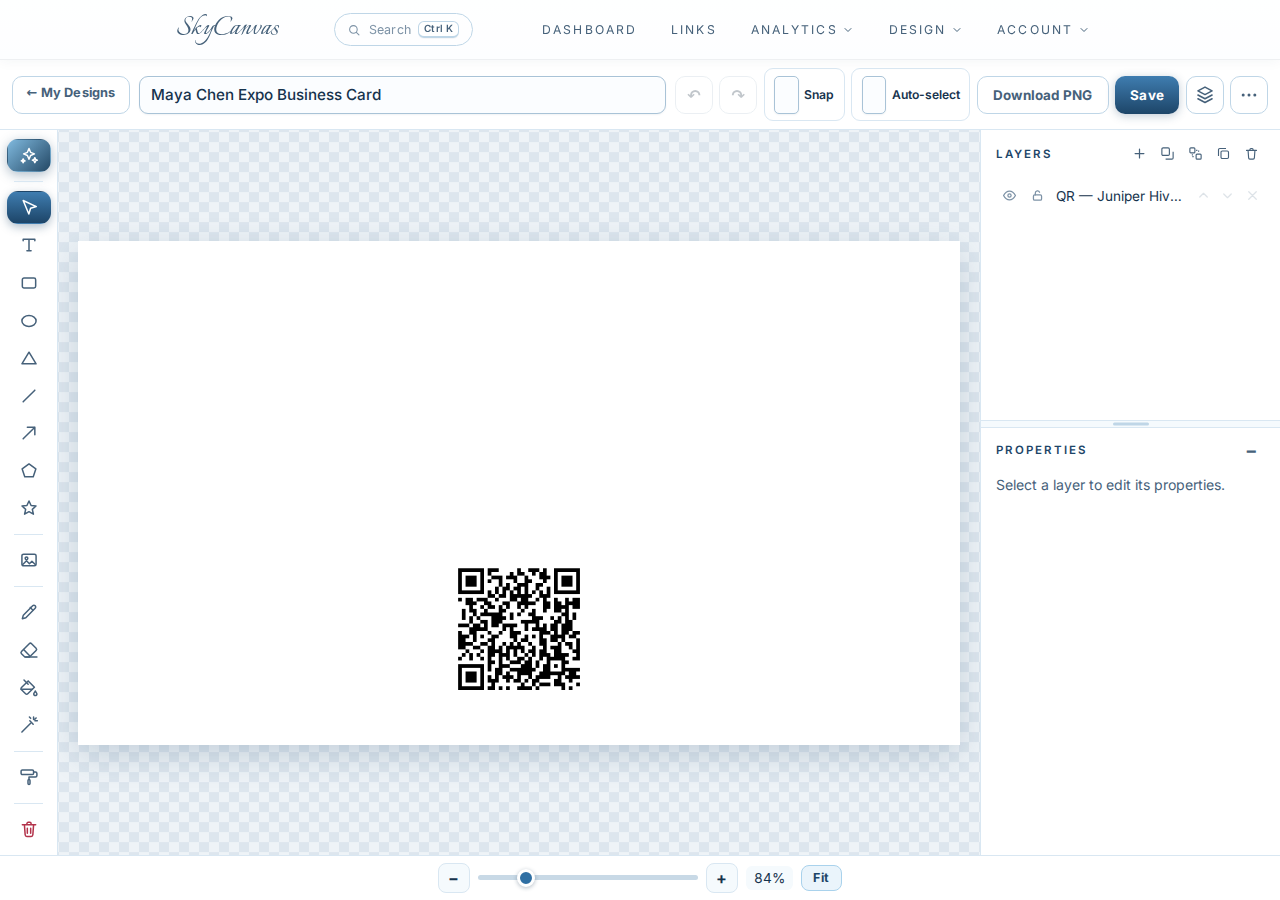
The editor still mattered even when AI handled the initial composition. The resulting elements would remain editable, so Maya could review contact details, adjust spacing, or refine individual layers before exporting the card.
6. Describe the card in plain English
Maya opened Design with AI and wrote a detailed brief. She included the business name, her role, contact information, Bend location, company tagline, and the instruction to feature the wholesale QR prominently.
She also described the desired palette and mood: warm amber, dark cocoa, clean white accents, crisp natural light, and visual references to honey and high-desert wildflowers. Finally, she selected Real photo as the background mode.
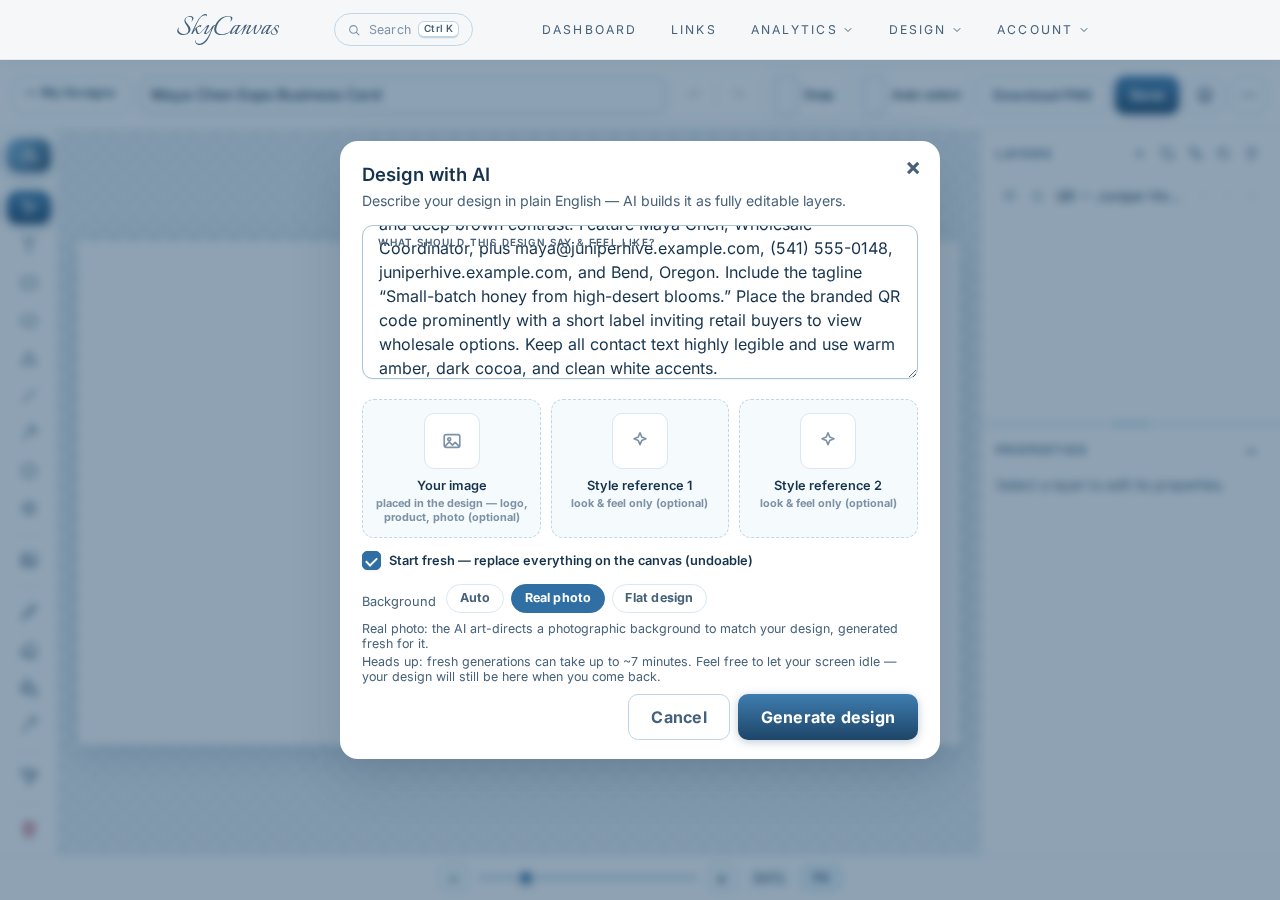
A useful brief gives the designer both content and priorities. Maya specified who would receive the card, what action they should take, and which details had to stay legible. That gave SkyCanvas more direction than a broad request for a “beekeeping business card.”
7. Review the finished editable design
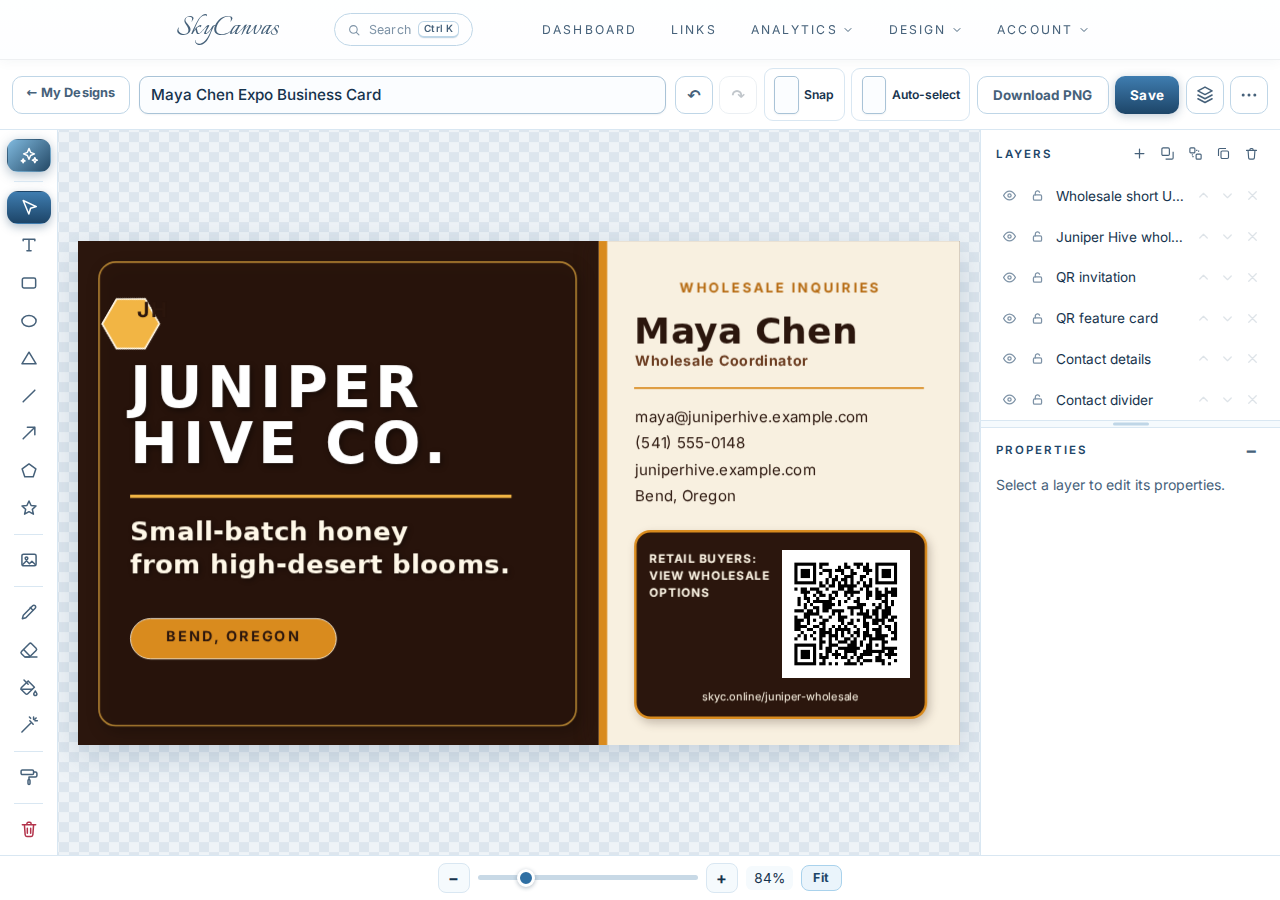
The generated result used a two-panel composition with a polished, double-sided feel. One side featured JUNIPER HIVE CO. in bold white type against rich cocoa brown, followed by the high-desert blooms tagline and an amber Bend, Oregon label.
The lighter contact panel gave Maya’s name and role strong visual priority. Her email, phone number, website, and location were grouped neatly beneath an amber divider. The QR sat inside its own dark framed panel with a direct invitation for retail buyers to view wholesale options. The short address, skyc.online/juniper-wholesale, appeared below it.
The layers panel showed that the headline, contact details, QR invitation, short URL, and other layout pieces were ordinary editable elements. Maya could make final corrections without rebuilding the composition.
By expo morning, Juniper Hive had a cohesive card that introduced Maya and gave interested buyers a direct next step. The short link was readable, the QR was prominent, and the design felt consistent with the company’s honey products.
If your next market, expo, or client meeting is closer than you would like, create a free SkyCanvas account and build the link before you build the card. That small bit of structure can make the whole design process easier.
Juniper Hive Co. is a fictional business we created to show a real SkyCanvas workflow. Every screenshot is real, captured live while writing this guide.