Blog · October 5, 2026
A Branded QR Code Before the Lunch Rush: How a Soup Cart Shared Its Daily Special
When a windstorm ruined her handwritten sidewalk sign, a Portland soup cart owner needed a fast way to share the day’s rotating special. She used SkyCanvas to create a memorable short link and branded QR code before the lunch line formed.
A sharp morning wind swept through downtown Portland just as Nadia Brooks began warming the first pot of soup. Nadia runs Ladle & Pine Soup Cart, a one-cart kitchen known for seasonal soups, fresh bread, and a menu that changes with the weather.
That morning, the wind also soaked and tore the handwritten sidewalk sign announcing the daily special. Nadia still had soup to finish, bread deliveries to check, and a lunch line that would start forming soon. She needed a simple way for people to see the current menu without stopping to ask what was available.
Her solution was a short link and branded QR code that she could place at the ordering window. Here is the exact SkyCanvas workflow she used to get it ready before lunch.
1. Start from the SkyCanvas homepage
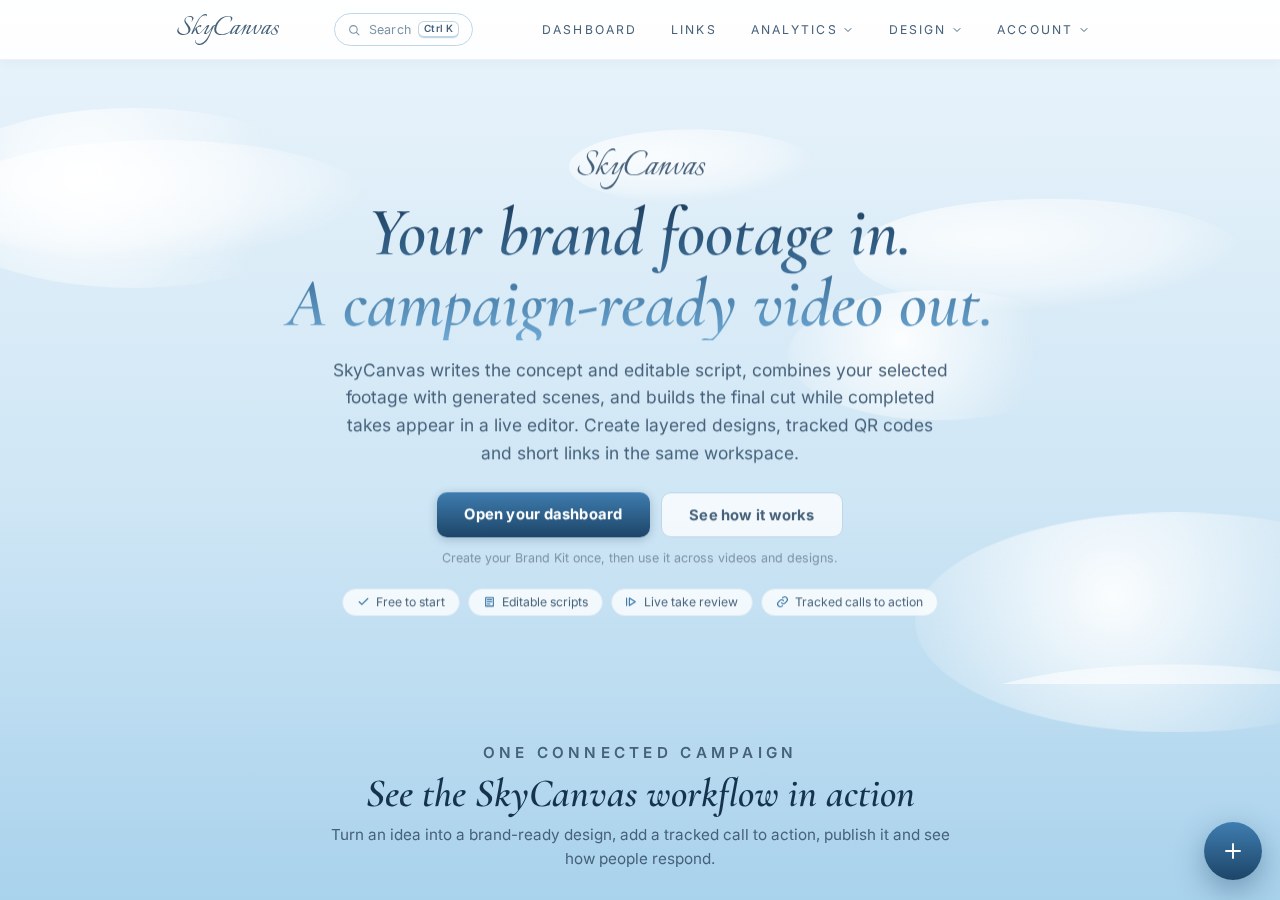
Nadia began at the SkyCanvas homepage. She wanted one place where she could create a short, readable web address and a QR code connected to the same destination.
The homepage provides access to the account dashboard and the tools available inside SkyCanvas. For Nadia, the immediate goal was focused: turn the long address for her daily menu into something customers could recognize and scan quickly.
A short link was especially useful for a food cart because it could work in two ways. Customers could scan the QR code from the counter, or type the printed address if they preferred. Both routes would lead to the same daily menu page.
2. Create a free account
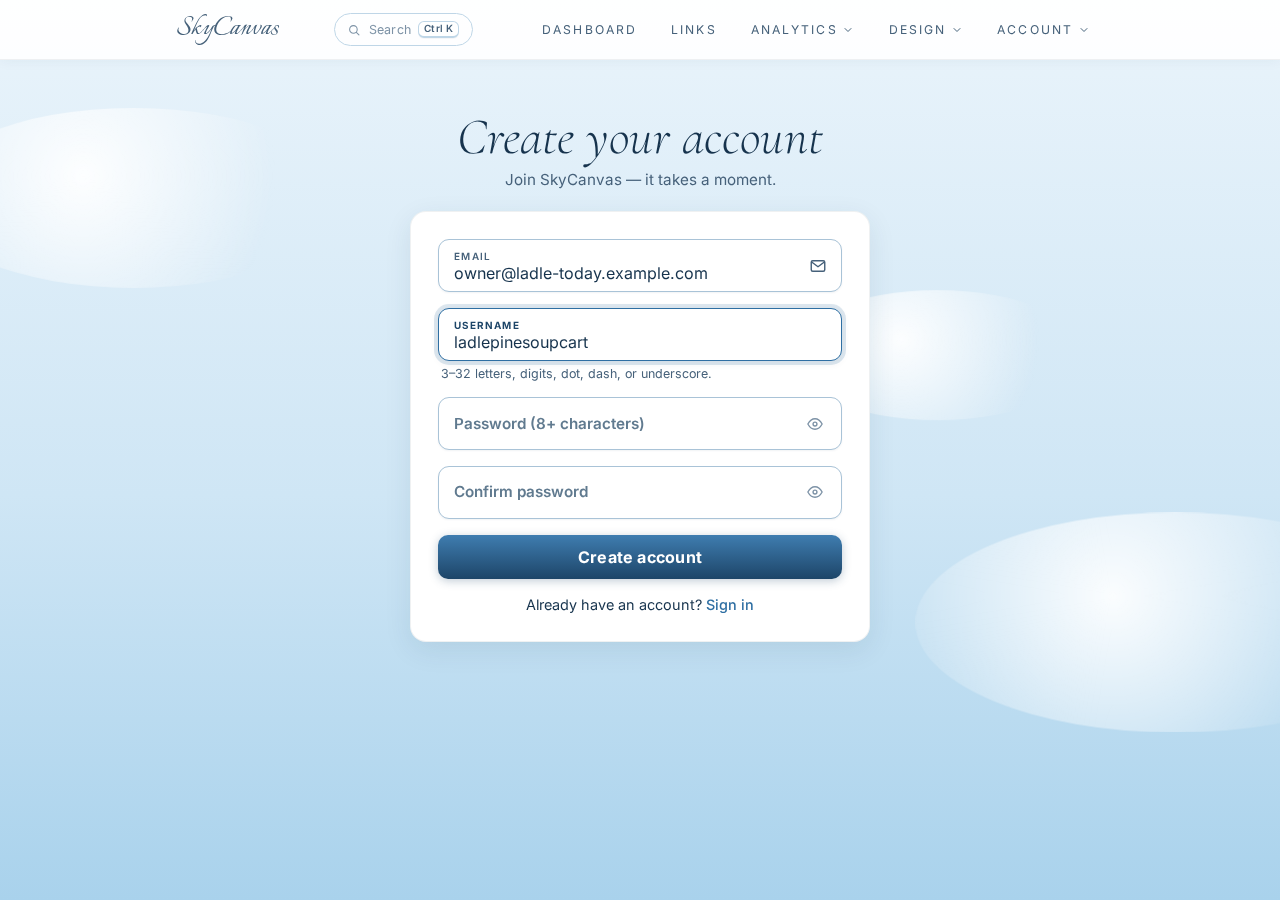
Next, Nadia opened the signup page and entered an email address, username, and password. SkyCanvas also offers Google, GitHub, and Microsoft account options, but the regular account form suited this setup.
The username would identify her account inside SkyCanvas. It did not need to match the custom slug she planned to use for the menu link.
Once the account was created, Nadia could keep the soup cart’s profile, links, and QR designs together. That mattered because the menu would keep changing even though the customer-facing short address needed to remain familiar.
3. Add the soup cart’s business details
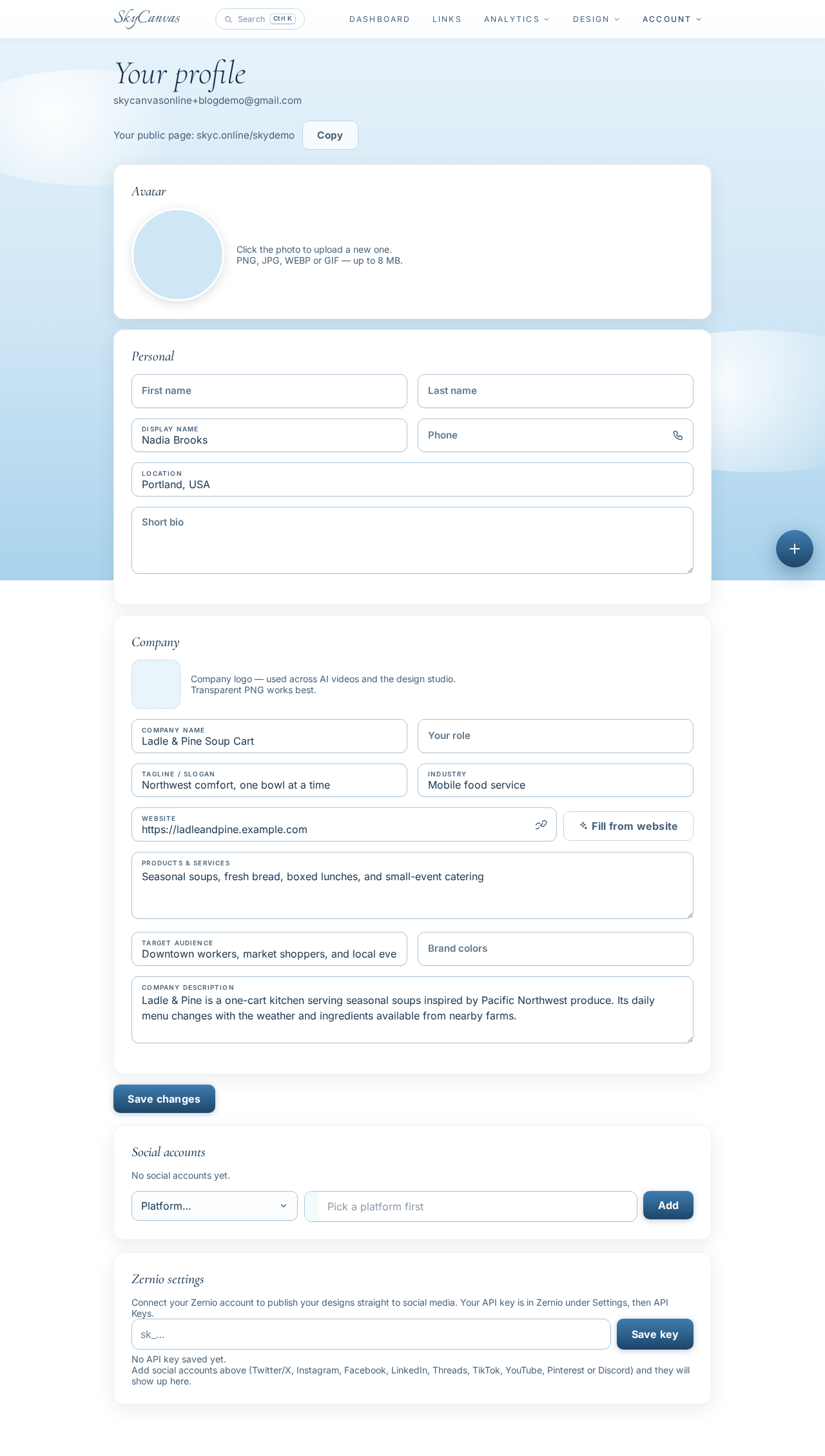
Before making the link, Nadia filled in the business profile for Ladle & Pine Soup Cart. She entered the company name, tagline, industry, services, audience, bio, and Portland location.
The profile described the business as a mobile food service offering seasonal soups, fresh bread, boxed lunches, and small-event catering. Its audience included downtown workers, market shoppers, and local event organizers.
This step gave the account a clear business identity. It also created a useful home for details Nadia would likely reuse as she added more marketing materials later.
For a small business following the same process, the profile can stay concise. Focus on the information that explains what you sell, whom you serve, and what makes the business recognizable.
4. Build the short link for the daily menu
With the profile ready, Nadia moved to the new short link form. She filled in four fields:
- Destination URL:
https://ladleandpine.example.com/todays-soup - Title:
Today’s Soup and Bread - Description:
See today’s seasonal soup, bread pairing, hours, and sold-out updates. - Custom slug:
ladle-today
As she completed the form, the QR preview appeared on the right. That live preview confirmed that the QR code would point to the destination attached to the new link.
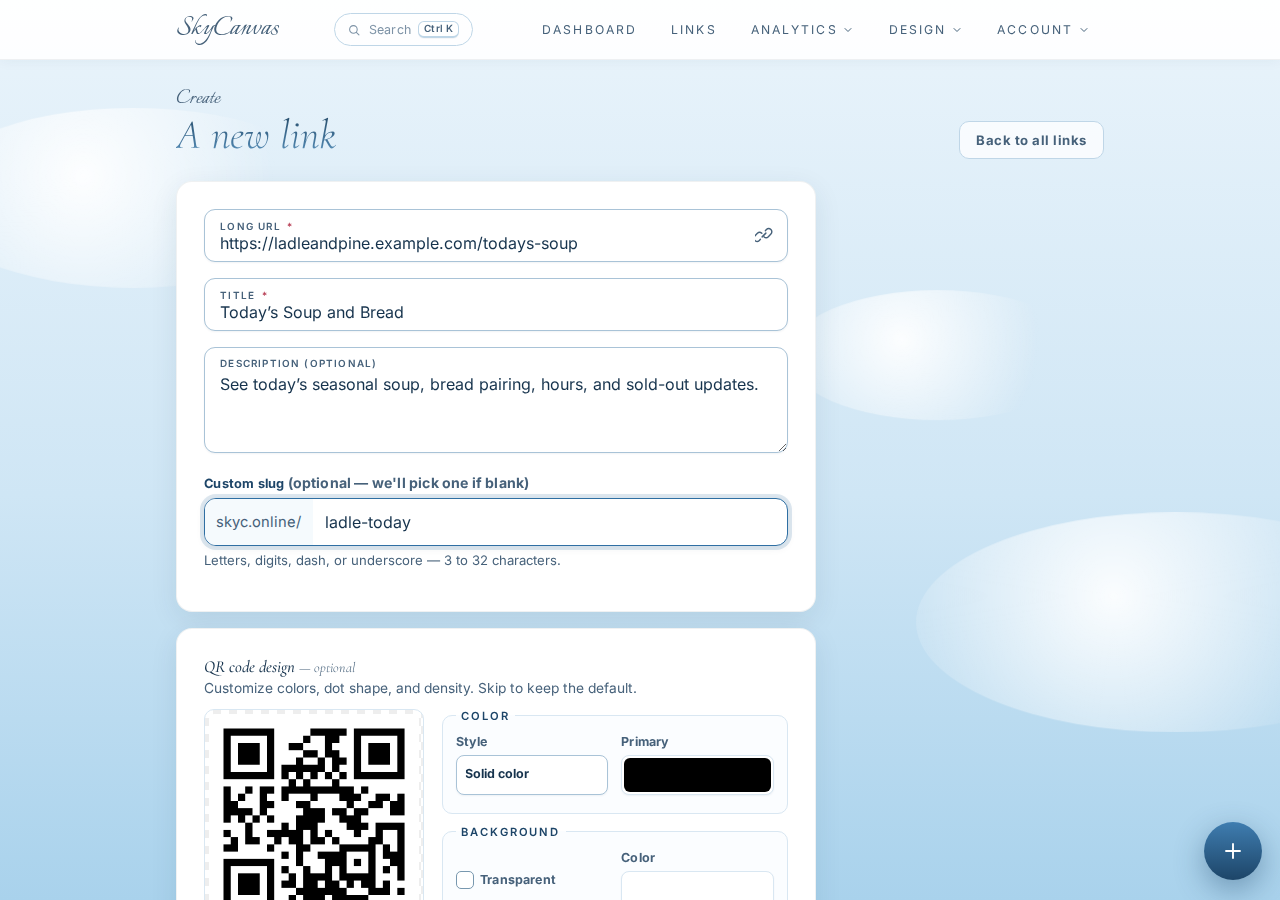
The custom slug turned the link into skyc.online/ladle-today. It was short enough to fit neatly on a small counter card and clear enough for Nadia to say aloud while serving a customer.
The destination page could contain the current soup, bread pairing, opening hours, and sold-out notices. If Nadia updated that page during the day, customers using the same short link would see the latest information.
That distinction is useful for any rotating offer. The printed short link and QR code can remain in place while the destination page itself carries the changing content.
5. Confirm and download the generated QR code
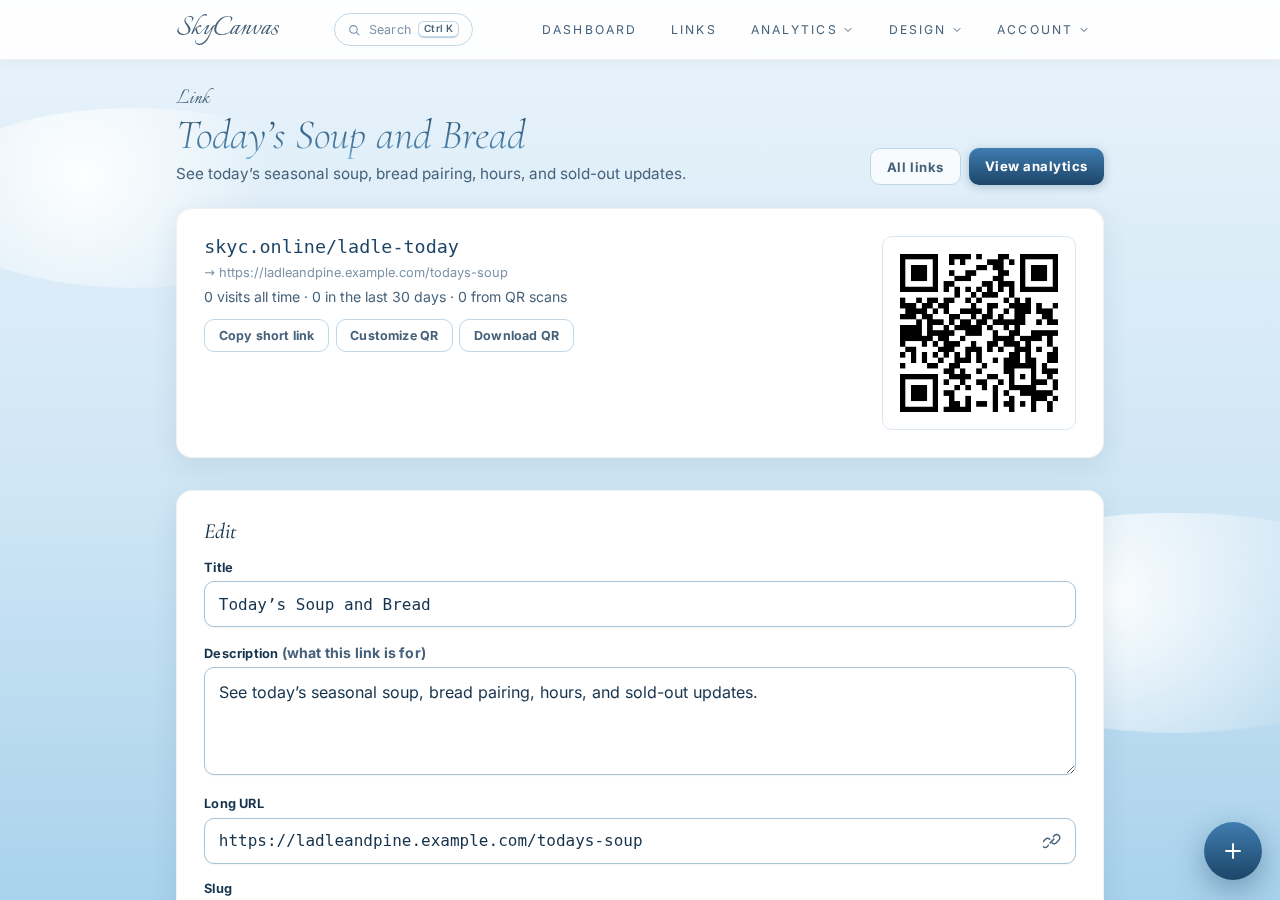
After creating the link, SkyCanvas opened its detail page. The page showed the new short URL, the full destination, and the automatically generated QR code.
Nadia checked that skyc.online/ladle-today pointed to the intended daily menu page. This quick review was important because the link would soon be placed where a steady stream of customers could use it.
The generated QR code was already available to download. Nadia could have used it immediately, but she wanted the counter card to feel connected to Ladle & Pine rather than looking like a generic utility sign.
6. Apply the Ladle & Pine brand colors
On the same link page, Nadia opened the QR customization controls. She applied the soup cart’s deep evergreen color, #173F35, along with a warm orange, #D96B32, against a white background.
The preview updated as she changed the QR module colors. This let her check the finished appearance before downloading it.
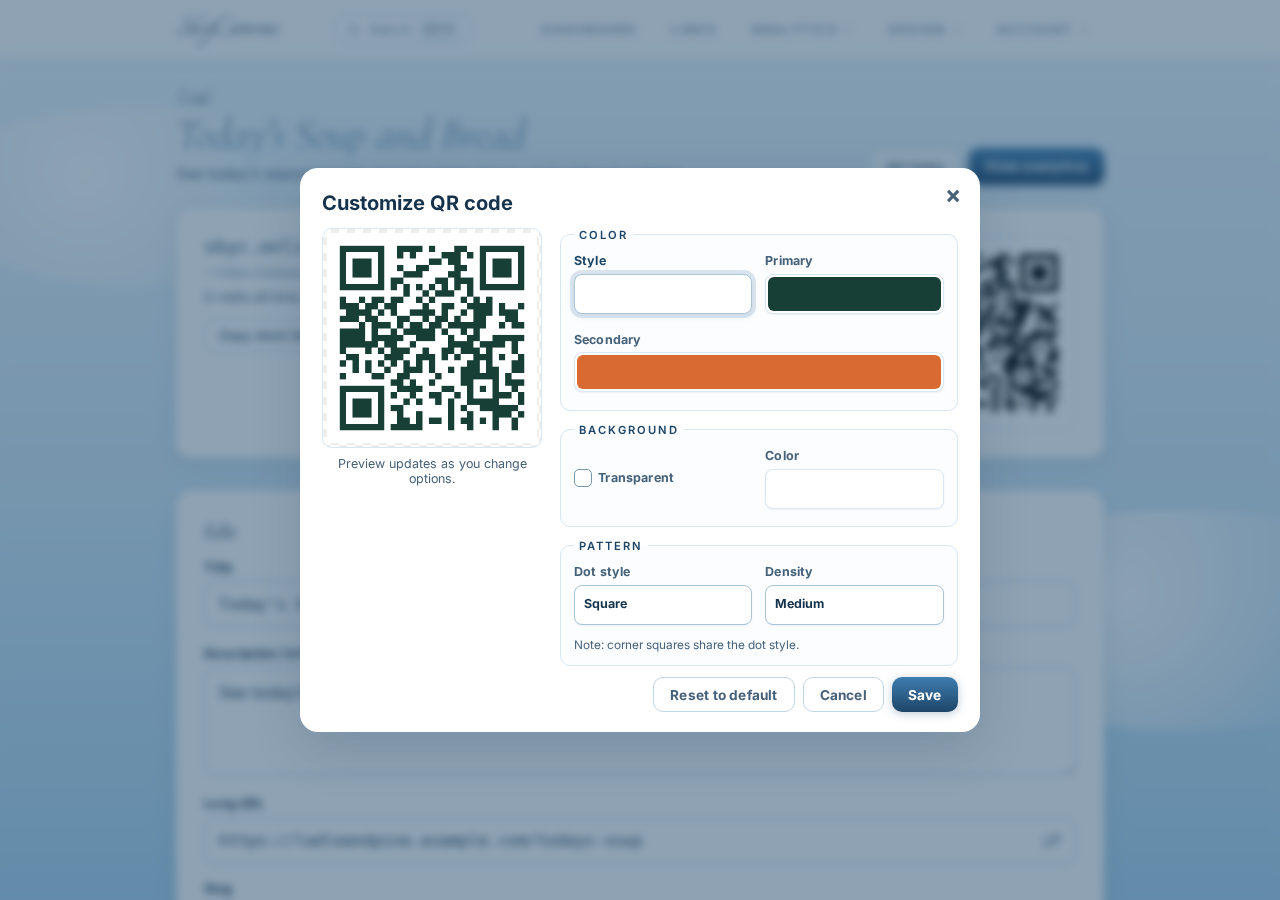
The green echoed the “Pine” in the business name, while the orange brought in the warmth of squash, carrots, and a simmering soup pot. The white background kept the code visually clear.
Nadia downloaded the customized QR and added it to a simple card beside the ordering window. Above it, she wrote “Today’s Soup and Bread.” Below it, she printed the short address for anyone who wanted to type it instead.
A steadier lunch service
By the time the first office workers reached the cart, Nadia had a scannable menu in place. Customers could check the special while waiting, see the bread pairing, and read any sold-out update without asking Nadia to repeat the details between orders.
The new setup also gave Ladle & Pine a reusable routine. Nadia could keep pointing people to skyc.online/ladle-today while updating the destination page with each day’s soup. A damaged sidewalk sign no longer had to interrupt service.
If your business needs a memorable short link and a QR code for a menu, service list, signup page, or rotating offer, create a free SkyCanvas account and build your first link.
Ladle & Pine Soup Cart is a fictional business we created to show a real SkyCanvas workflow. Every screenshot is real, captured live while writing this guide.