Blog · September 30, 2026
One Profile for Every Class: How a Language Tutor Organized Her Booking Links
A neighborhood language tutor was juggling separate links for private lessons, conversation clubs, and placement calls. She used SkyCanvas to build one public profile that made every option easy to find and share.
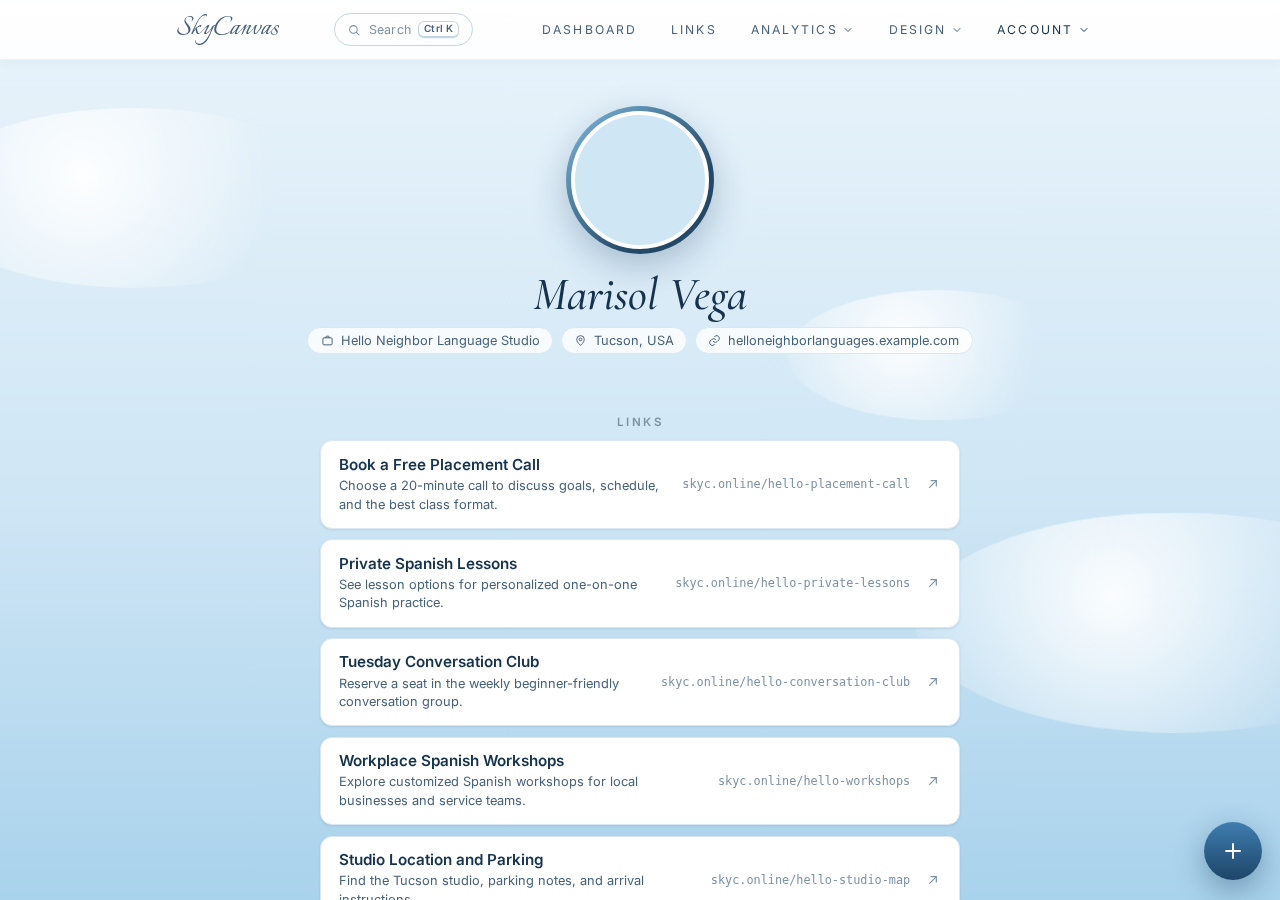
Marisol Vega teaches Spanish for real life. Through Hello Neighbor Language Studio in Tucson, she offers private lessons, a Tuesday conversation club, workplace workshops, and free placement calls for prospective students.
Each option had its own webpage, which seemed sensible until someone asked, “Which link should I use?” Marisol was copying different URLs into texts, social profiles, and neighborhood group posts. A person interested in private lessons might never notice the conversation club. A workplace manager could land on the general website and miss the workshop page.
She wanted one welcoming profile that explained the studio and gave every visitor a clear next step. With SkyCanvas, she created a business profile, turned each destination into a short link, and published the useful links together on one public page.
1. Start from the SkyCanvas homepage
Marisol began at the SkyCanvas homepage. The navigation provides direct access to the dashboard, links, analytics, design tools, and account area. Since she was building the studio’s presence from scratch, her first task was creating a free account.
The homepage also helped her see how the pieces fit together. A business can keep its profile, short links, QR codes, and marketing materials in the same workspace. For this project, she only needed the profile and link tools.
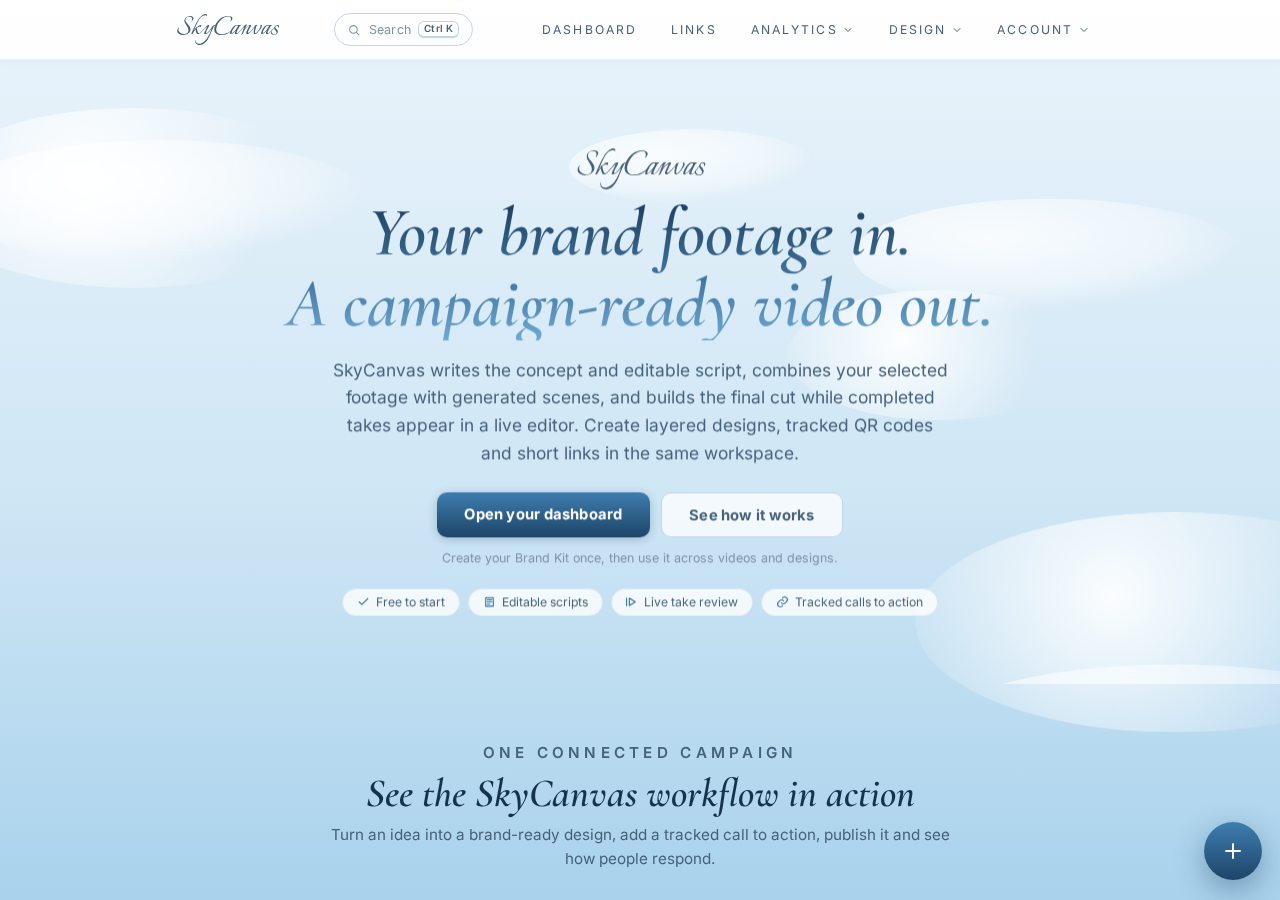
That shared workspace mattered because Marisol expected her class offerings to evolve. She needed a simple place to manage what prospective students could find without rebuilding her online presence each time a schedule changed.
2. Create the studio account
From the homepage, Marisol opened the registration page. SkyCanvas asks for an email address, username, and password. The captured signup form shows the email and username already filled in, ready for the account to be created.
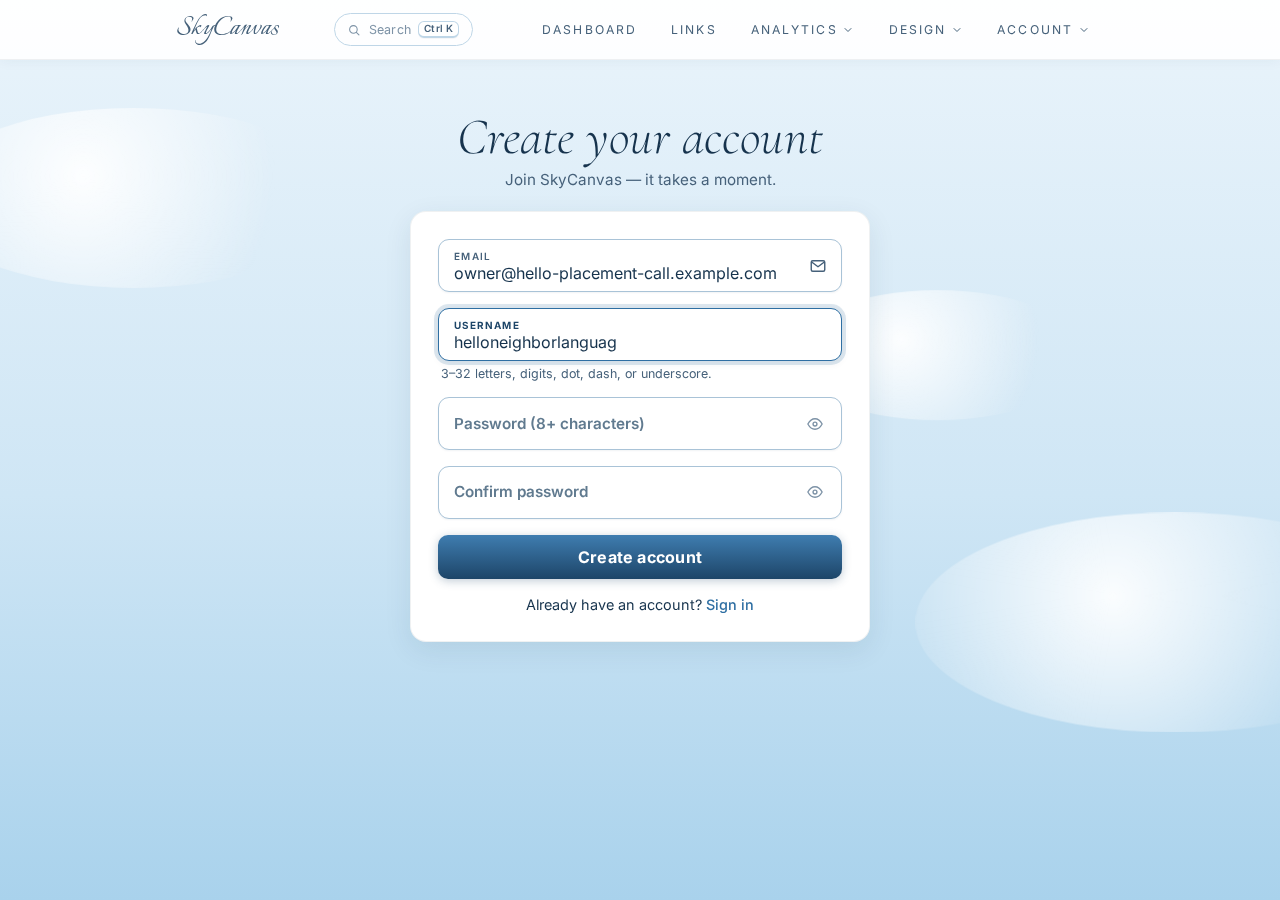
For a small teaching business, the username is worth choosing carefully. It becomes part of the account identity, so Marisol used a name connected to Hello Neighbor Language Studio rather than a temporary campaign name.
Once the account was ready, she could build a business profile before adding links. That order gave the finished public page useful context. Visitors would see who was teaching, what the studio offered, and who the classes were designed for.
3. Fill in the business profile
Marisol opened the profile area and entered the core details of the studio:
- Display name: Marisol Vega
- Company name: Hello Neighbor Language Studio
- Tagline: Practical Spanish for everyday conversations
- Industry: Language Education
- Services: Private lessons, conversation clubs, workplace workshops, and placement calls
- Audience: Adults, local professionals, travelers, and neighborhood service teams
She also added a short bio explaining that the studio helps adults speak practical Spanish with confidence. The language was brief, but it answered the questions a new visitor would naturally have: What can I learn here, and is this meant for someone like me?
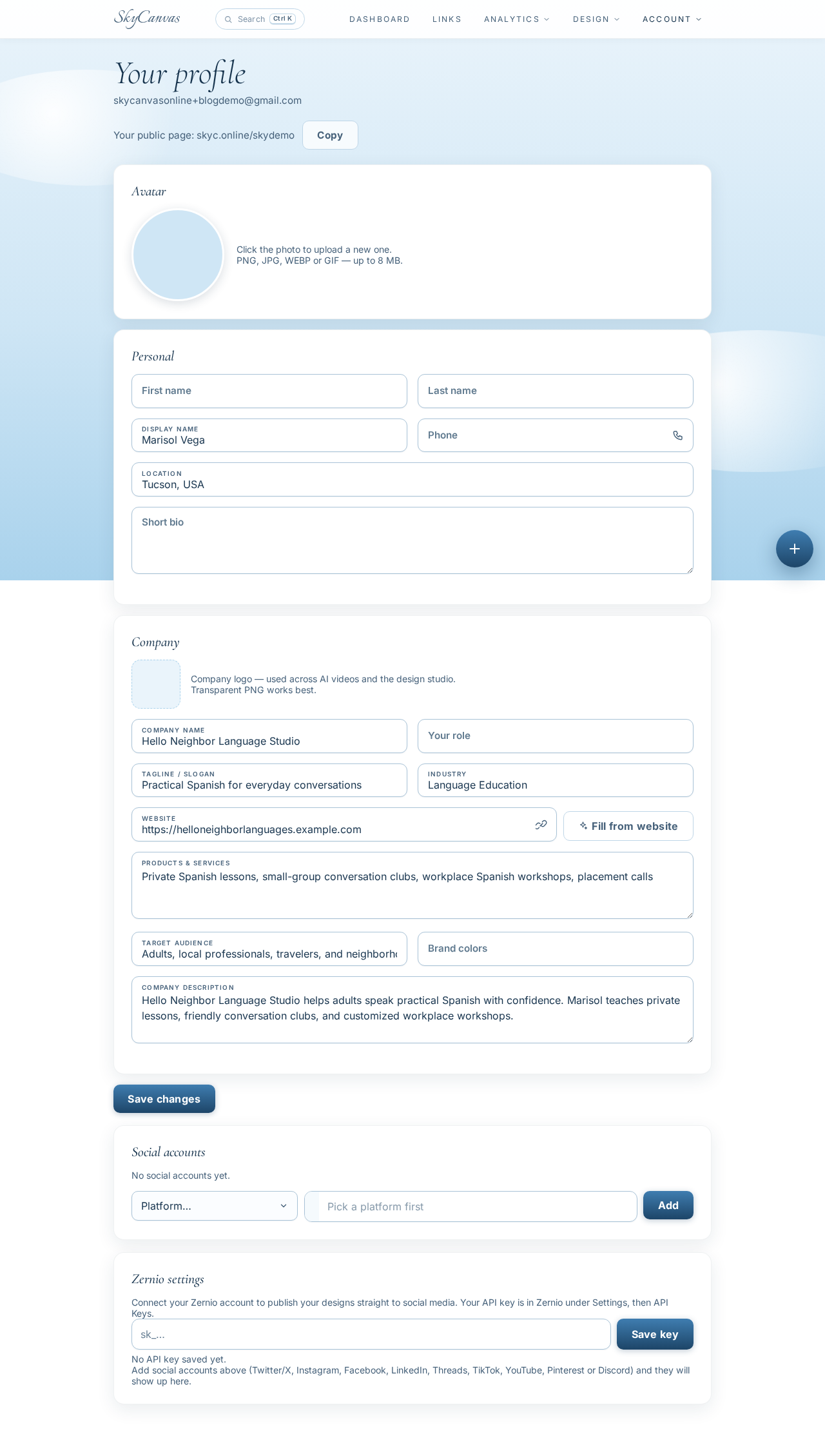
A complete profile turned the eventual link page into more than a list of buttons. It gave the links a recognizable business name and a clear purpose. Someone arriving from a social post could understand the studio before choosing a class.
4. Build the placement call short link
The free placement call was Marisol’s most useful starting point for new students, so she created that link first. In the new short link form, she entered the destination page for booking a call, then added a plain-language title and description.
The fields were:
- Destination URL: the studio’s booking page
- Title: Book a Free Placement Call
- Description: Choose a 20-minute call to discuss goals, schedule, and the best class format
- Custom slug: hello-placement-call
As she filled in the form, SkyCanvas displayed a live QR preview on the right. That meant the same destination could later be shared as either a short URL or a scannable code.
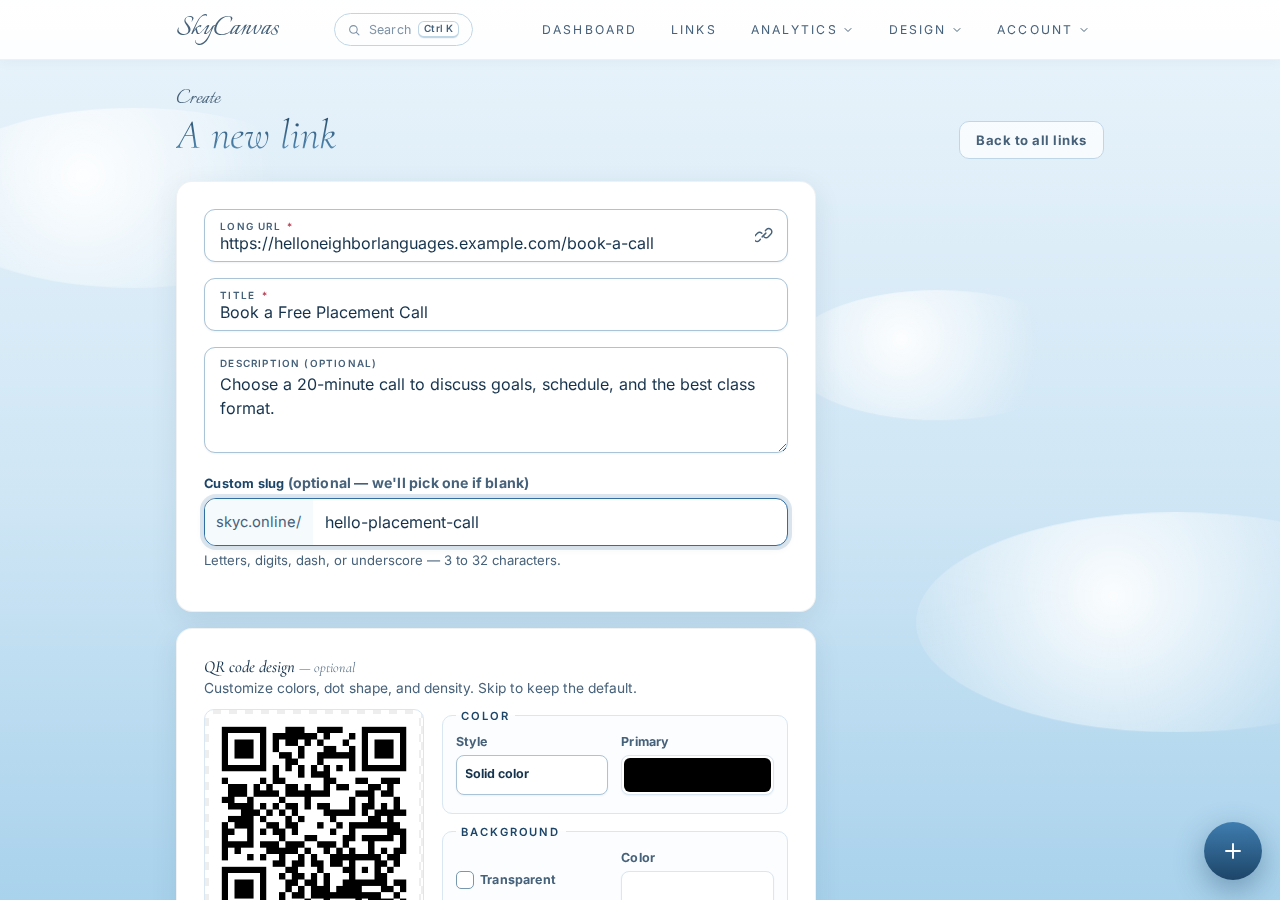
The custom slug made the result easy to read aloud and type: skyc.online/hello-placement-call. Marisol could use it in a text message, place it in a printed handout, or share it during a community event without reciting a long booking address.
5. Confirm the link and QR code
After saving, SkyCanvas opened the link detail page. Here Marisol could verify the short URL, check its destination, and see the generated QR code ready to download.
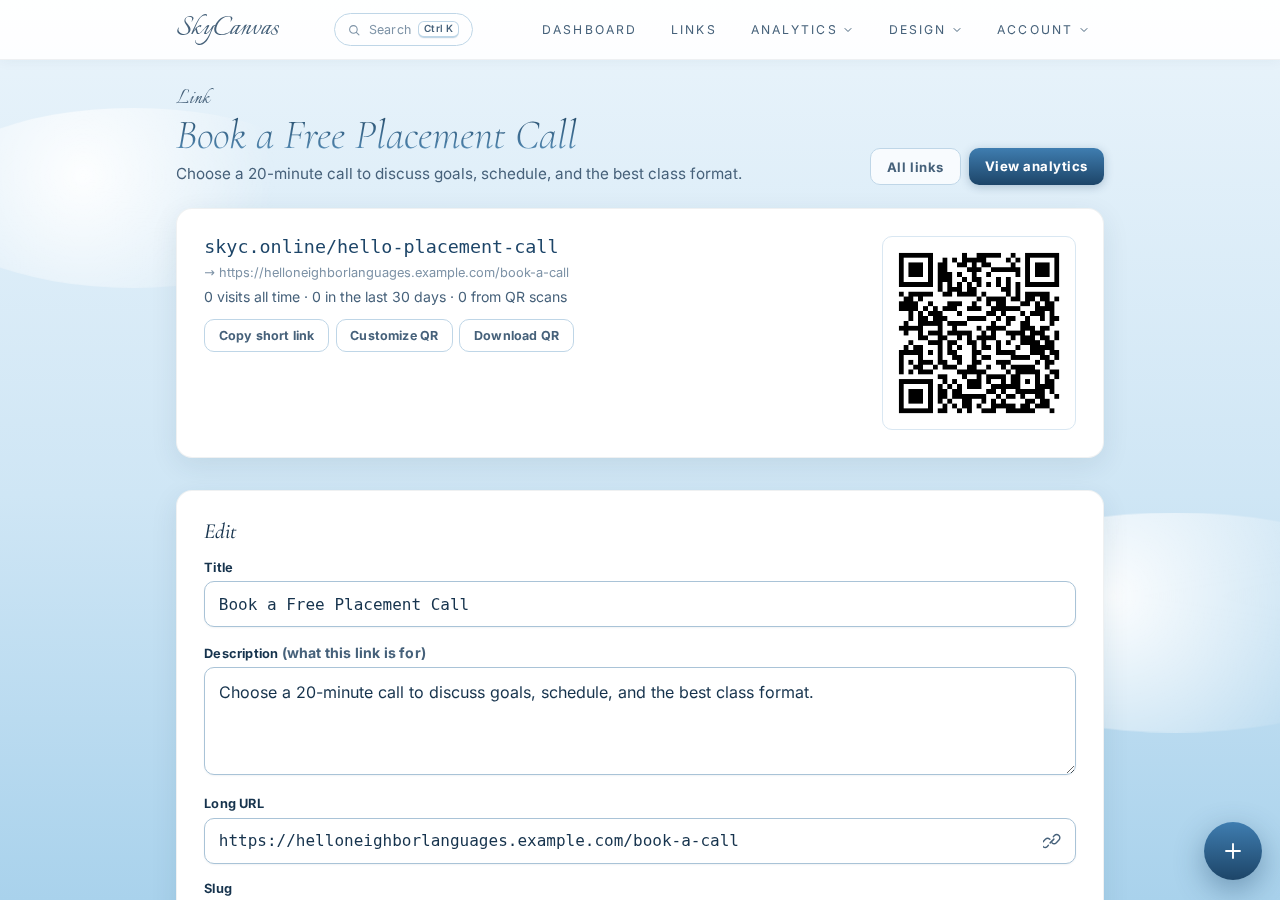
This confirmation step was small but important. Marisol could make sure skyc.online/hello-placement-call led to the correct booking page before sharing it publicly.
She then repeated the same link creation process for the rest of the studio’s useful destinations: private Spanish lessons, the Tuesday conversation club, workplace workshops, and studio location and parking details. Each title described a specific action, while each description gave visitors enough context to choose confidently.
Because the links were public, they could appear together on the studio’s SkyCanvas profile.
6. Share one public profile
The final result was a public business profile for Hello Neighbor Language Studio. Visitors could read the studio details and then choose the link that matched what they needed, all from one page.
Marisol now had one profile to place in her social bio and share with neighborhood groups. A prospective student could book a placement call, explore private lessons, reserve a conversation club seat, review workplace workshop options, or find the studio without asking Marisol to send another URL.
The biggest change was clarity. Hello Neighbor Language Studio still had several services and destination pages, but customers no longer had to sort through them alone. The public profile introduced the business, while the short links made every next step specific and easy to understand.
If your business has several booking pages, services, events, or locations, create a free SkyCanvas account and bring the most useful destinations together in one shareable profile.
Hello Neighbor Language Studio is a fictional business we created to show a real SkyCanvas workflow. Every screenshot is real, captured live while writing this guide.