Blog · September 21, 2026
Trade Show Business Cards Overnight: A Solar Installer’s SkyCanvas Workflow
A Reno solar installer hired a project advisor two days before a regional home show. SkyCanvas helped the team create a consultation link, QR code, and polished business card design in one evening.
High Desert Solar Works had a welcome problem. The small Reno solar installer had just hired Maya Torres as a project advisor, and a regional home show was only two days away. Maya knew the services, understood the concerns of local homeowners, and was ready to talk about rooftop solar and battery storage. She just did not have anything useful to hand people after those conversations.
The team wanted a business card that could do more than list a phone number. It needed to introduce Maya, communicate the company’s practical approach, and give homeowners a direct path to schedule a consultation. With the print deadline approaching, there was no time for a long design process.
In one evening, they used SkyCanvas to organize the business details, create a memorable short link, generate its QR code, and build a print-ready card concept. Here is the exact workflow.
1. Give the design a clear business identity
Maya started with the SkyCanvas business profile. This gave the design process a reliable source for the company name, tagline, industry, services, audience, and overall message.
On the profile page, she entered High Desert Solar Works and the tagline Practical solar for high desert homes. She described the company as a residential solar installer serving homeowners in northern Nevada. Its services included solar consultations, rooftop system design, battery storage planning, and installation.
The audience field mattered too. Rather than trying to speak to everyone, the team defined its audience as homeowners who wanted clear guidance about solar energy and battery storage. That simple choice helped keep the eventual card focused on useful advice and an easy consultation path.
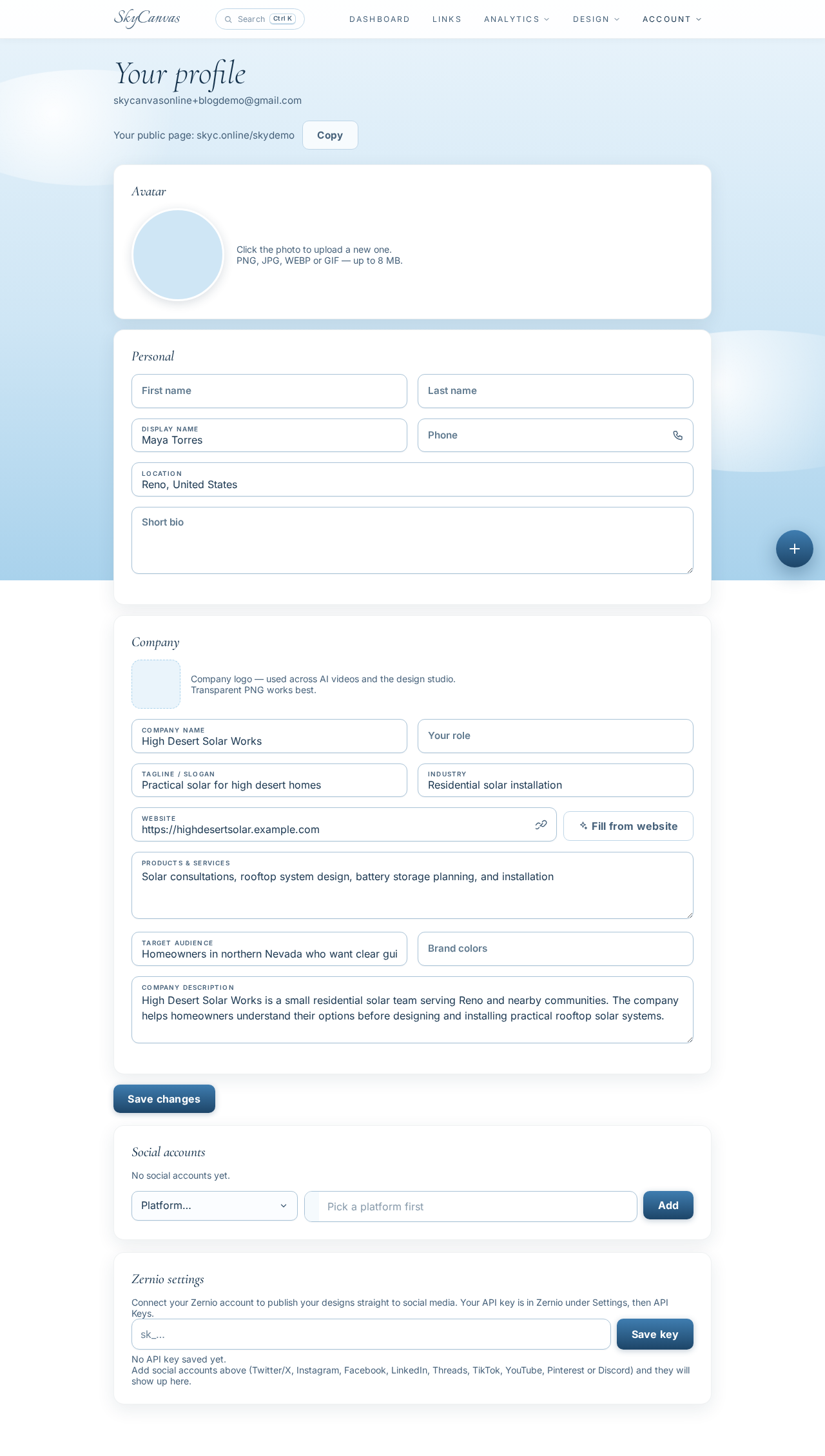
A complete profile also reduced the chance of inconsistent wording. Maya’s card could use the same company description and voice that customers would encounter elsewhere.
2. Create a consultation link for the card
Next, Maya opened the short-link tool and selected the option to create a new link. The destination was the company’s consultation page at highdesertsolar.example.com/consultation.
She filled in four fields:
- Title: Book a Solar Consultation
- Description: Schedule a home solar and battery consultation with Maya Torres.
- Custom slug: maya-solar
- Destination URL: the company consultation page
As she completed the form, the live QR preview appeared on the right. That preview confirmed that the card would have a scannable path to the intended destination before any design work began.
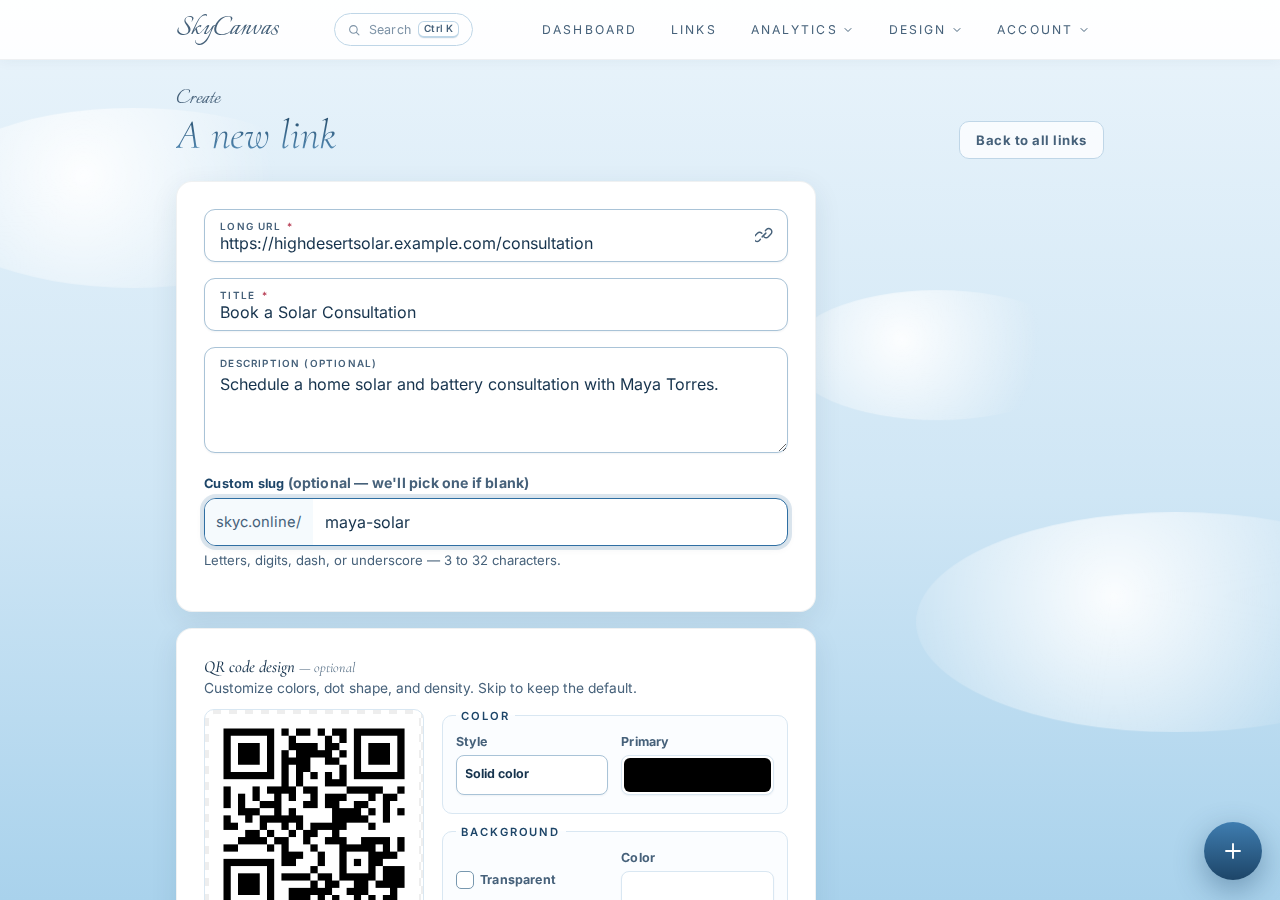
The custom slug turned the link into the concise address skyc.online/maya-solar. It was short enough to print beneath the QR code, so a visitor could type it manually if scanning was inconvenient.
3. Confirm the short link and QR code
After creating the link, Maya reached its detail page. SkyCanvas displayed the short address, original destination, and generated QR code together.
This was a useful checkpoint. The team could verify that skyc.online/maya-solar led to the consultation page and download the QR code if they needed it for another sign, handout, or booth display.
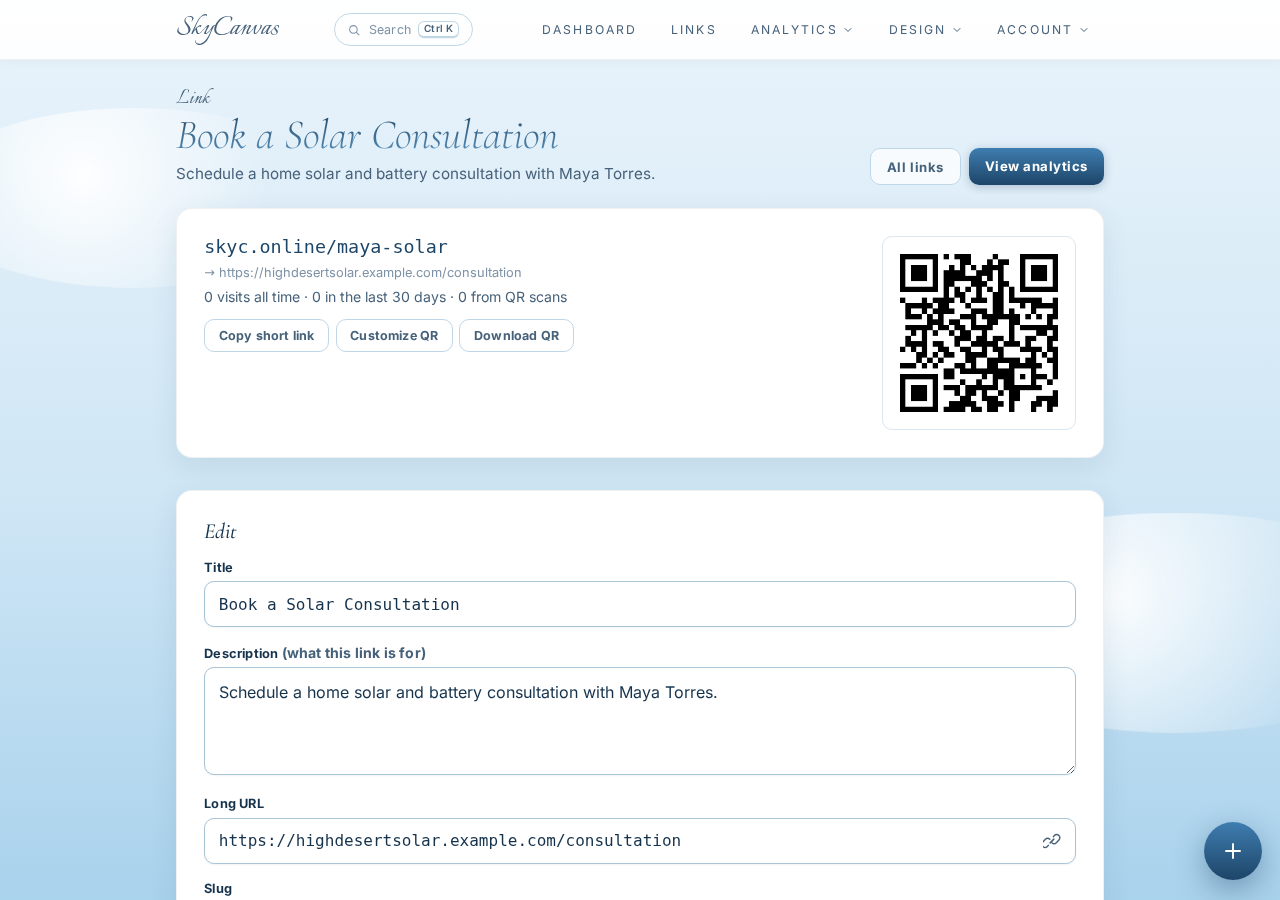
Building the link first also meant the correct QR code could be carried into the card design. Nobody had to paste in an unrelated image or recreate the code during the final rush.
4. Start a business-card-sized marketing material
With the consultation path ready, Maya moved to Marketing Materials and created a new project called Maya Torres Trade Show Business Card.
The team chose a custom horizontal canvas measuring 1050 by 600 pixels. This gave them a wide composition with enough room for Maya’s identity on one side and a prominent QR call to action on the other.
They also selected the consultation short link during setup. That connected the project to the QR code they had just created and made it available for placement in the design.
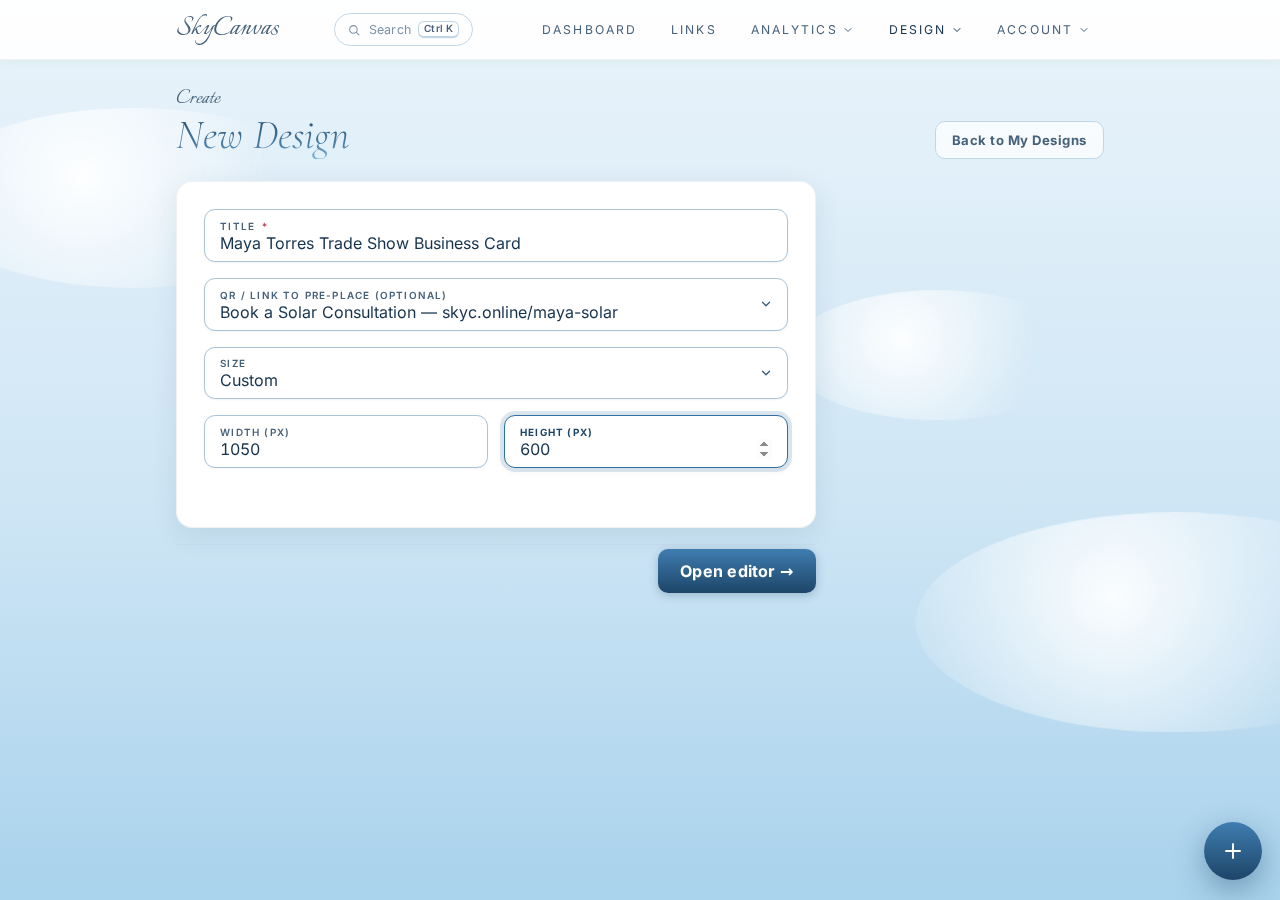
Selecting the link at this stage kept the workflow tidy. The purpose of the card was already settled: help a homeowner move from a friendly trade-show conversation to a consultation booking.
5. Open the design editor
The new project opened in the SkyCanvas editor. The main canvas sat in the center, with drawing and content tools along the left and a layers panel on the right. The toolbar included controls for saving, downloading a PNG, and opening Design with AI.
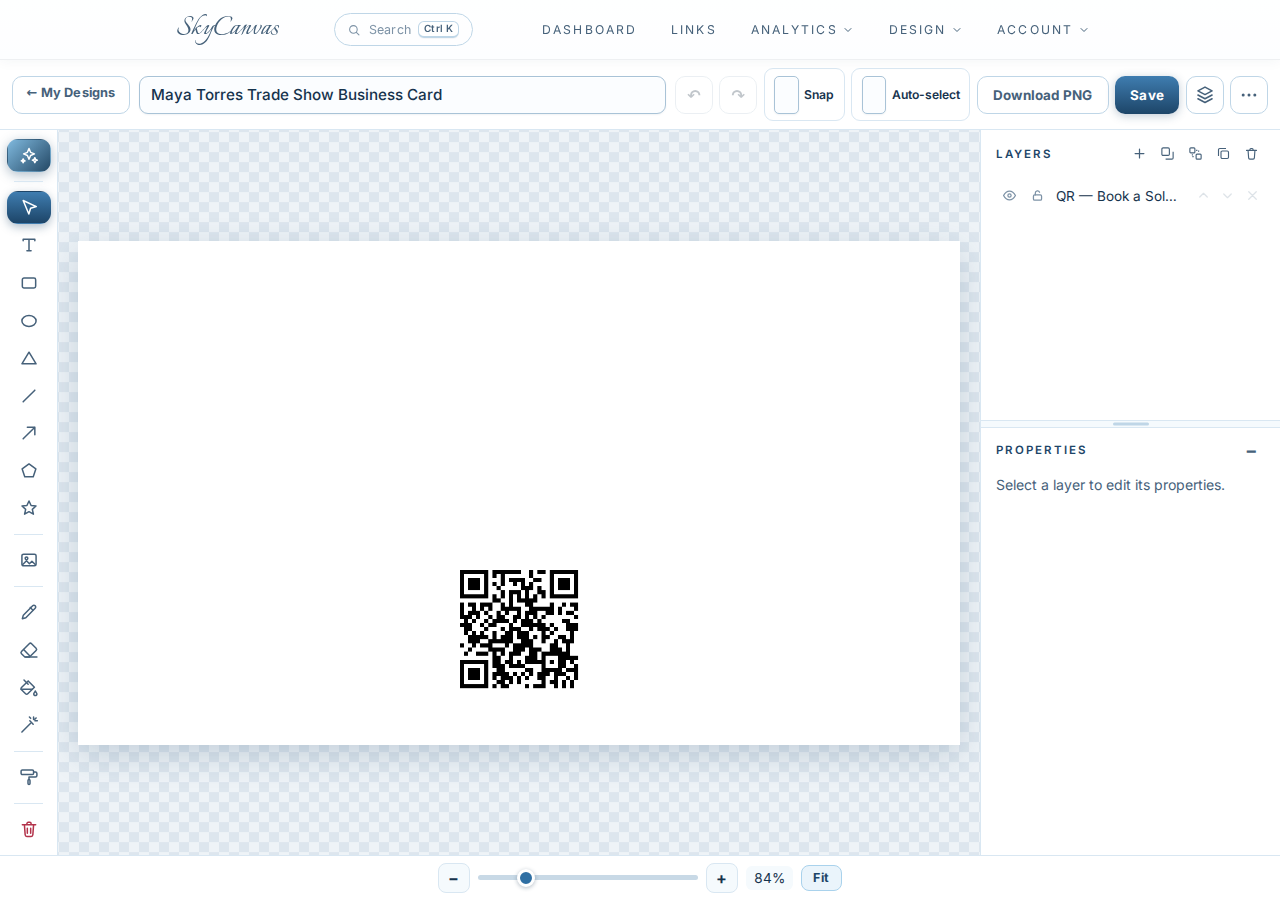
The editor gave the team room to make manual adjustments, but the deadline made a generated starting point especially useful. They could describe the finished piece in plain English, let SkyCanvas assemble it, and then work with the resulting layers.
6. Describe the card in plain English
Maya opened the Design with AI modal and wrote a detailed brief. She requested a vivid horizontal business card using deep navy, bright orange accents, highly readable text, and a polished front-and-back feel within one wide composition.
The brief named the content that had to appear: Maya Torres, Project Advisor, High Desert Solar Works, the company tagline, consultation messaging, website, and a prominent QR code labeled Scan to book a solar consultation.
She also selected Real photo background mode. This tells the AI designer to art-direct a photographic direction when generating the piece, rather than relying only on a basic canvas setup.
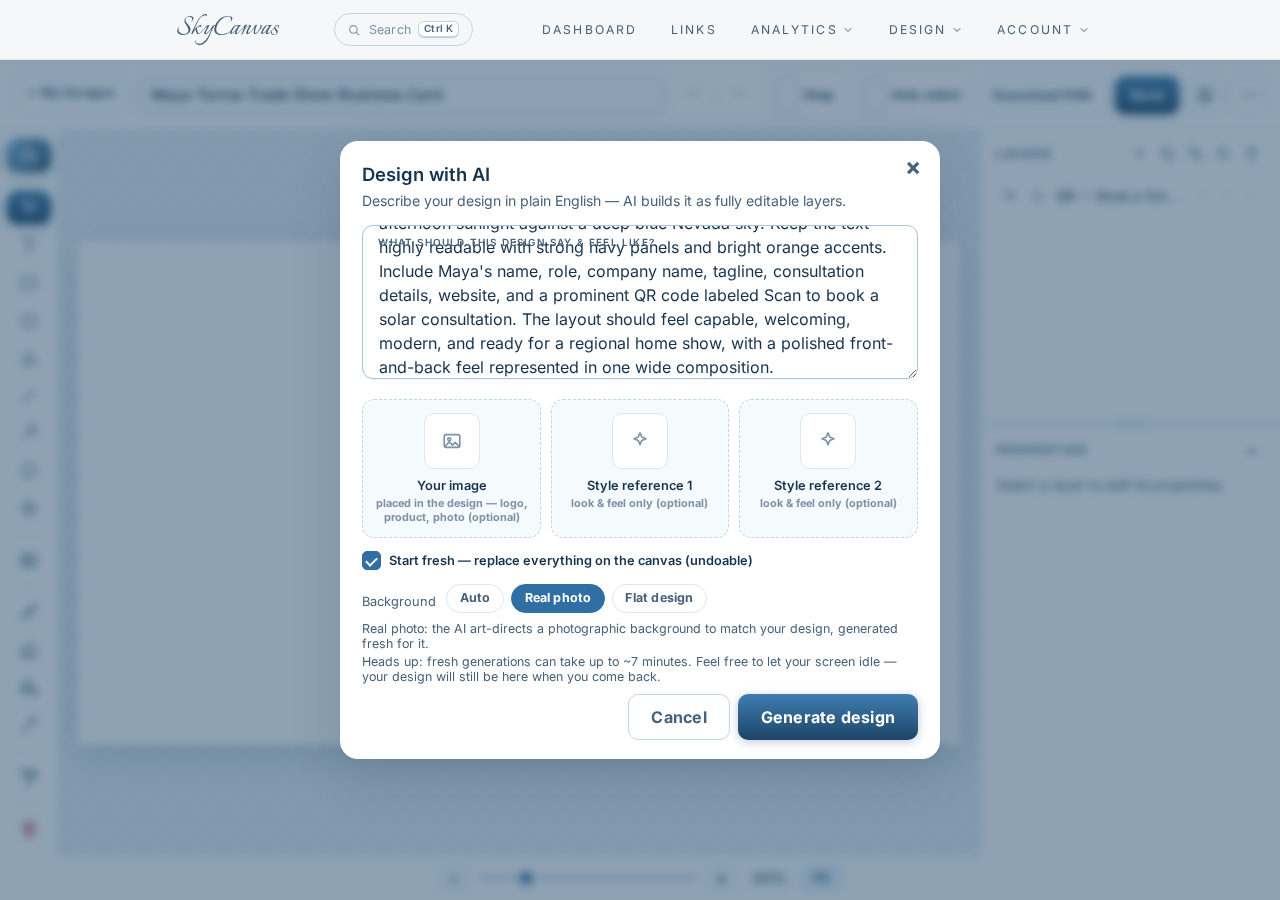
Specific instructions gave the generator a practical hierarchy. Maya’s name needed immediate visibility, while the QR code and booking message needed enough contrast to work from arm’s length at a busy booth.
7. Review the generated card as editable layers
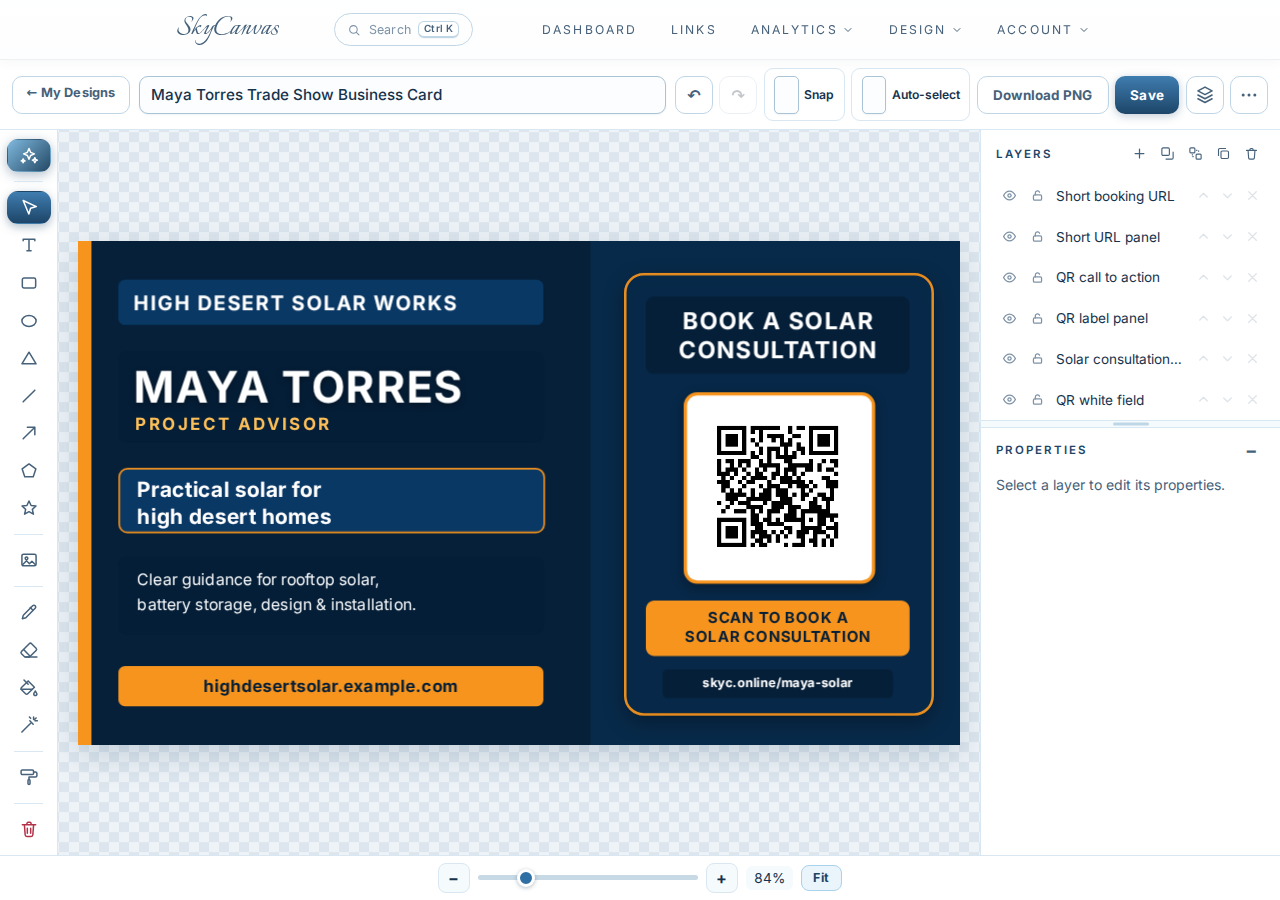
The finished design used a confident navy and orange palette. The left panel introduced Maya Torres in large white type, followed by her role, the company tagline, a concise service summary, and the company website.
The right panel focused entirely on action. A white QR field sat beneath Book a Solar Consultation, framed with orange accents. Below it, the card repeated the scan prompt and printed skyc.online/maya-solar as a manual option.
The layers panel showed separate items for the booking URL, QR call to action, label panel, consultation heading, and QR field. Because the generated result remained an editable canvas composition, the team could select individual elements, refine spacing or wording, save the project, and download a PNG when it was ready for production.
A useful card before the doors opened
By the end of the evening, Maya had more than a hurried name card. She had a focused introduction to her new role and a direct consultation path that homeowners could scan or type.
At the home show, the card could continue the conversation after someone left the booth. The company message stayed clear, and Maya did not need to ask interested visitors to remember a long web address.
If your next event is approaching quickly, create a free SkyCanvas account and build the link before you begin the layout. A clear destination, a compact short URL, and a QR code give the design a job to do.
High Desert Solar Works is a fictional business we created to show a real SkyCanvas workflow. Every screenshot is real, captured live while writing this guide.