Blog · September 18, 2026
A QR Event Poster by Closing Time: How a Dance Studio Filled Its Beginner Salsa Night
A last-minute venue opening gave a neighborhood dance studio one evening to promote a beginner salsa class. See how it made a signup link, branded QR code, and printable poster in SkyCanvas.
A Friday evening opened unexpectedly at Paso Norte Dance Studio. Owner Marisol Vega knew it was a good chance to host the beginner salsa night people had been requesting, but she had only one evening to promote it. She needed something she could place in the studio window before closing.
The poster had to answer the questions that often keep first-time dancers home. Was it really suitable for beginners? Could someone attend alone? How would they reserve a spot? Marisol wanted the invitation to feel energetic and welcoming, with one simple action: scan the QR code and sign up.
Here is how she built the complete campaign in SkyCanvas, from business profile to finished US letter poster.
1. Give SkyCanvas the business context
Marisol started with the Business Profile page. She entered Paso Norte Dance Studio as the company name, added the tagline “Your first step starts here,” and selected dance instruction as the industry.
She also described the studio’s services, audience, and approach. Those details included beginner salsa classes, private lessons, and community dance nights for adults in Albuquerque. This context would help SkyCanvas keep the later design aligned with the studio and its customers.
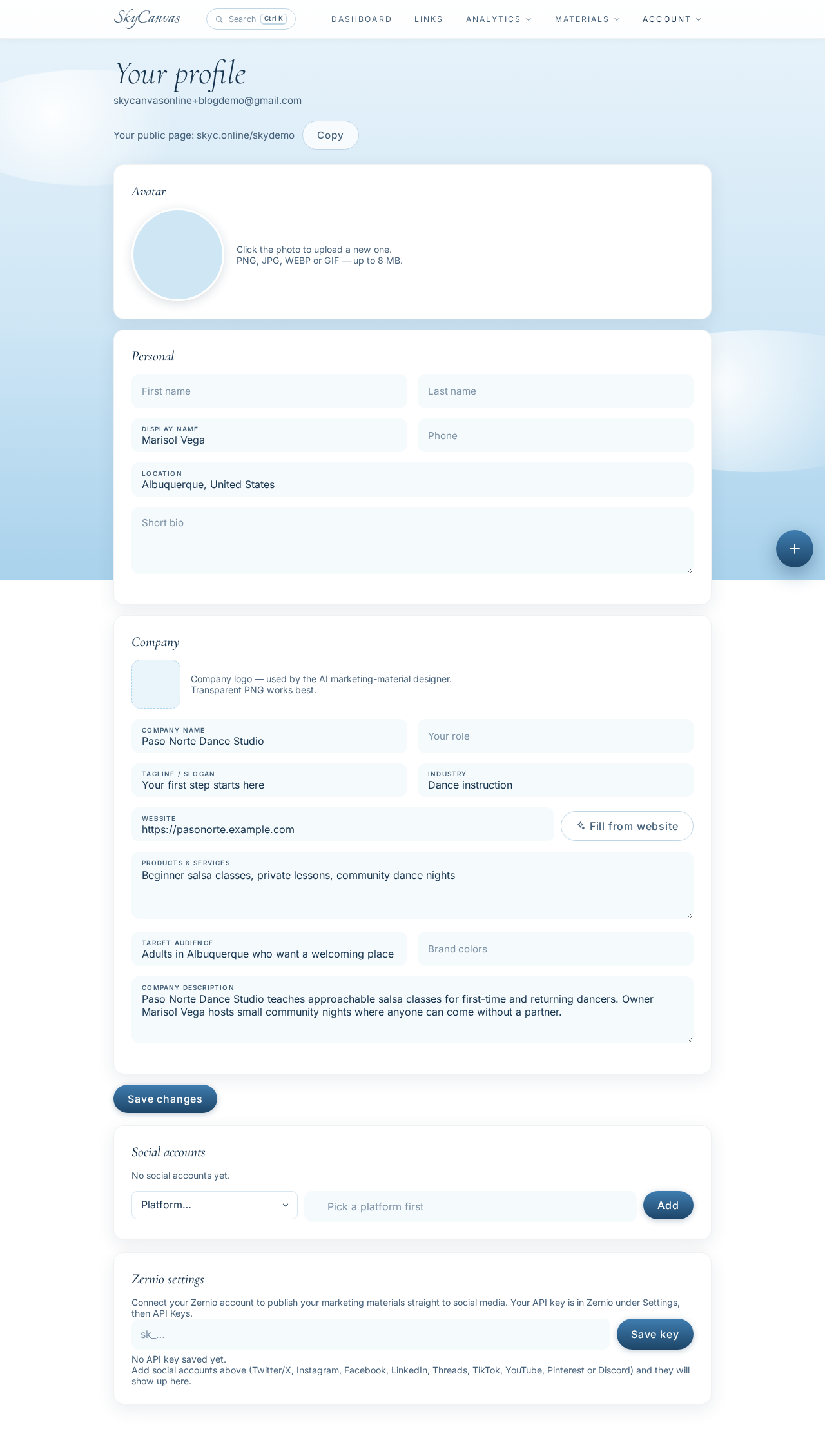
A useful profile does not need polished marketing copy. Clear, specific details are more valuable. Marisol focused on who the class was for and what made the experience comfortable for a newcomer.
2. Create the signup short link
Next, Marisol opened Links and chose to create a new short link. The destination was the registration page at pasonorte.example.com/beginner-salsa-night.
She filled in four fields:
-
Title: Beginner Salsa Night Signup
-
Description: Reserve a spot at Paso Norte’s beginner salsa night. No partner needed.
-
Custom slug: pasonorte-salsa-night
-
Destination URL: the studio’s class signup page
As she completed the form, the panel on the right displayed a live QR preview.
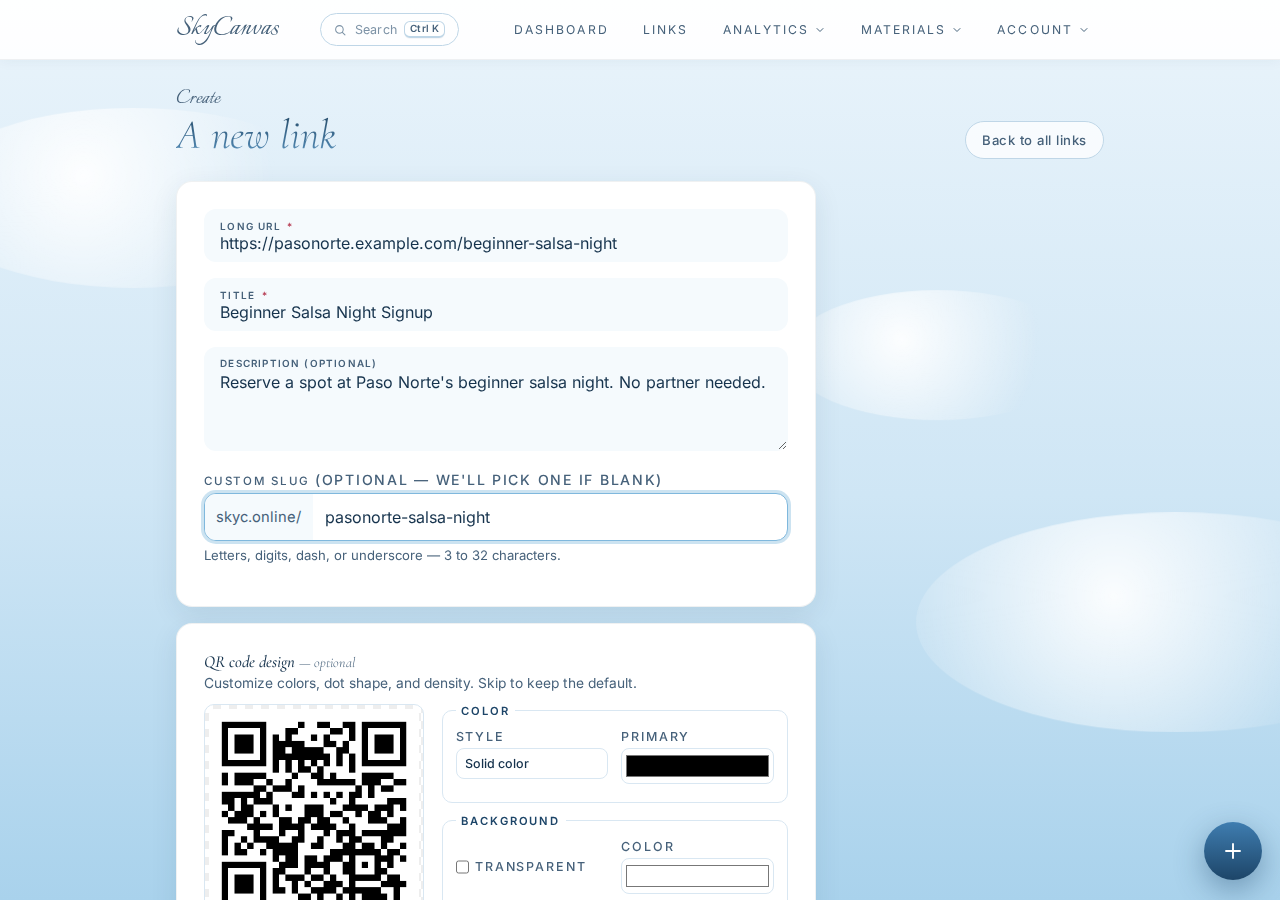
The custom slug made the address easy to recognize: skyc.online/pasonorte-salsa-night. That mattered because the short URL would also appear in small type below the QR code, giving people a second way to reach the signup page.
3. Check the new link and QR code
After saving, SkyCanvas opened the link detail page. Marisol could see the short URL, confirm its destination, and review the generated QR code.
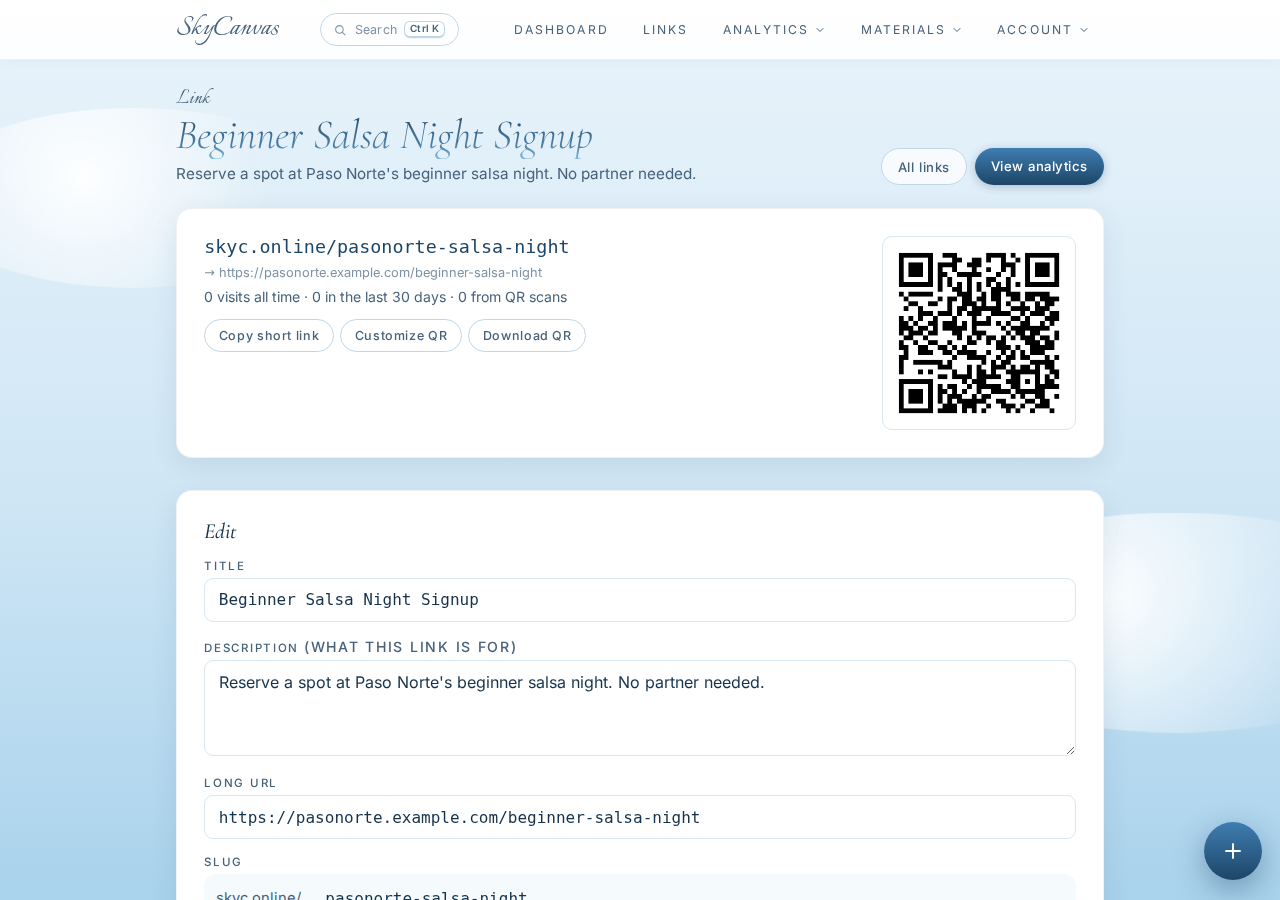
This was a simple but important checkpoint. Before designing anything, she verified that the link went to the correct class page and that its title clearly identified the event. The QR was already available to download, so she could have used it on another sign or handout if needed.
4. Match the QR to the studio’s colors
A plain QR code would work, but Marisol wanted it to belong visually with the poster. On the same link page, she opened the QR customization controls and applied Paso Norte’s raspberry and sunset orange brand colors against a white background.
The live preview updated while she worked.
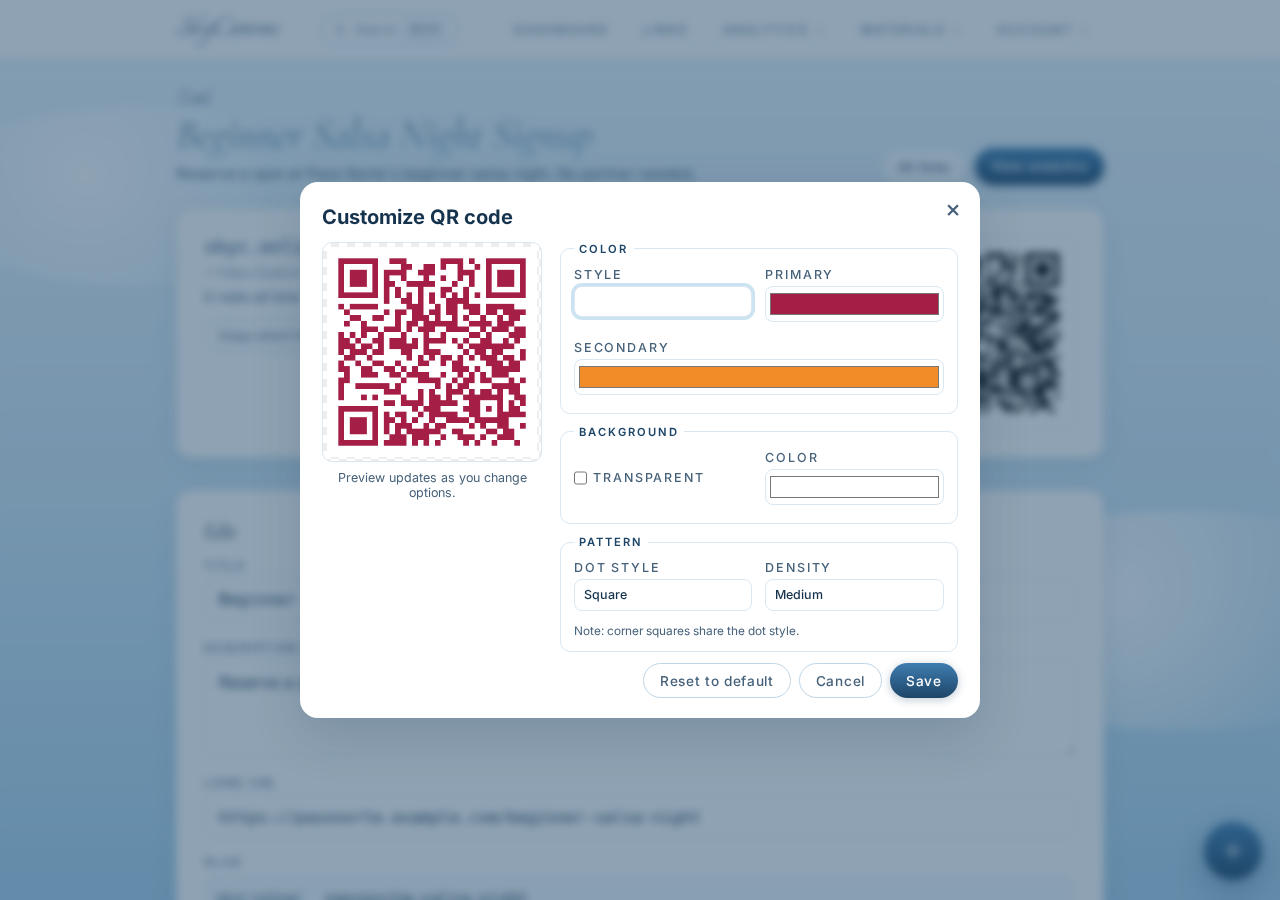
She kept the background white for strong contrast. The color gave the code personality, while the clear background helped preserve the clean scanning area it needed.
5. Start a US letter marketing material
With the signup path ready, Marisol moved to Marketing Materials and started a new design. She named it “Beginner Salsa Night Window Poster” and chose the US letter size preset.
She also selected the short link she had just created. This connected the marketing material to the correct signup link and made its QR code available inside the design.
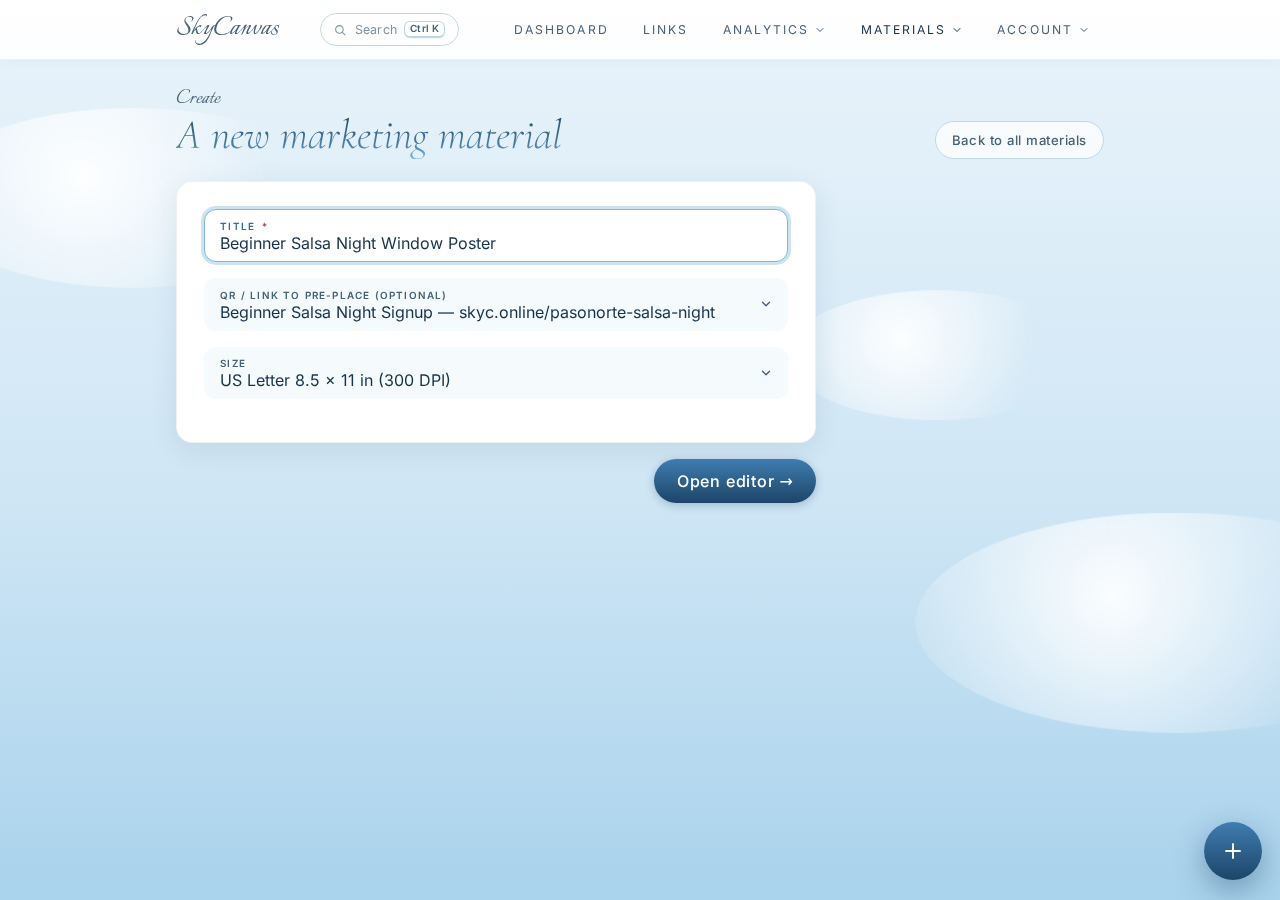
Choosing the final output size at the beginning gave Marisol a canvas shaped for ordinary printing. She could design for the studio window without having to resize a social graphic later.
6. Open the design editor
The new material opened in the SkyCanvas editor. The canvas sat in the center, with drawing and editing tools along the side. A layers panel provided access to individual design elements, while the toolbar included the Design with AI button.
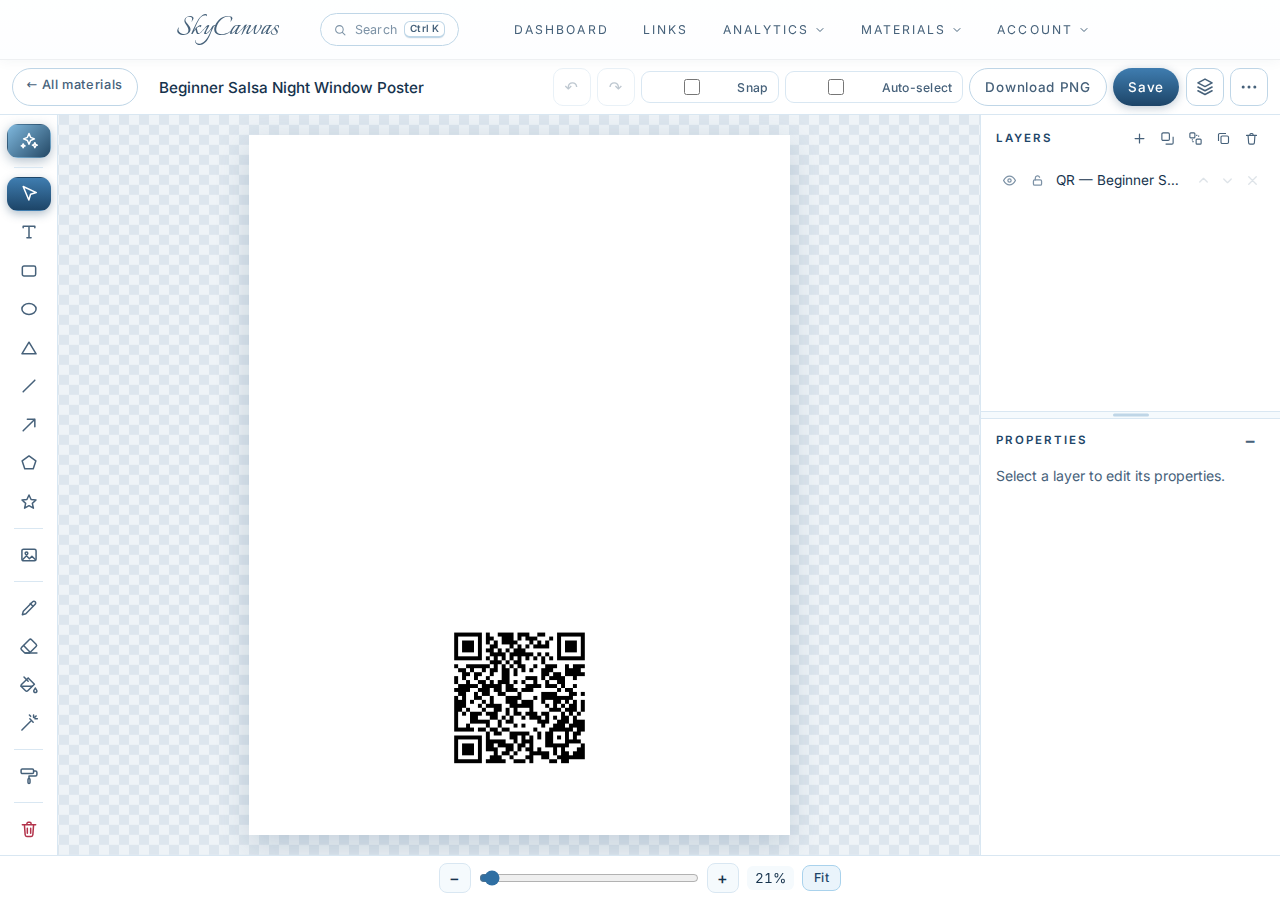
Marisol could have assembled the poster by hand with text, images, and shapes. With closing time approaching, she used the AI design workflow to create a strong first version quickly.
7. Describe the poster in plain English
Marisol clicked Design with AI and wrote a detailed brief. She asked for a vivid US letter poster with a cinematic photo of two adult beginners laughing as they practiced salsa in a warmly lit Albuquerque studio.
She specified the key copy, including “Beginner Salsa Night,” “Friday at 7 PM,” “No partner needed,” and “Reserve your spot.” She also requested raspberry, orange, and deep navy accents, plus a clean white area around the preplaced QR code.
Finally, she selected Real photo as the background mode.
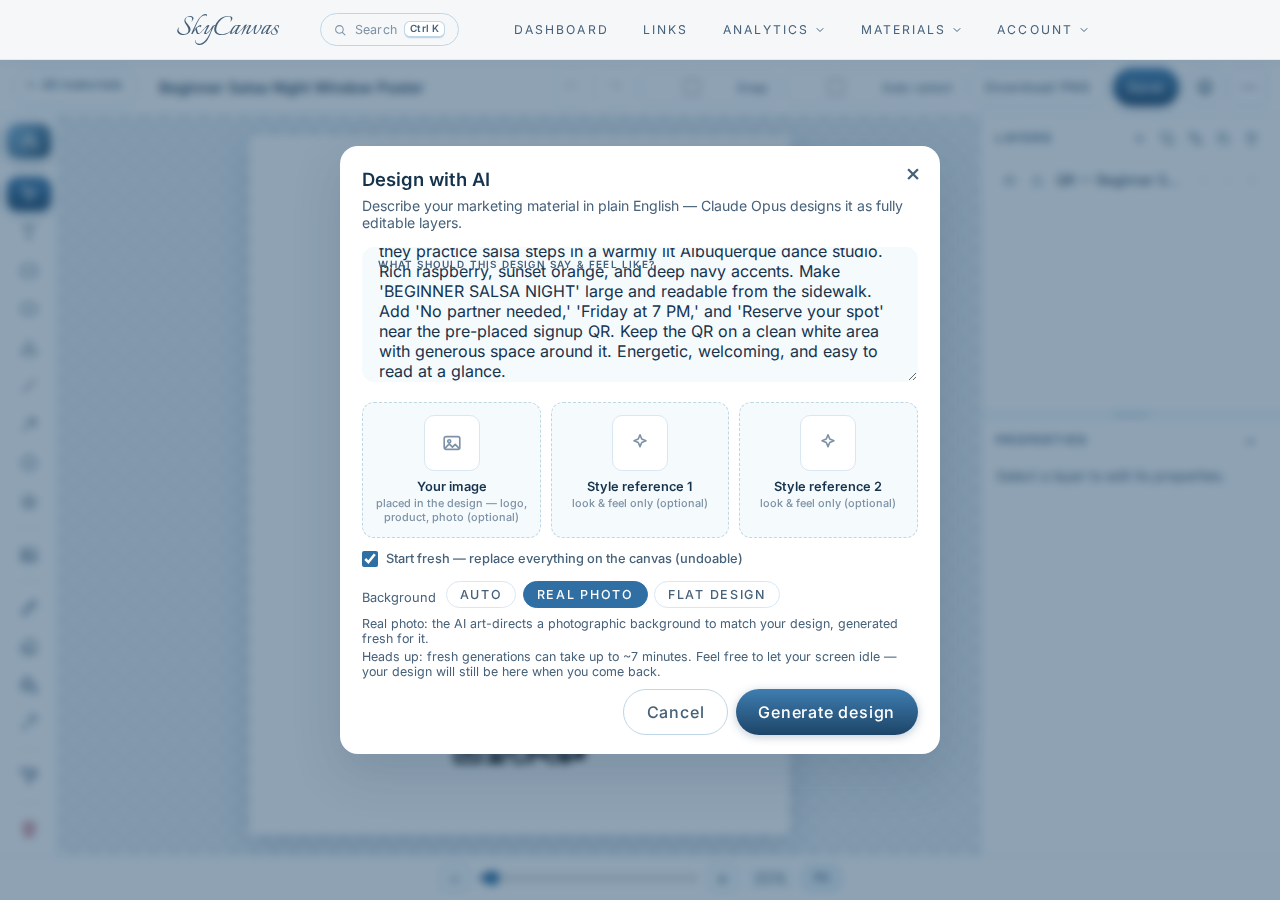
The brief covered both mood and function. It described the welcoming image Marisol wanted, but it also identified the exact information someone needed to understand from the sidewalk.
8. Review the finished QR event poster
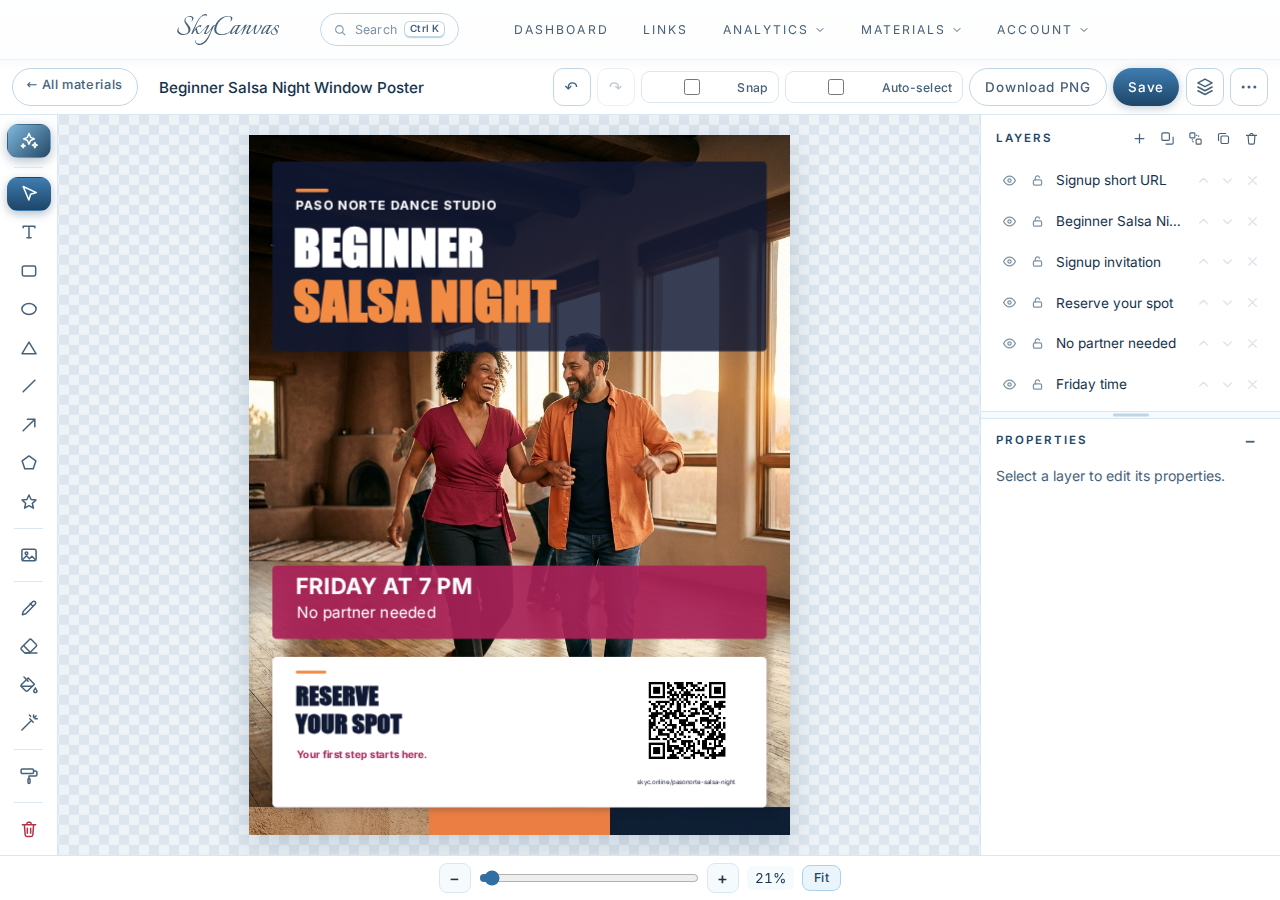
The generated poster placed a large white and orange headline over a deep navy panel. Below it, a warm studio photograph showed two adults smiling as they danced together. A raspberry banner made the Friday time and “No partner needed” message easy to find.
At the bottom, “Reserve your spot” appeared beside the QR code on a generous white panel. The short URL was included beneath it. Each part of the design appeared as an ordinary editable layer, so Marisol could still adjust text, colors, placement, or other elements before downloading the PNG.
By closing time, Paso Norte had a focused signup link, a branded QR code, and a printable window poster. The final design made the class feel friendly while giving passersby a clear next step. Marisol could put it in the window that evening and share the same short URL anywhere else the event was mentioned.
Ready to turn your next small-business idea into something people can scan, understand, and act on? Create a free SkyCanvas account and build your first short link, QR code, or marketing material.
Paso Norte Dance Studio is a fictional business we created to show a real SkyCanvas workflow. Every screenshot is real, captured live while writing this guide.