Blog · September 23, 2026
Six Seats by Sunset: A Ceramics Studio’s Last-Minute Instagram Story
When a private booking was canceled, Arroyo Clay Room had one afternoon to fill six workshop seats. A short link, branded QR code, and vivid Instagram Story turned the opening into an easy invitation.
A Friday cancellation left Marisol Vega with six empty pottery wheels at Arroyo Clay Room. The private group had booked the whole evening, so the Tucson ceramics studio had never promoted those seats individually. Now the class was only a few days away.
Marisol wanted to announce a beginner-friendly Sunset Wheel Workshop on Instagram while local customers were still making weekend plans. The post needed to feel polished, explain the offer quickly, and give viewers an easy way to reserve a seat.
Using SkyCanvas, she created a memorable short link, styled its QR code, and turned both into a vivid vertical Instagram Story. Here is the complete workflow.
1. Create a short reservation link
Marisol started with the workshop destination page on the studio website. In SkyCanvas, she opened the Links area and selected the option to create a new short link.
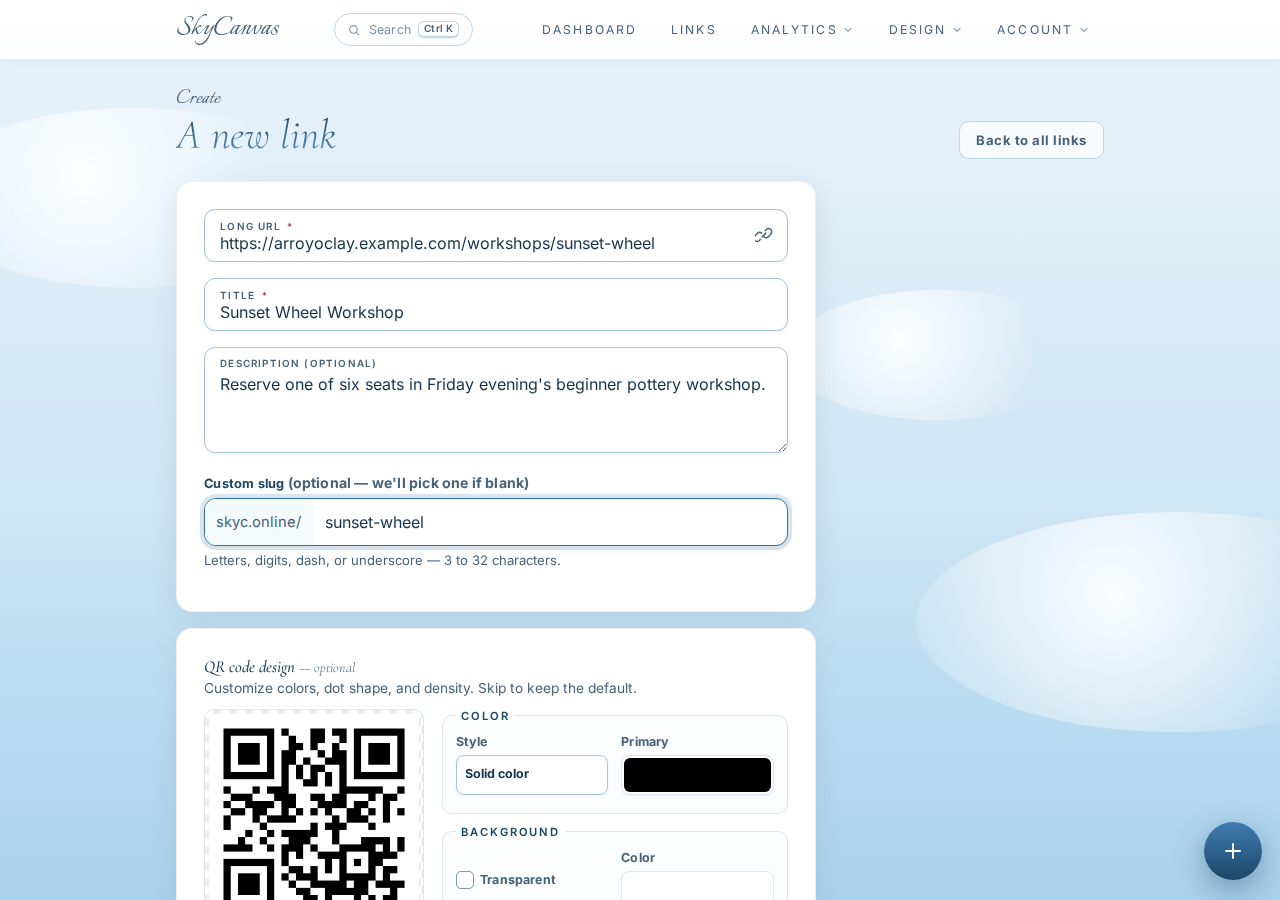
She entered the full reservation address, https://arroyoclay.example.com/workshops/sunset-wheel, then added a clear title and description. The title was “Sunset Wheel Workshop,” and the description told customers that six seats were available for Friday evening’s beginner class.
For the custom slug, she chose sunset-wheel. That gave the promotion a short, readable address: skyc.online/sunset-wheel. It was concise enough to place in the Story design and simple enough for someone to remember after seeing it on a phone.
As she completed the form, the QR preview on the right updated automatically. That confirmed the code would send customers to the same reservation page.
2. Check the finished link and QR code
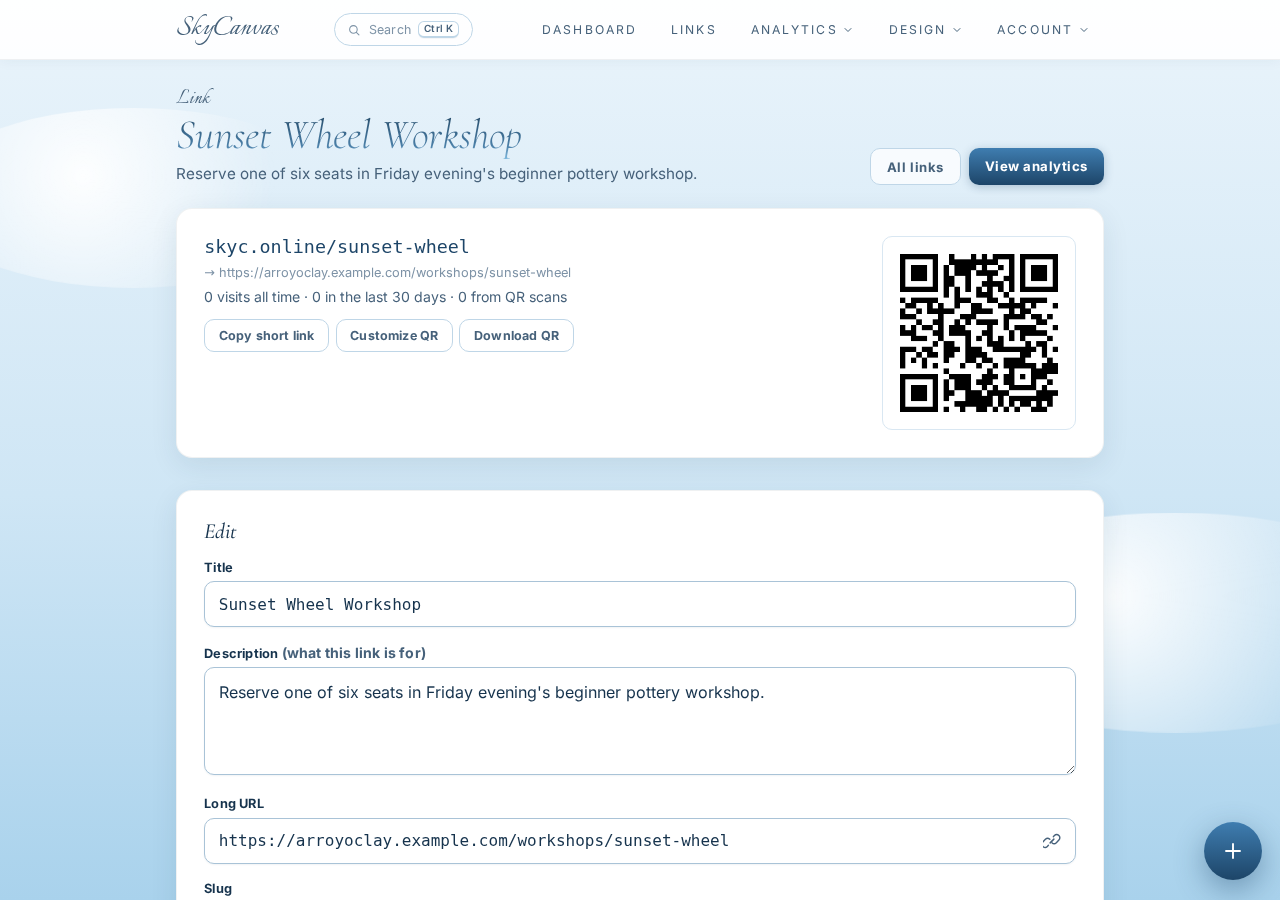
After creating the link, Marisol arrived at its detail page. This screen brought the important pieces together: the new short address, the original destination, and the generated QR code.
She checked the destination before moving on. In a time-sensitive promotion, that quick review matters. A beautiful Story cannot help if its reservation link points to the wrong workshop.
The QR code was already ready to download, but Marisol wanted its colors to match Arroyo Clay Room’s visual identity. She stayed on the link page and opened the customization controls.
3. Give the QR code the studio’s colors
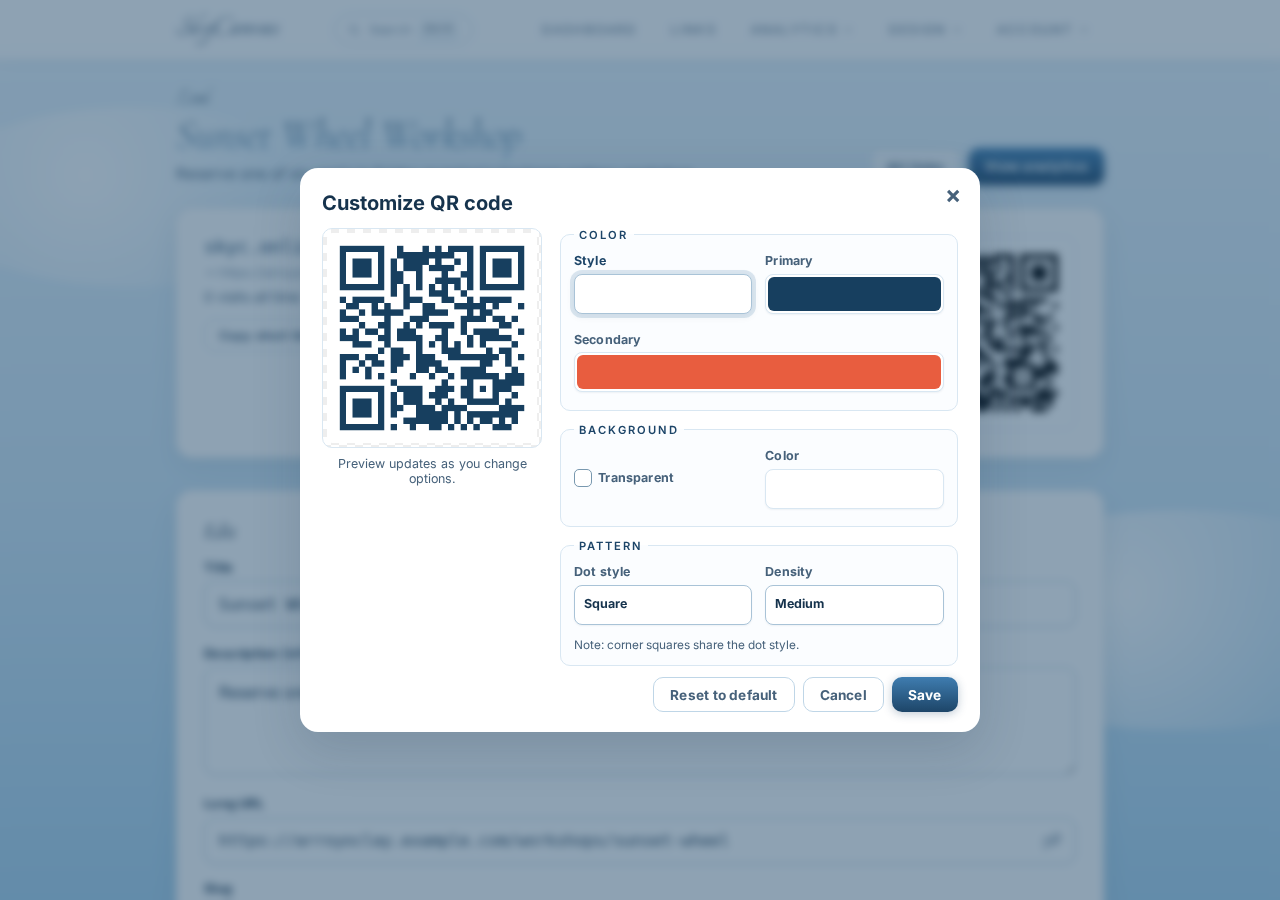
Arroyo Clay Room uses deep cobalt blue and bright terracotta, colors inspired by desert skies and fired clay. Marisol applied those colors to the QR modules while keeping the background white for strong contrast.
The live preview made the change easy to judge before using the code in a design. The result felt connected to the studio without losing the clear structure that makes a QR code practical.
This was a small branding decision, but it helped the final Story look intentional. The reservation tool would feel like part of the artwork rather than an unrelated black square added at the end.
4. Start an Instagram Story design
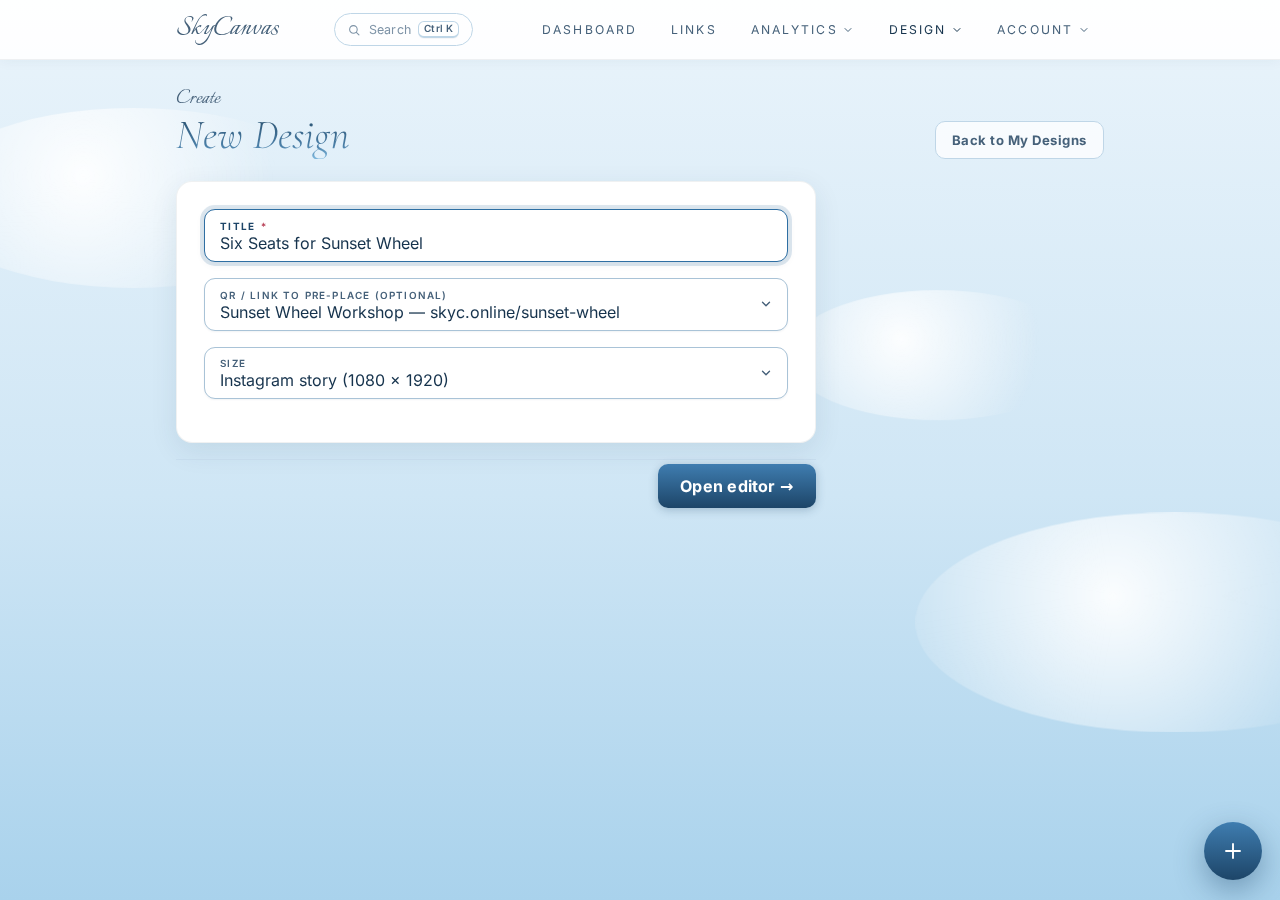
With the reservation path ready, Marisol moved to Marketing Materials and began a new project. She named it “Six Seats for Sunset Wheel” so it would be easy to find later.
She selected the Instagram Story size preset. That gave her a vertical canvas designed for the format people would see while tapping through Stories.
She also selected the Sunset Wheel short link during setup. This connected the project to the branded QR code she had just prepared, allowing SkyCanvas to place it in the generated composition.
5. Open the design editor
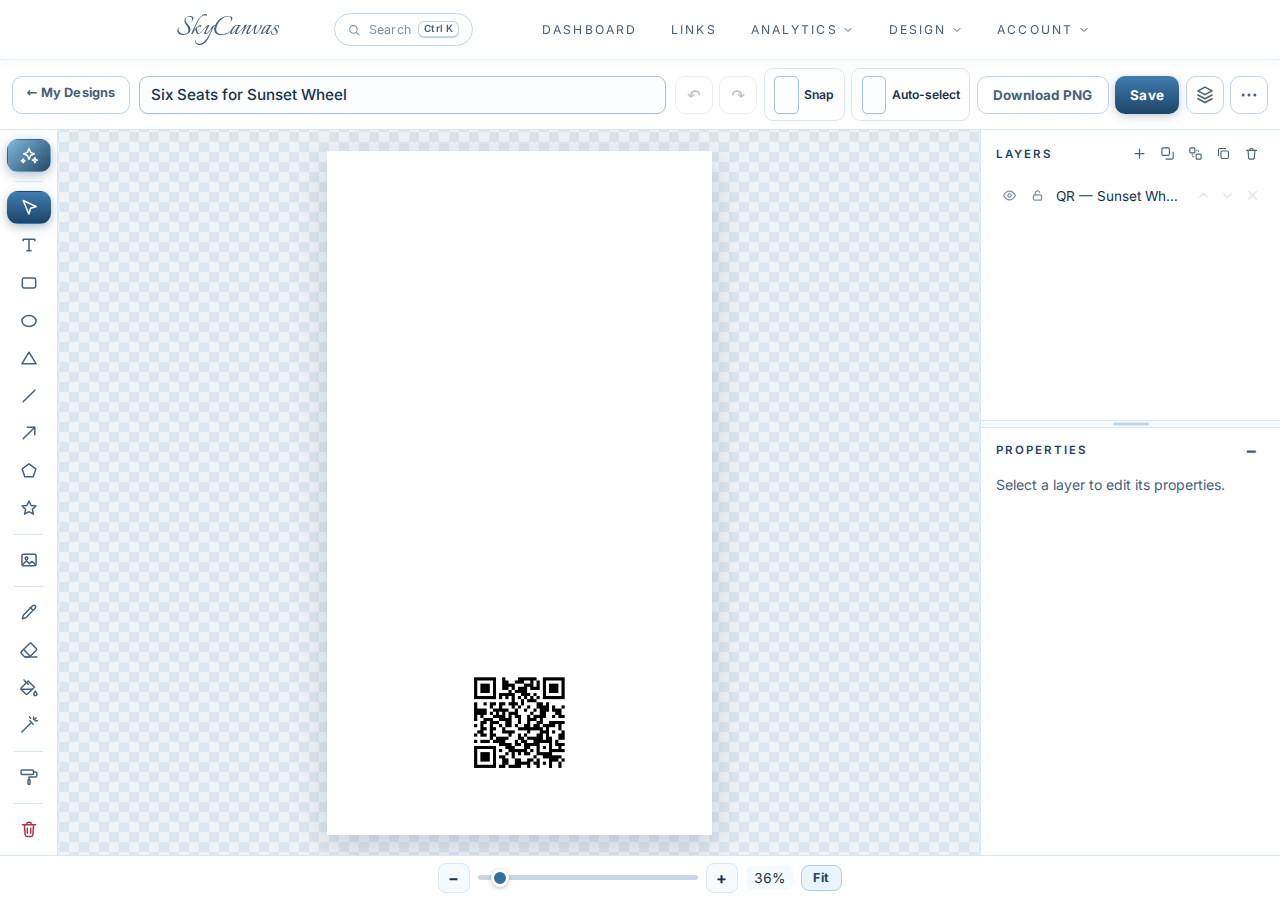
The new project opened in the SkyCanvas editor. The canvas occupied the center of the workspace, with drawing and object tools along the side and a layers panel available for organizing the design.
Marisol could have built the Story manually with text, shapes, and images. Her deadline made the Design with AI button the more useful starting point. She needed a complete direction quickly, with enough control to refine individual elements afterward.
The editor would keep the generated result as ordinary layers. That meant the first draft could save time without locking her into a single flattened image.
6. Describe the promotion in plain English
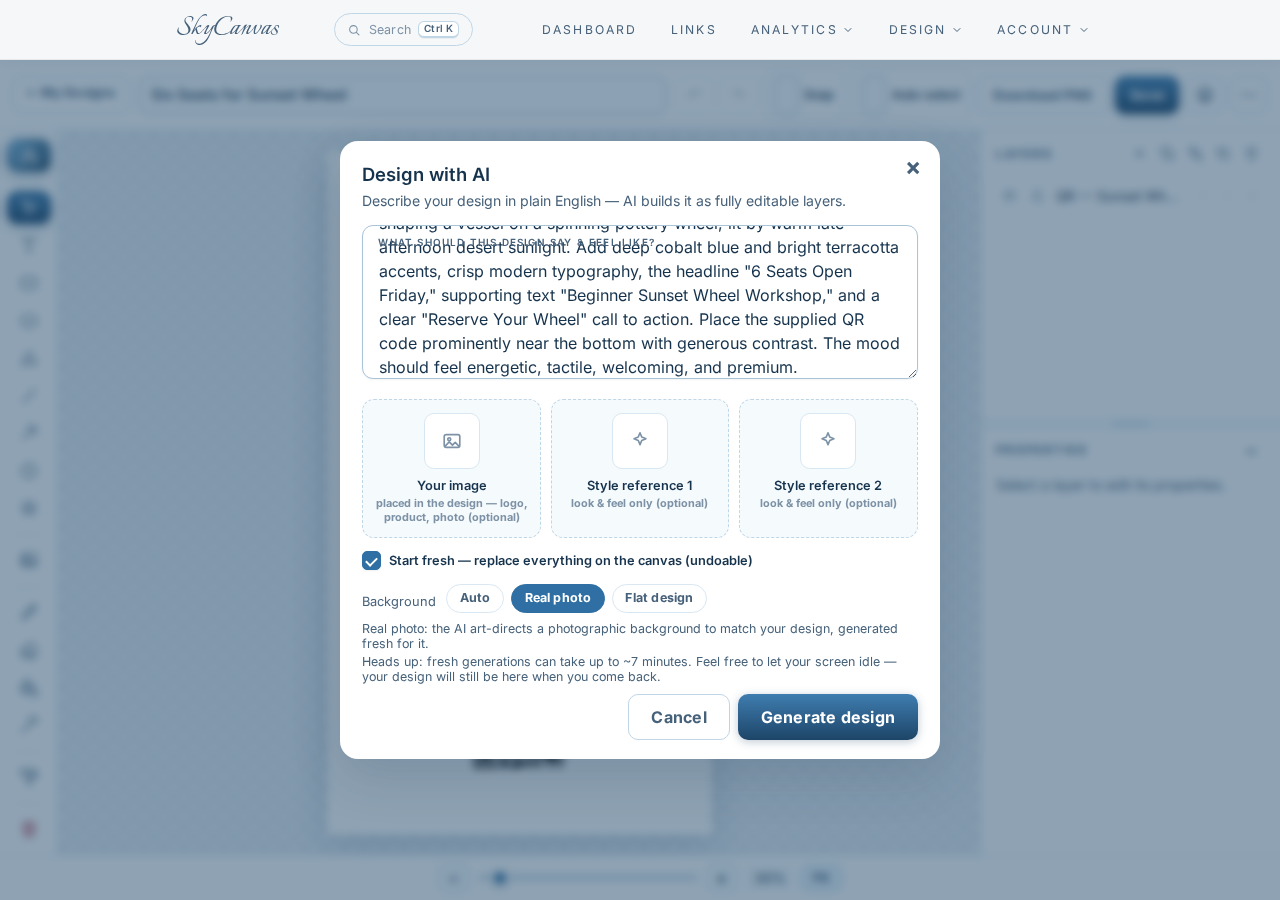
In the Design with AI window, Marisol wrote a focused creative brief. She asked for a cinematic photograph of clay-covered hands shaping a vessel on a spinning wheel, lit by warm late-afternoon sunlight.
She specified the headline “6 Seats Open Friday,” the supporting line “Beginner Sunset Wheel Workshop,” and a “Reserve Your Wheel” call to action. She also requested cobalt and terracotta accents, crisp typography, and a prominent QR code near the bottom.
Finally, she selected Real photo as the background mode. This told the designer to art-direct a photographic scene for the piece instead of relying on a flat background.
The brief covered four essentials: the visual subject, brand colors, exact message, and desired action. That gave the generated design a clear job rather than leaving it to communicate a vague studio mood.
7. Review the finished Instagram Story
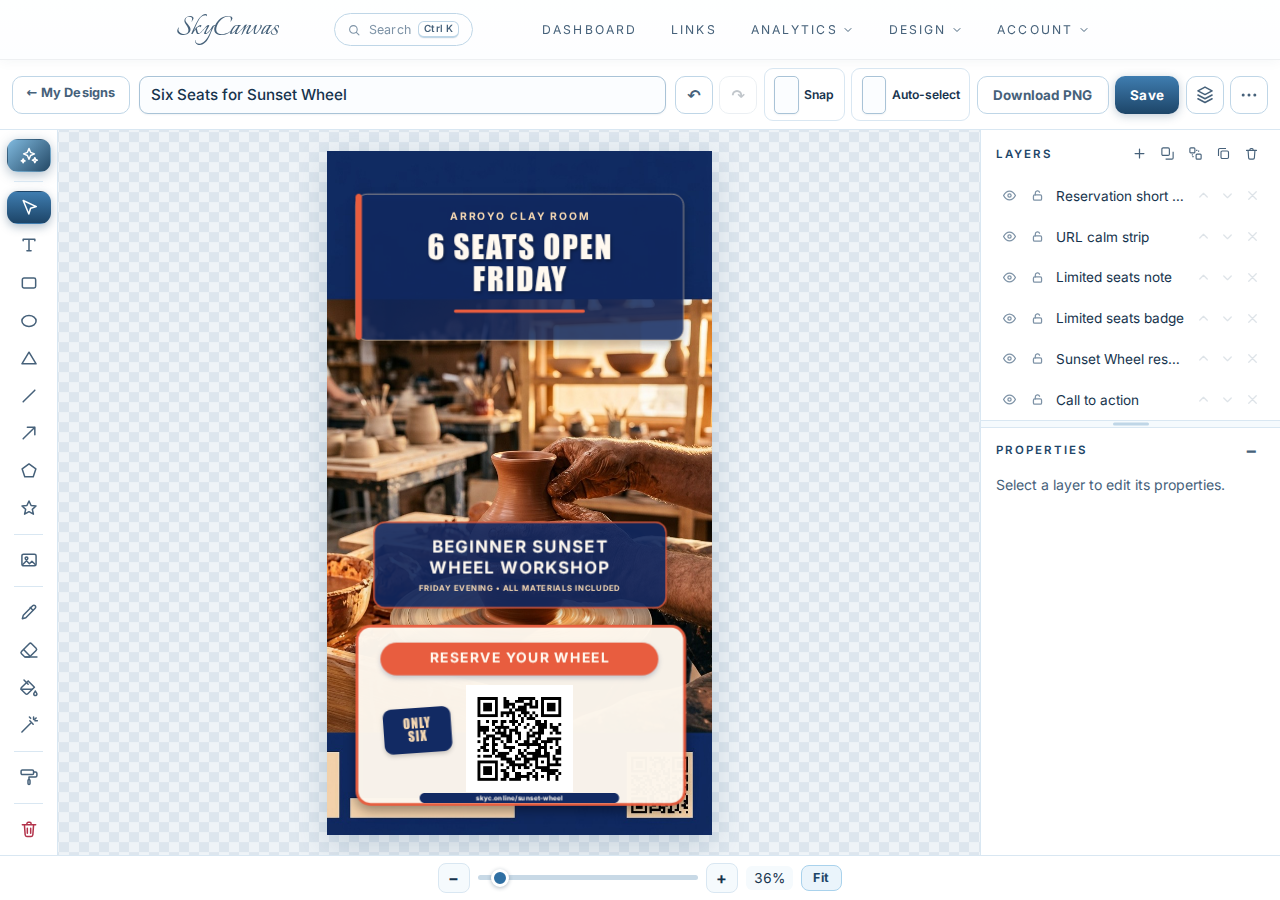
The generated Story immediately centered the urgent message. “6 Seats Open Friday” appears in bold white type inside a deep blue header, with a terracotta accent line drawing the eye downward.
A warm photograph shows clay-covered hands working at a pottery wheel inside a sunlit studio. The image feels tactile and active, which helps a beginner imagine the experience before reading every detail.
Below the photo, a cobalt panel identifies the Beginner Sunset Wheel Workshop and notes that materials are included. The lower section uses a bright terracotta “Reserve Your Wheel” button above the large QR code. A small “Only Six” badge reinforces the limited availability, while the short URL provides another way to respond.
The layers panel shows that the reservation link, URL strip, limited-seats note, badge, workshop text, and call to action remain separate editable elements. Marisol can adjust the wording, move an item, or fine-tune the layout directly on the canvas before downloading the PNG.
From an empty session to a clear invitation
In one workflow, Marisol turned an unexpected cancellation into a promotion that was ready to share. Customers could scan the QR code or type skyc.online/sunset-wheel, and both routes led to the same workshop reservation page.
More importantly, the Story looked like Arroyo Clay Room. The warm studio photograph, clay-inspired accent color, bold cobalt panels, and beginner-friendly message made the opening feel inviting rather than improvised.
If your business needs to promote an opening, class, or last-minute offer, you can create a free SkyCanvas account and build the link, QR code, and social graphic in one place.
Arroyo Clay Room is a fictional business we created to show a real SkyCanvas workflow. Every screenshot is real, captured live while writing this guide.