Blog · October 7, 2026
Reading QR Scan Analytics: How a Mobile Bike Mechanic Chose the Right Pop-Up Day
A mobile bike mechanic had room for one weekly pop-up. Thirty days of SkyCanvas QR and click data helped her choose the day riders were most likely to book.
Maya Torres could fit one recurring repair pop-up into an already busy week. Her mobile bike shop, Spoke & Spark Mobile Repair, served commuters, families, and recreational cyclists around Madison. The demand was there. The harder question was when those riders were most ready to act.
Guessing would have been easy. Maya could have picked a convenient afternoon, loaded her tools, and hoped enough people showed up. Instead, she spent a month sharing one short booking link and its QR code through neighborhood notices, workplace boards, and conversations with riders.
That gave her a practical trail of clicks and scans. With SkyCanvas, she could see when people responded, compare the activity around her outreach, and choose a weekly pop-up day with evidence behind it.
1. Give the campaign a clear business identity
Before creating the link, Maya opened the SkyCanvas profile page. She entered her display name, Madison location, company name, tagline, industry, website, services, audience, and company description.
These details established useful context for the account. More importantly, they kept the campaign focused. Spoke & Spark was offering mobile tune-ups, flat fixes, brake adjustments, drivetrain service, and workplace repair pop-ups to local riders. The link needed to support that specific promise.
To follow the same setup, open Account, go to the profile page, and complete the personal and company fields. Add a short description that tells customers what you do, where you work, and who you help. Then select Save changes.
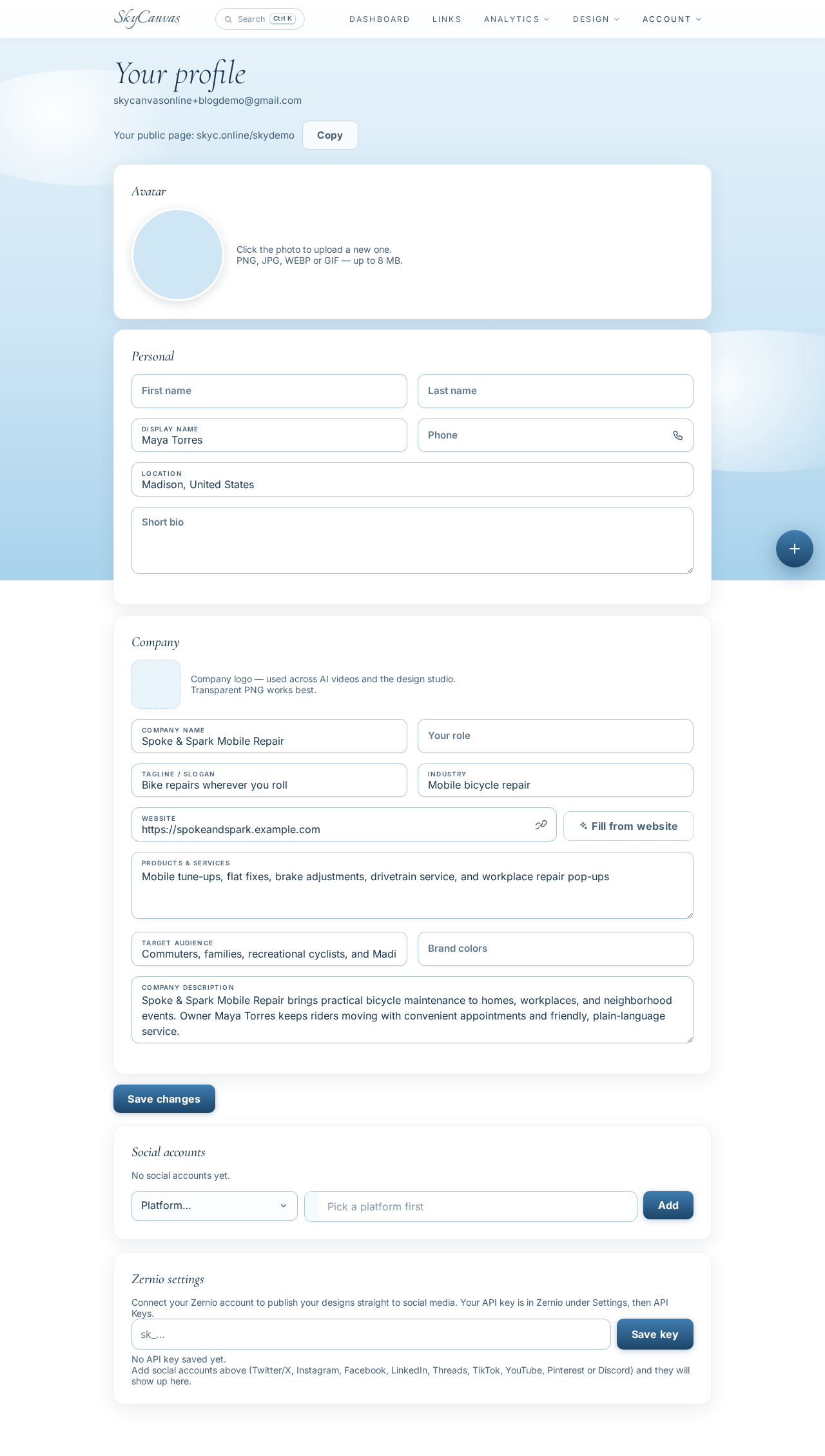
The completed profile identifies Spoke & Spark Mobile Repair, its Madison service area, and the repair services Maya offers.
2. Create one link for every booking path
Maya wanted scans from printed QR codes and clicks from digital posts to lead to the same place. She opened Links, chose to create a new short link, and entered the booking page as the destination:
https://spokeandspark.example.com/book-a-repair
She titled it Book a Mobile Bike Repair and added a description explaining that riders could schedule a tune-up or reserve a place at the next neighborhood pop-up. For the custom slug, she used spoke-spark-repair.
The QR preview appeared beside the form while she worked. That made it easy to confirm that this was the link she wanted before saving it.
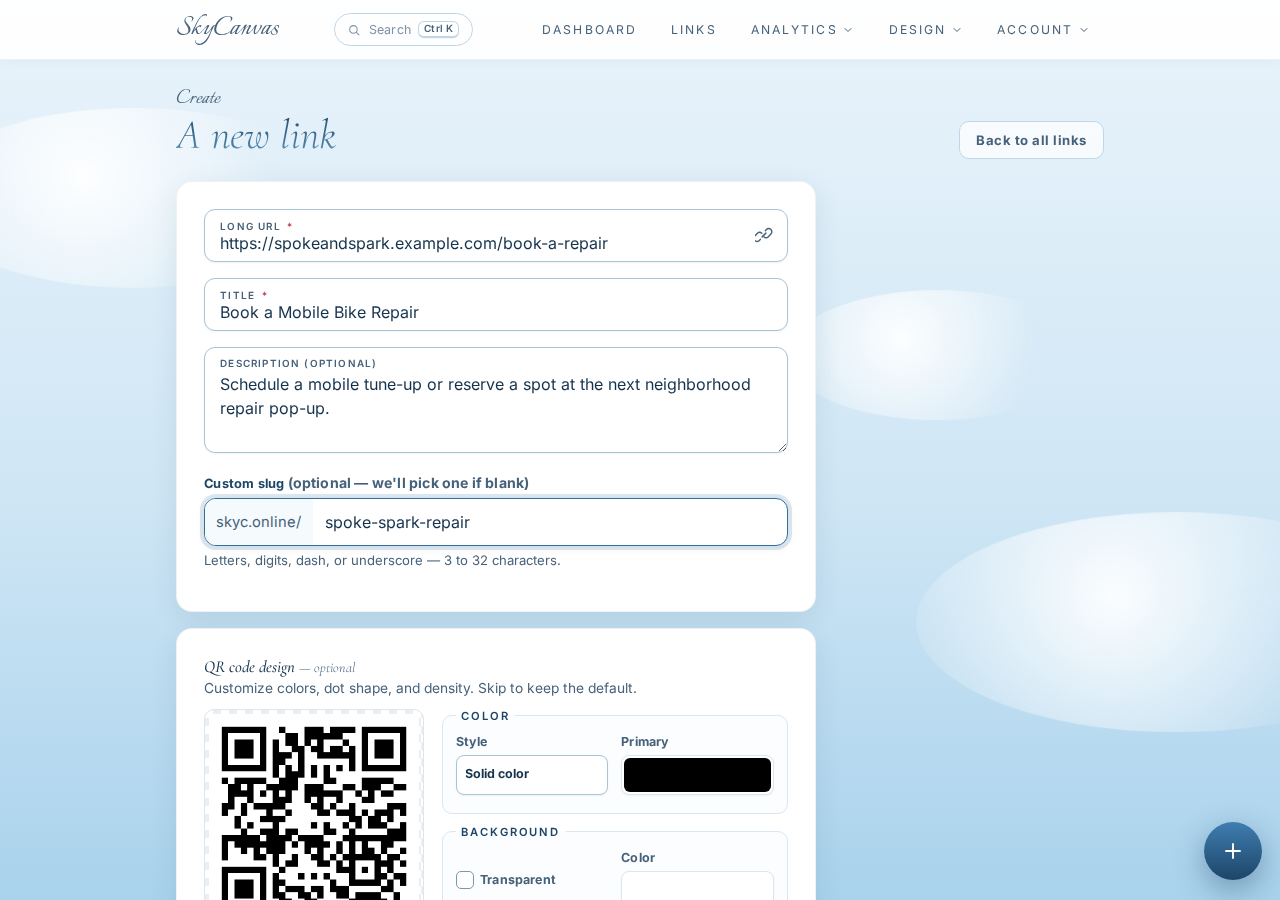
The new-link form gathers the destination, campaign title, description, and memorable custom slug in one place.
3. Check the short URL and generated QR code
After creating the link, Maya reached its detail page. SkyCanvas showed the destination, the new short URL, and a QR code ready to download.
Her customer-facing address was skyc.online/spoke-spark-repair. It was short enough to type from a community board, while the QR gave riders a faster option when they had a phone in hand.
This detail page is a useful checkpoint. Confirm that the destination is correct before distributing the link. A clear title and description also make the campaign easier to recognize later, when several links appear in the account.
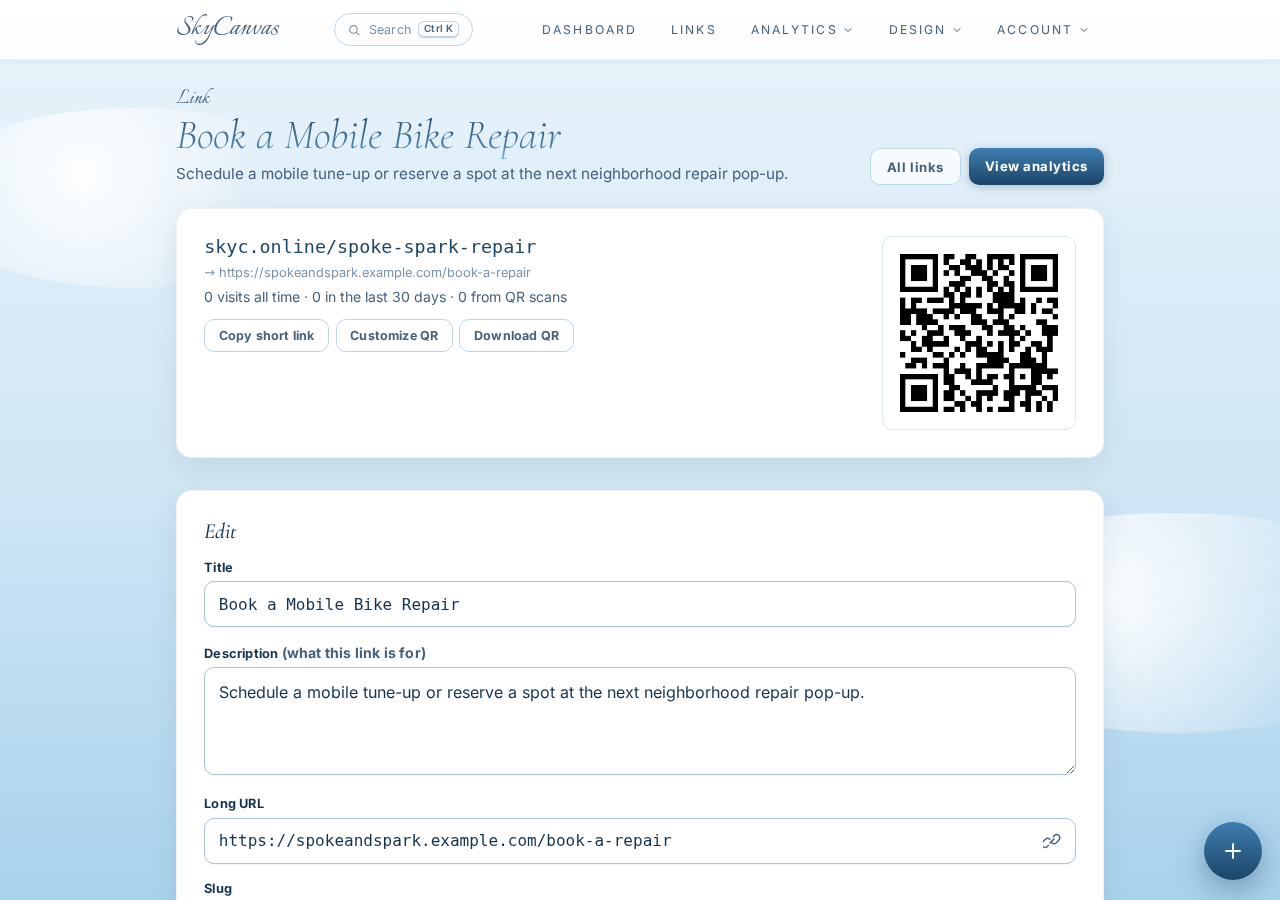
The saved link page presents the short address and its downloadable QR code together.
4. Style the QR for Spoke & Spark
A functional QR code still needed to look like it belonged to the business. Maya customized it with a deep green foreground, a warm coral second color, and a white background. The live preview let her see the result while adjusting the style.
The green connected with the practical, outdoors-oriented character of the repair service. Coral added enough energy to make the code noticeable on a notice board. The white background preserved a clean scanning area.
When styling a QR code, brand recognition matters, but reliable scanning matters more. Keep strong contrast between the code and its background, then test the downloaded image with a phone before printing multiple copies.
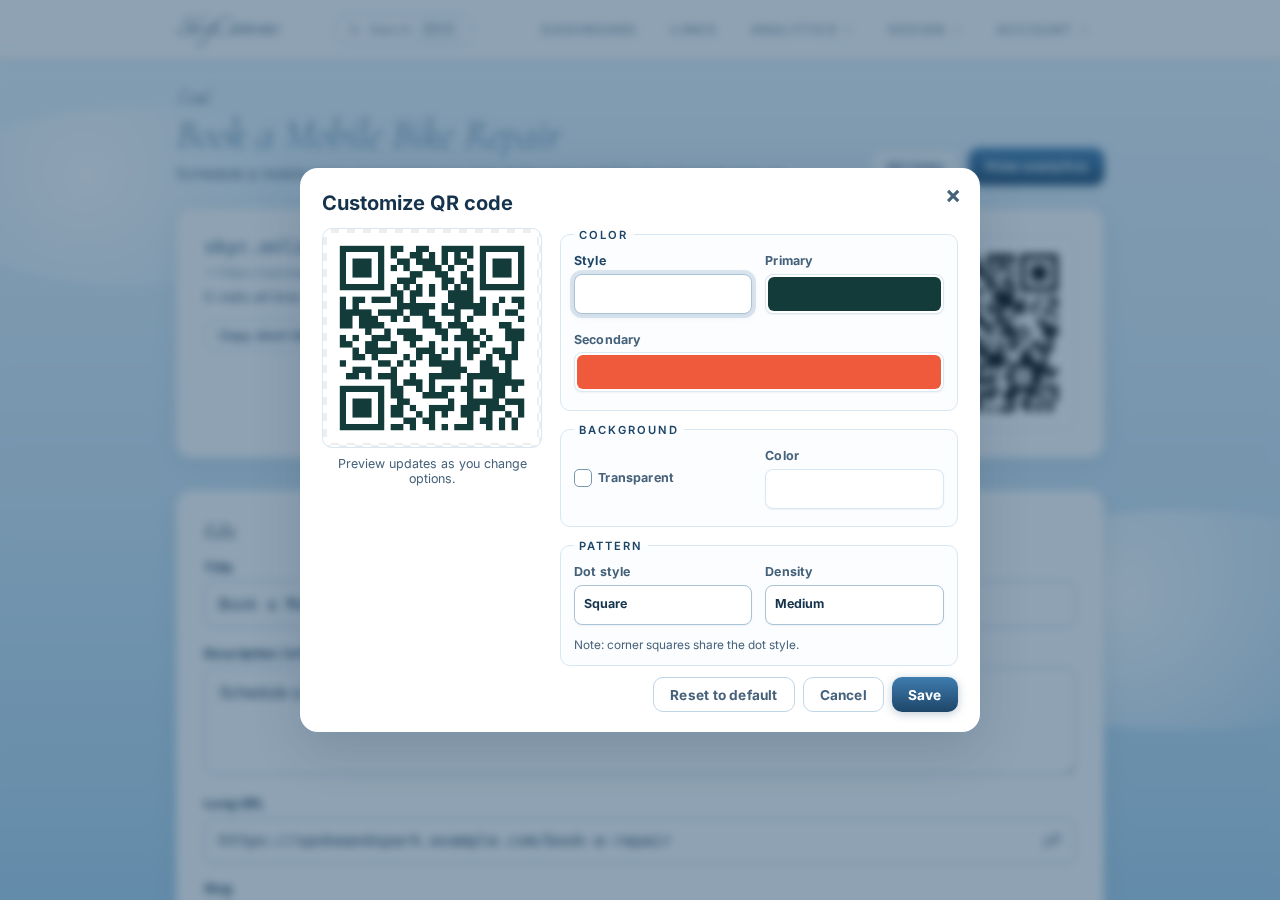
The QR customization view shows branded modules and updates the preview as the colors change.
5. Read the overall response on the dashboard
Over the next 30 days, Maya used the same campaign in several places. People could click the short link from a digital message or scan its QR code from a printed notice. SkyCanvas recorded those interactions.
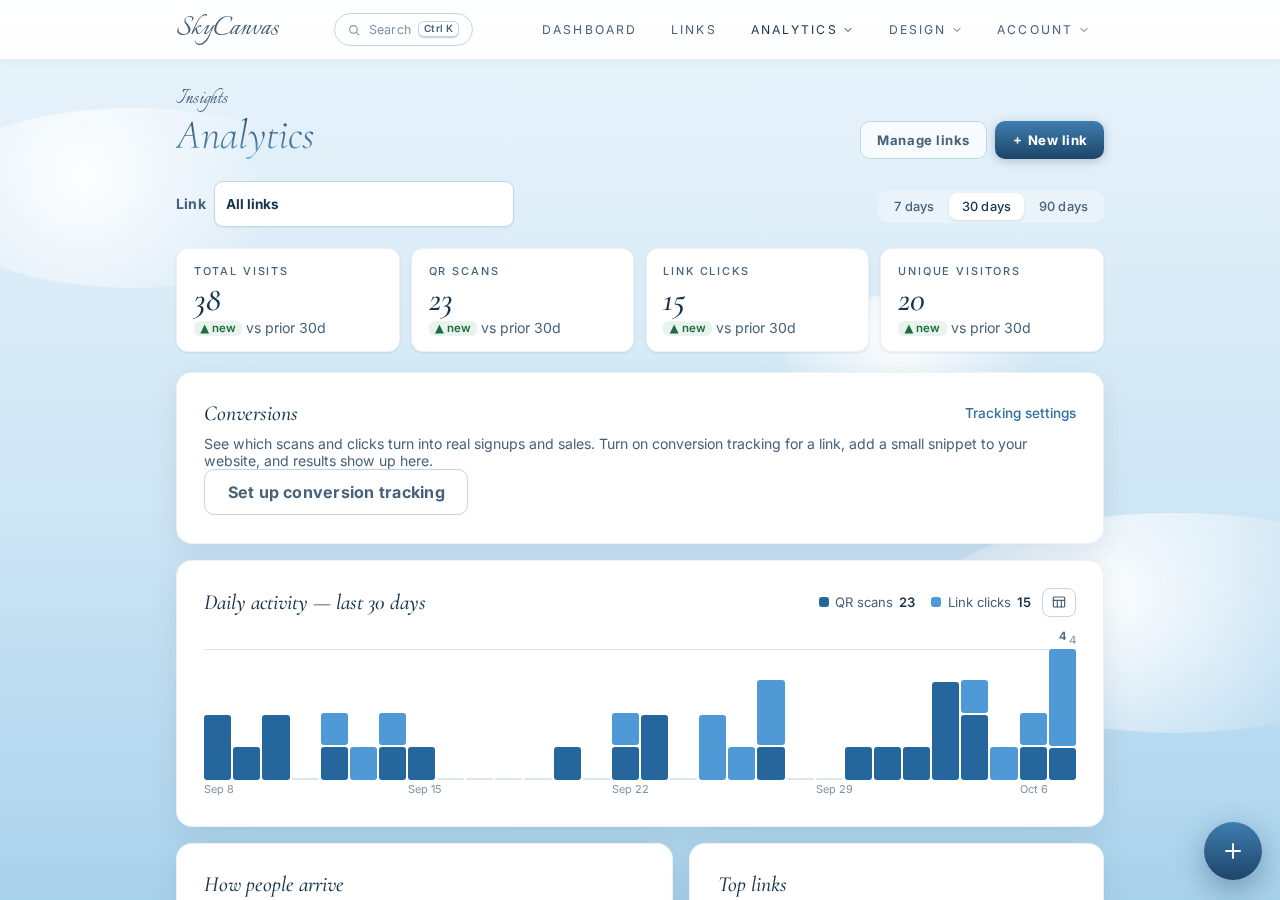
On the dashboard, KPI tiles summarized clicks, QR scans, conversions, and active links. The daily activity chart put those totals into a timeline. Maya could quickly see that the campaign was producing real interest instead of relying on comments or casual promises from riders.
The dashboard answered the broad question: were people responding? It also helped her identify periods worth examining more closely.
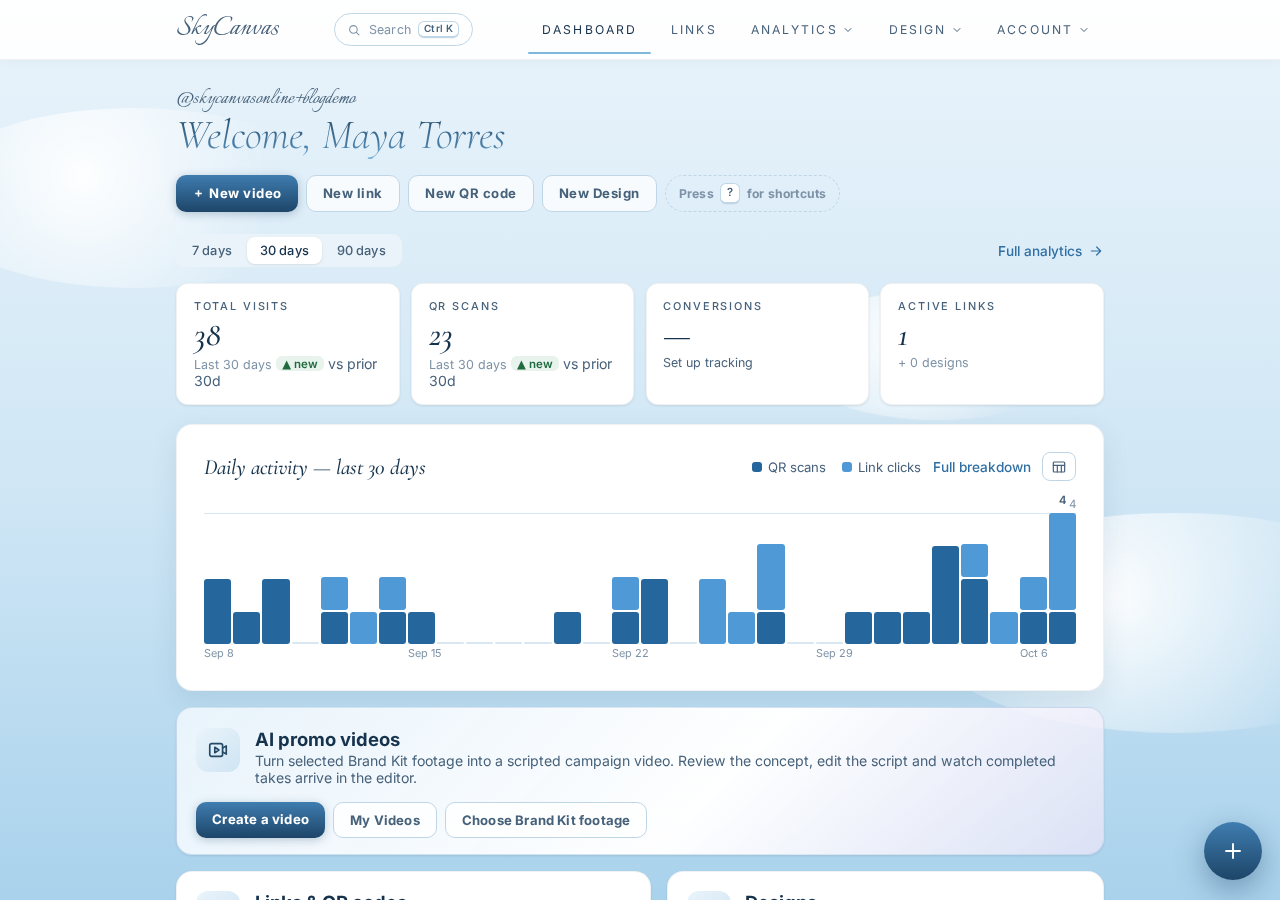
The dashboard provides an account-wide snapshot of campaign activity and its movement over time.
6. Use link analytics to choose the pop-up day
Maya then opened the analytics for the repair-booking link. The page separated clicks from QR scans and showed devices and conversions over time. That distinction was valuable because a scan usually came from a physical placement, while a click was more likely to follow a shared digital link.
She reviewed the strongest activity periods and matched them with her own simple outreach notes. The most consistent interest clustered around the lead-up to Saturday, when riders were planning weekend errands and recreational rides. That made Saturday morning the best candidate for her recurring neighborhood pop-up.
This was a business decision, not a promise that every week would look identical. Maya used the 30-day pattern to choose a starting schedule, with the same link ready to measure future response.
The per-link analytics page brings clicks, scans, device information, and conversions together for a closer campaign review.
From a hunch to a workable schedule
Maya finished the month with more than a branded QR code. She had one recognizable booking path, a record of how riders reached it, and enough timing data to choose Saturday morning for the weekly pop-up.
The workflow stayed simple: create one short link, share its QR code, let activity accumulate, and review the pattern before committing scarce time. For a one-person service business, that can turn a scheduling guess into a measured decision.
Ready to create a short link and learn from its QR activity? Start a free SkyCanvas account.
Spoke & Spark Mobile Repair is a fictional business we created to show a real SkyCanvas workflow. Every screenshot is real, captured live while writing this guide.