Blog · October 23, 2026
Lantern-Lit and Scan-Ready: A Twilight Chess Café Posts Its Friday Blitz Bracket to Instagram in Minutes
The Lantern Rook Chess Café hosts a $10 blitz tournament every Friday night, and the owner wants a moody, on-brand Instagram post before the dinner crowd arrives. She mints a trackable short link, generates a burgundy-and-gold QR code, then uses the AI design editor to spin up a photographic 1080x1080 post with a worn walnut board, a brass lantern, and a frozen pocket clock. By the end, the post is on the grid, the QR scans straight to RSVPs, and her SkyCanvas profile holds the month's
It is a quiet Thursday evening on a brick corner in Portland’s East End, and Marta is wiping down the long walnut table that becomes a seven-round blitz arena every Friday night. The brass lanterns are already lit, the espresso machine is pulling its last shot of the hour, and in roughly twenty-four hours the Lantern Rook Chess Café will be full of regulars with pocket clocks and sharpened pencils.
She has a problem that happens every single week. The October Standings Battle needs a post on Instagram tonight, something moody enough to feel like the café itself, with a code people can scan to grab a seat at a board. The last time she tried to make a flier in a general design app, it took her the better part of two hours and still looked like a flyer for a bake sale.
Tonight she is trying SkyCanvas instead. Everything you see below happened in the time it took her espresso to pull, cool, and get finished.
1. Opening the door at skycanvas.online
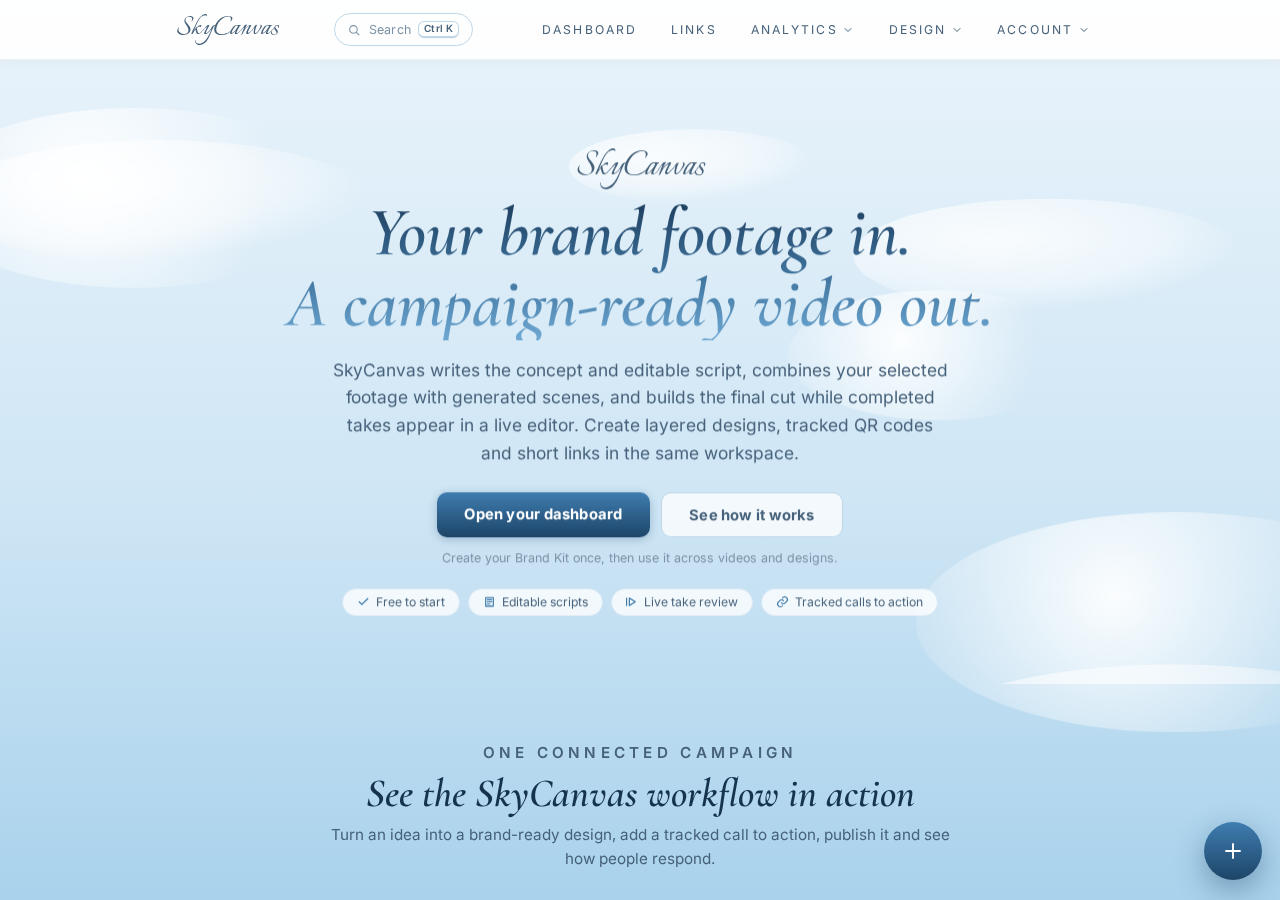
Marta goes to skycanvas.online on her laptop at the end of the bar. The homepage lays out the three things she actually needs tonight in plain language: a trackable short link, a branded QR code, and a design editor that can art-direct itself. No sign-up wall before she can see what the tool does. She clicks Register.
2. Making an account in under a minute
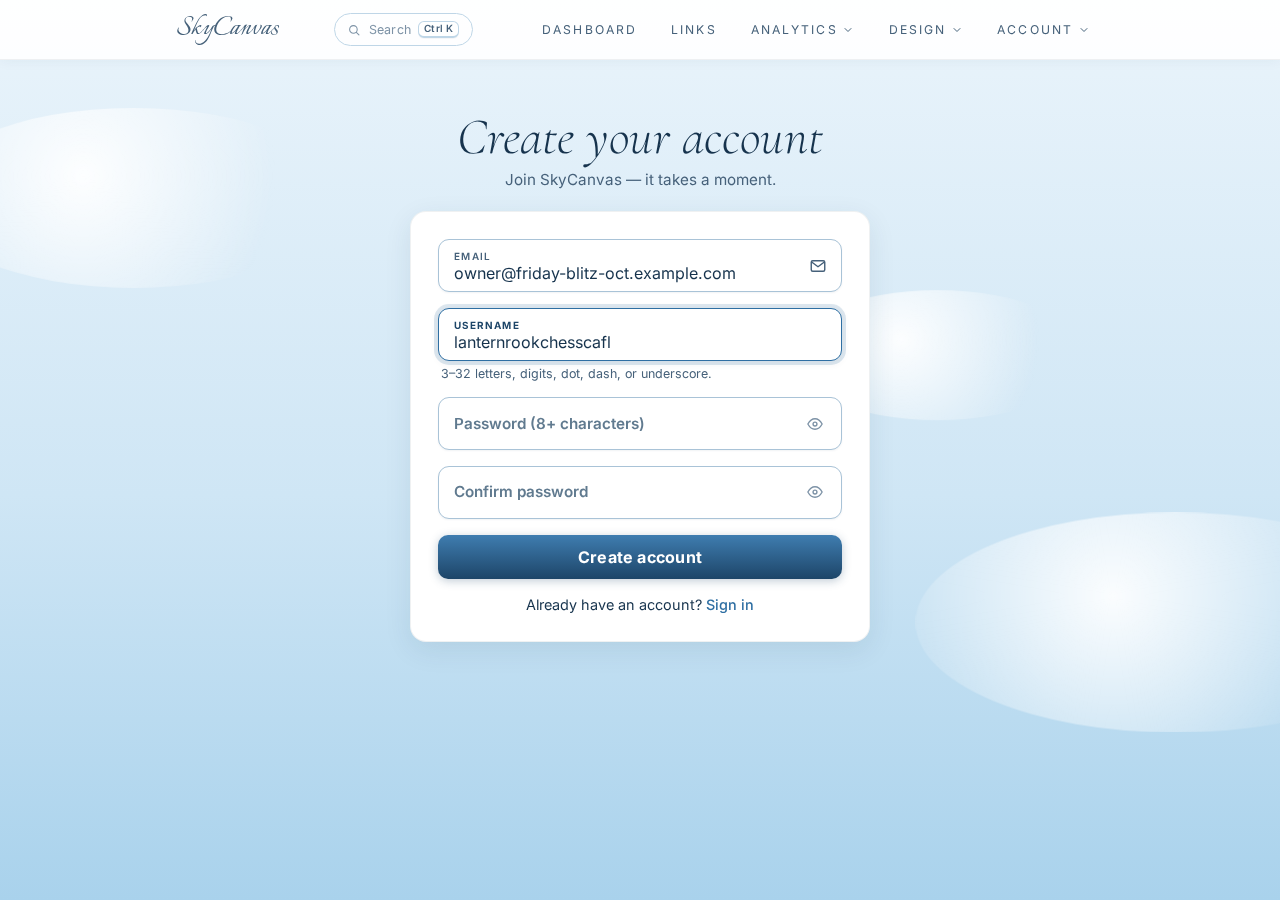
The signup form asks for an email and a username. She types in her café address and picks lanternrook as her handle, which will also become the slug for her public profile later. She confirms and lands immediately in the dashboard. No email verification pause, no six-step onboarding.
3. Reading the dashboard
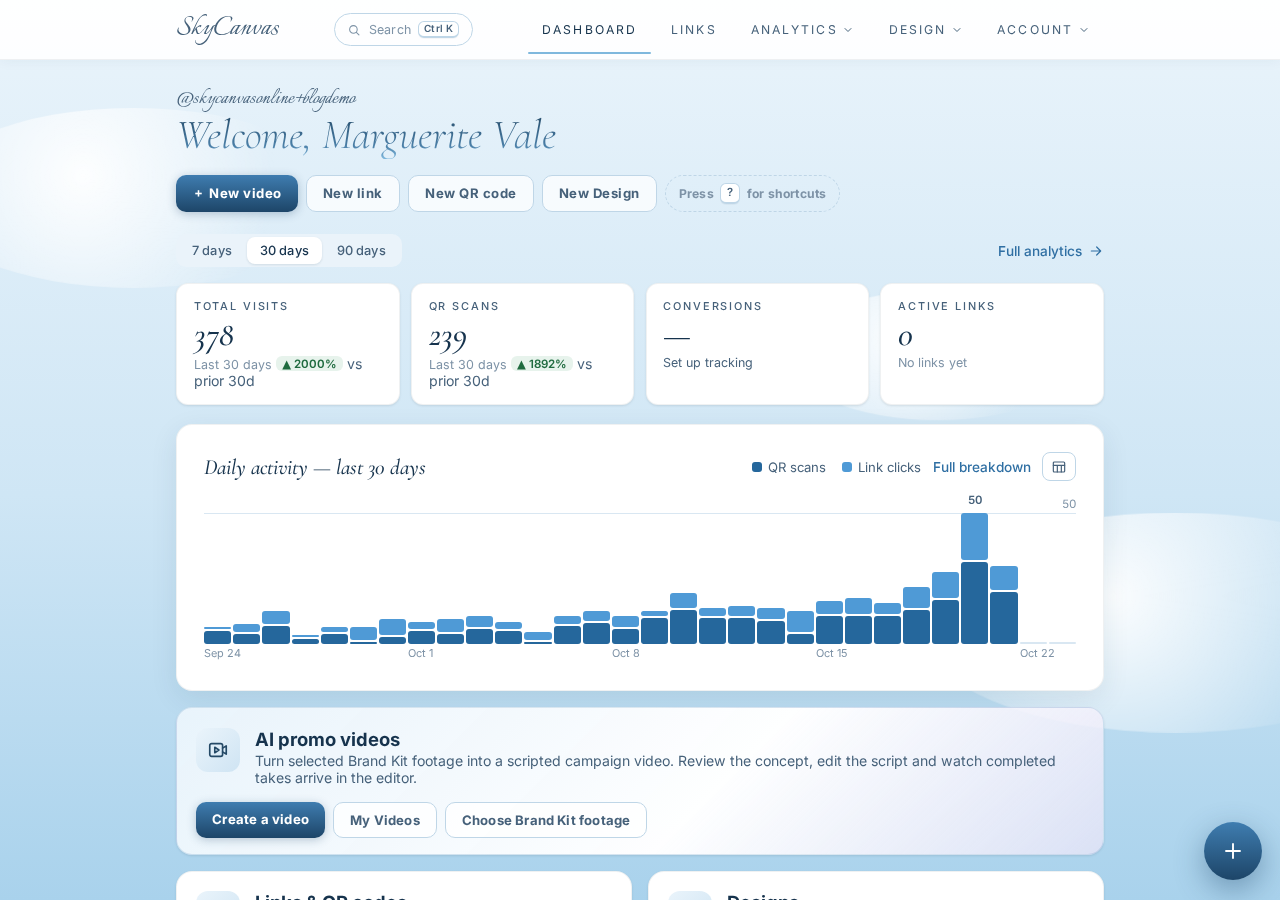
The dashboard is the only screen Marta really needs to understand. Four KPI tiles across the top show clicks, QR scans, conversions, and total links. A daily activity chart runs underneath. Right now everything reads zero, which is honest and clean. By midnight tomorrow those tiles will be the only report she needs for the night.
She clicks New Link to point SkyCanvas at the actual event page on her café website.
4. Minting a trackable short link
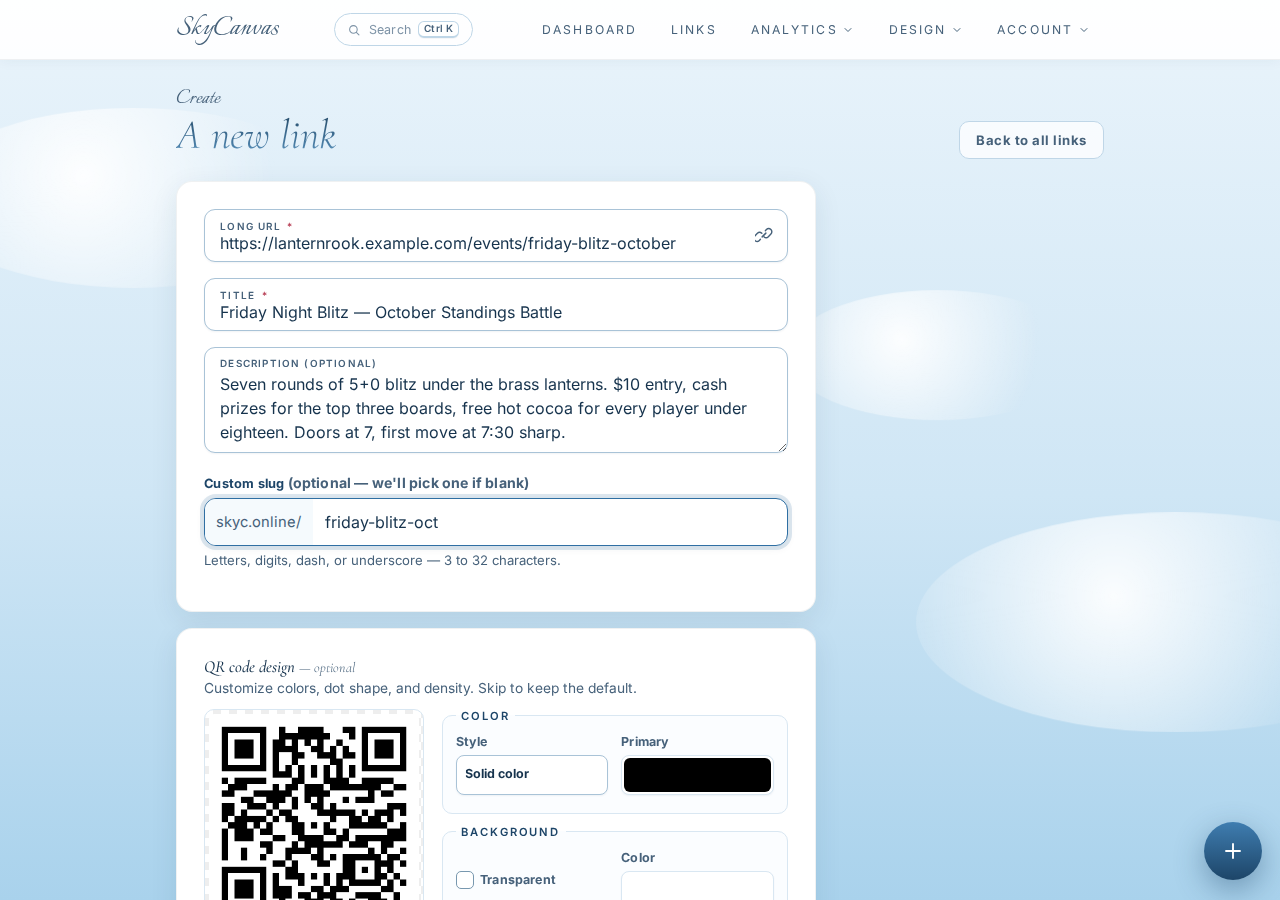
She pastes the destination, which is the Friday Blitz RSVP page on lanternrook.example.com. She titles the link Friday Night Blitz, October Standings Battle and writes a quick description: seven rounds of 5+0, $10 entry, cash prizes for the top three boards, free hot cocoa for every player under eighteen. For the custom slug she types friday-blitz-oct.
The live QR preview on the right updates as she types. She saves.
5. The short link is live
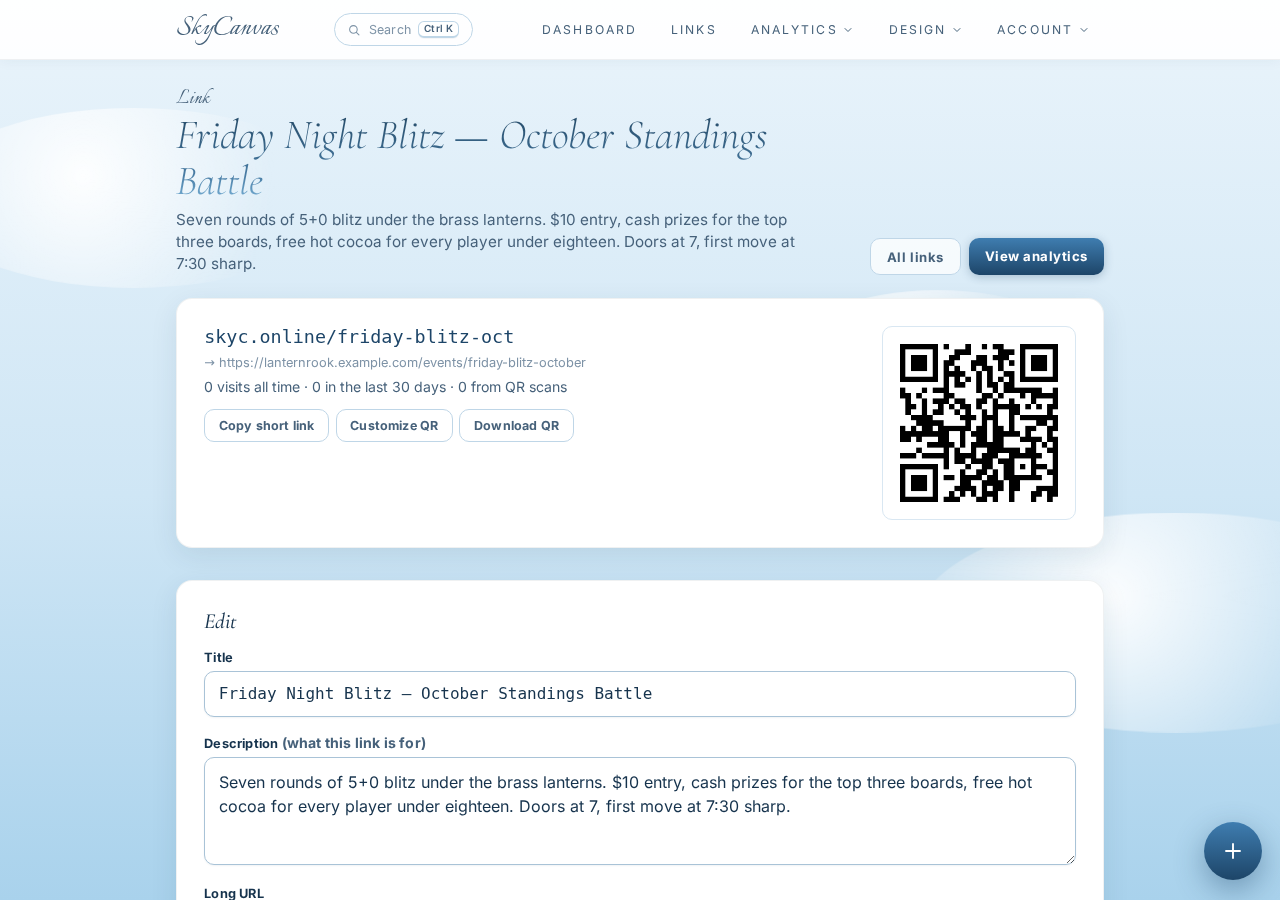
The next screen is the link detail page. The short URL skyc.online/friday-blitz-oct sits at the top, the long destination underneath, and a downloadable QR code to the right. If all she wanted was a scannable code for a chalkboard, she could stop right here, screenshot it, and get back to her espresso.
But Marta wants a real Instagram post. She clicks New Design.
6. Starting the design, Instagram-sized
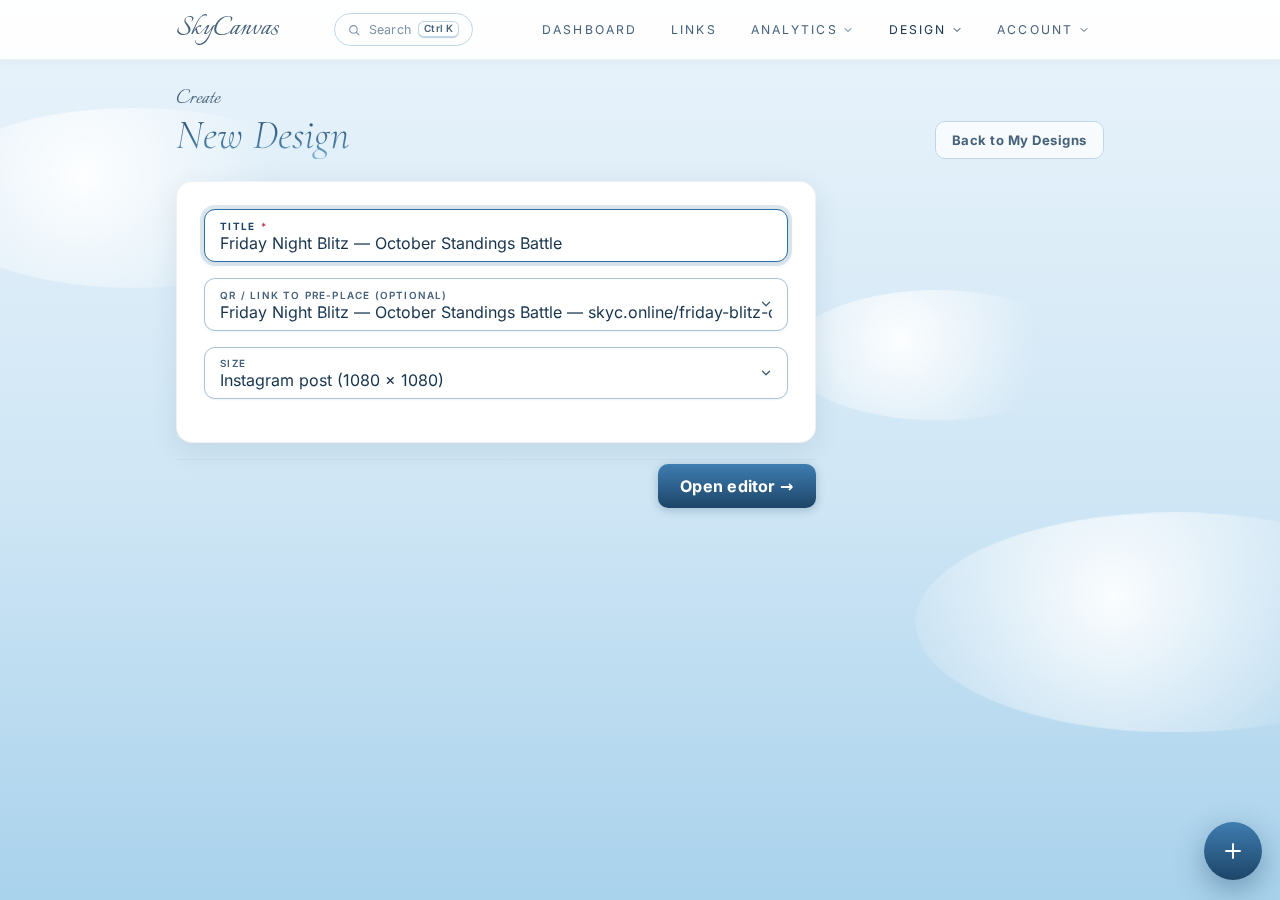
The new design dialog asks for a title, a size preset, and which short link to attach. She picks Instagram Post for the clean 1080x1080 square, titles it the same as the event, and selects her brand-new friday-blitz-oct link. That last choice matters: by attaching the link now, SkyCanvas knows which QR to drop into whatever design she ends up with, in the correct burgundy-and-gold the café uses on its menus.
7. Meeting the editor
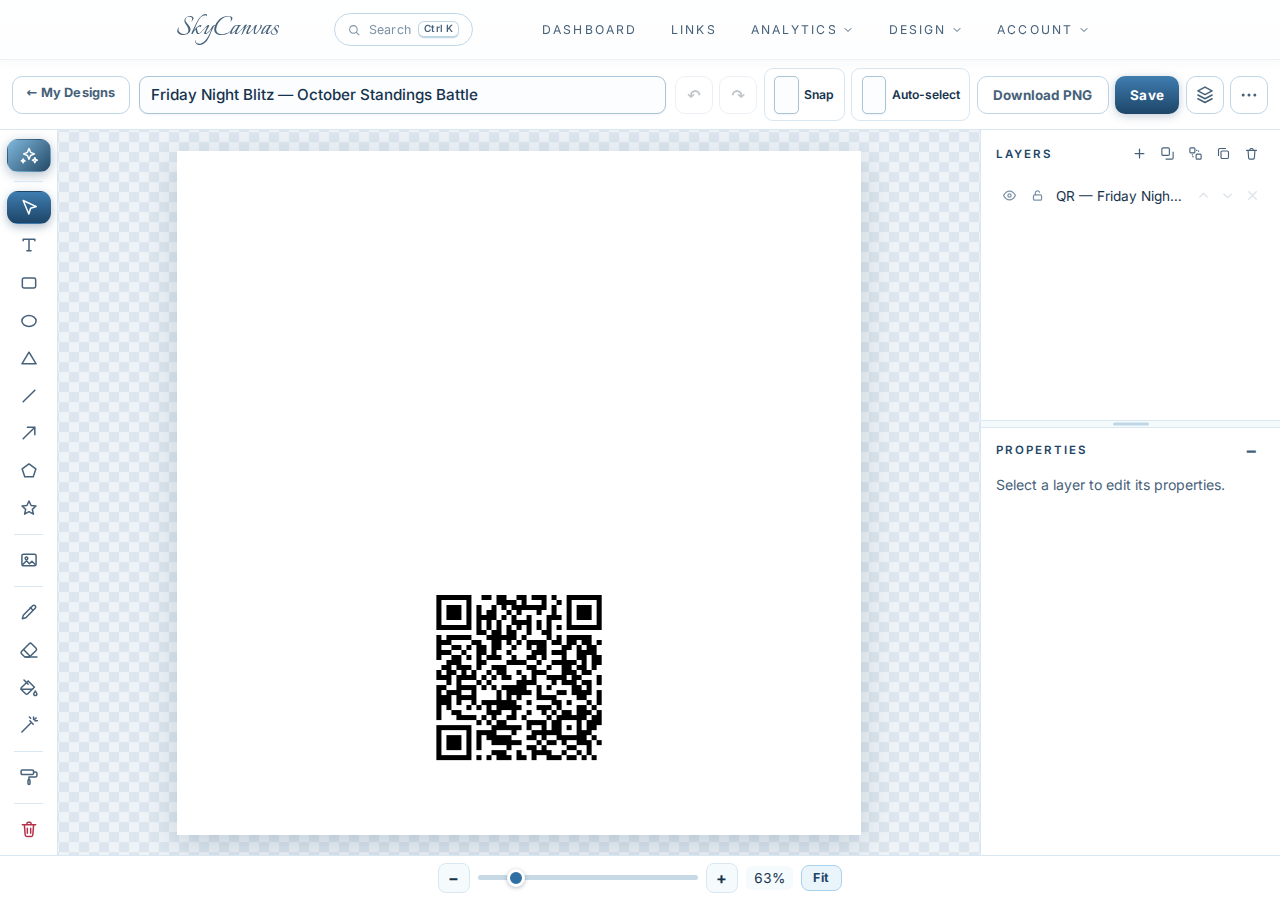
The editor opens with an empty square canvas, drawing tools down the left, and a layers panel on the right. Marta has used canvas tools before and knows she could build the design by hand with shapes and type. She clicks Design with AI at the top instead.
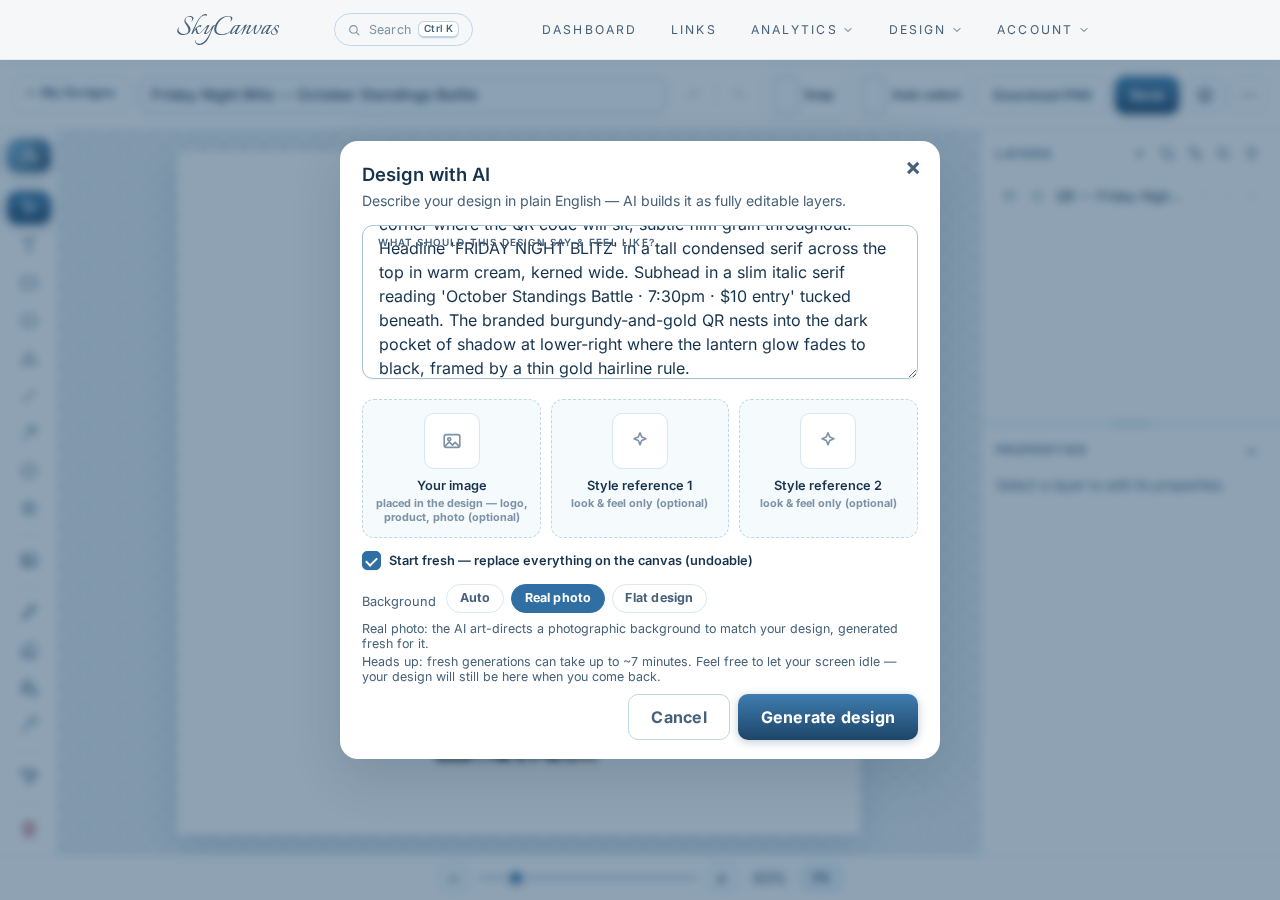
8. Writing a brief like a human
The AI modal is a plain text box and a background-mode selector. She chooses Real photo so the result reads like a photograph instead of a vector illustration. In the brief she writes the kind of thing she would tell a photographer, not a computer: a worn walnut chessboard shot overhead in moody near-black café light, a brass hurricane lantern glowing warm amber in the corner, a dark walnut knight piece just off-center, a small white espresso cup with steam, a pocket clock frozen at 4:59, a scatter of roasted coffee beans, and a dog-eared tournament scorecard with a stubby pencil. FRIDAY NIGHT BLITZ across the top in a tall condensed serif, warm cream. A thin italic subhead underneath. The QR tucked into the dark pocket of shadow at the lower right, framed by a hairline gold rule.
She hits generate.
9. The flier arrives
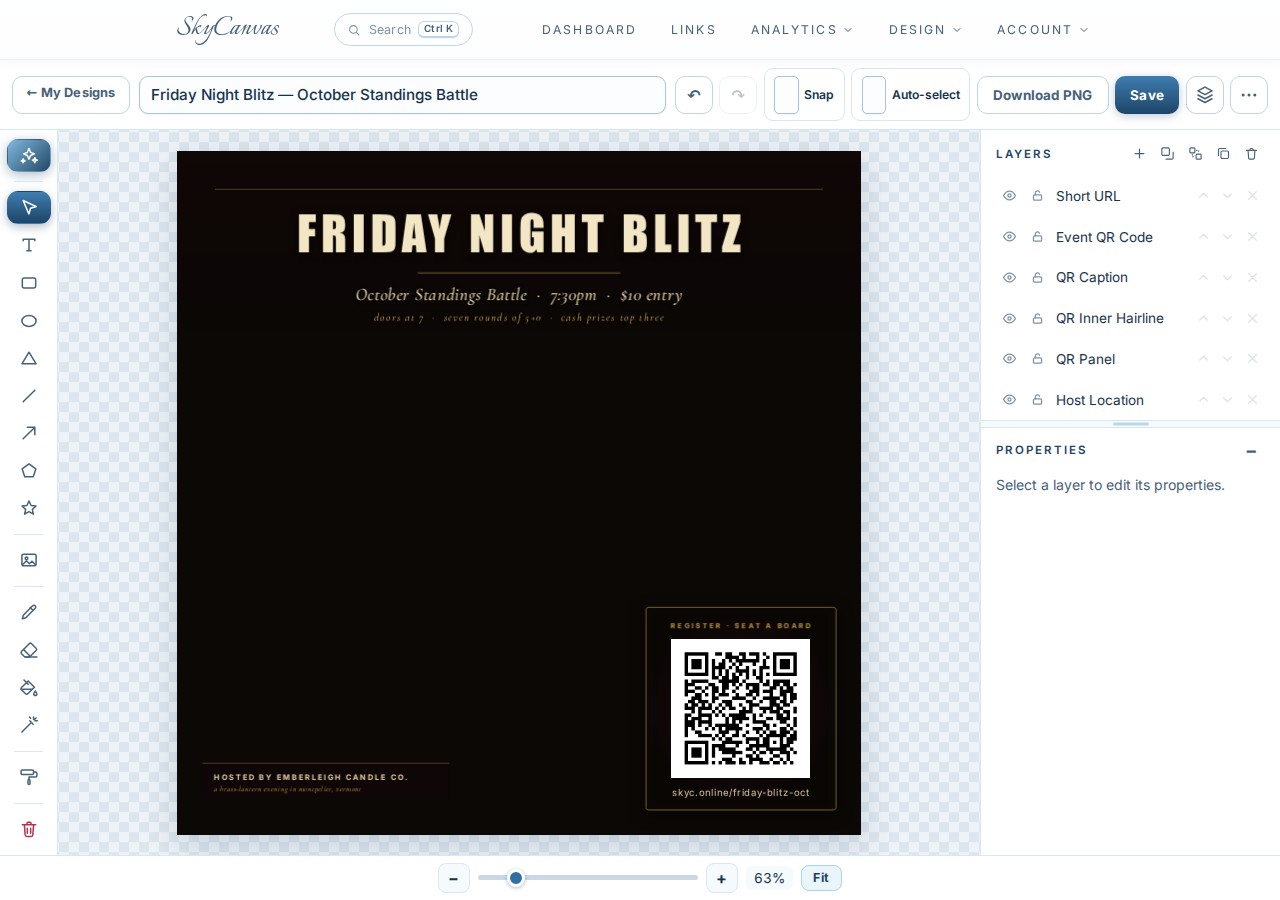
The canvas fills with it. A dark walnut board tipped on a slight diagonal, lantern light bleeding across the surface, a serif headline reading FRIDAY NIGHT BLITZ at the top in warm cream, kerned wide. A slim italic line underneath reads October Standings Battle · 7:30pm · $10 entry, with a smaller line below noting the doors open at 7, seven rounds of 5+0, and cash prizes for the top three. Down in the lower right, nested into the shadow exactly where she asked for it, sits the burgundy-and-gold QR for skyc.online/friday-blitz-oct, with a tiny register, seat a board line above and the short URL printed underneath. The bottom left reads hosted by Lantern Rook Chess Café in small caps, with the italic tagline beneath.
The best part is on the right. Every element is a normal, editable layer: the headline, the QR, the hairline rule, the host line. Nothing is baked. If she wants to swap October for November next month, it is a two-click text edit.
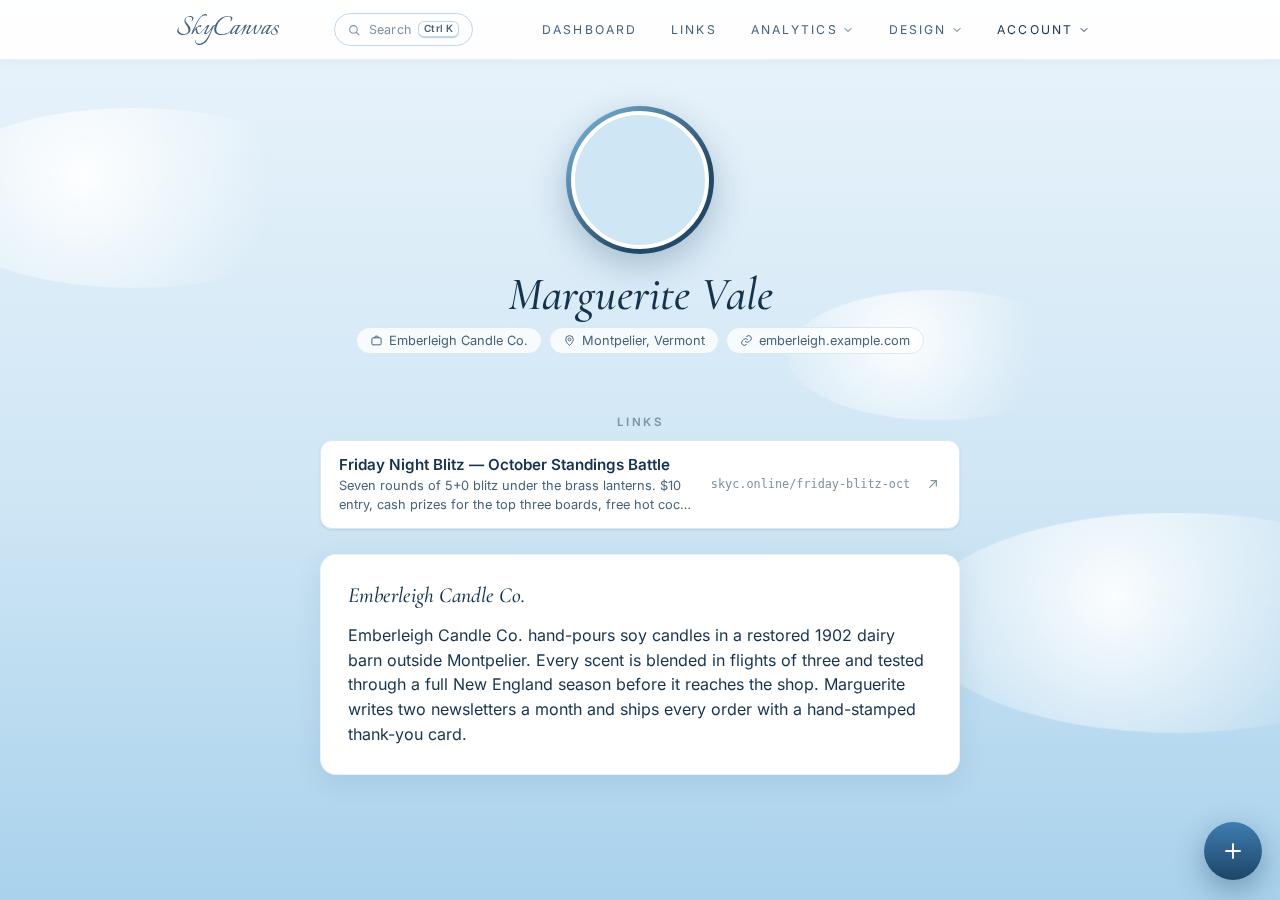
10. One profile for the whole month
Before she posts, Marta pops over to her public profile. The café details are already there from signup, and the Friday Blitz link is listed, scannable, and public. Next week she can add round two, round three, and the finals, and the profile becomes the single page she links from her Instagram bio for the entire month.
What actually changed for the café
By 9:14 that evening, the post is live on @lanternrook. The QR on the counter chalkboard points to the same short link, so Marta can finally tell which channel is pulling the players. By Friday noon the dashboard shows seventeen scans and twelve conversions, enough for her to tell the kitchen to prep more cocoa.
If you run a small place where every Friday needs a fresh graphic, come try it. Create a free SkyCanvas account and make your first branded QR and flier in the time it takes an espresso to pull.
Lantern Rook Chess Café is a fictional business we created to show a real SkyCanvas workflow. Every screenshot is real, captured live while writing this guide.