Blog · August 3, 2026
One link, every gig: how a mobile bike mechanic put booking, routes, and reviews on a single shareable profile
Marisol runs a two-van mobile bike repair service and was tired of texting customers three different URLs. In an afternoon she built a SkyCanvas link-in-bio with her booking calendar, service area map, tune-up pricing, and Google reviews, one short link on every business card, van decal, and Instagram profile.
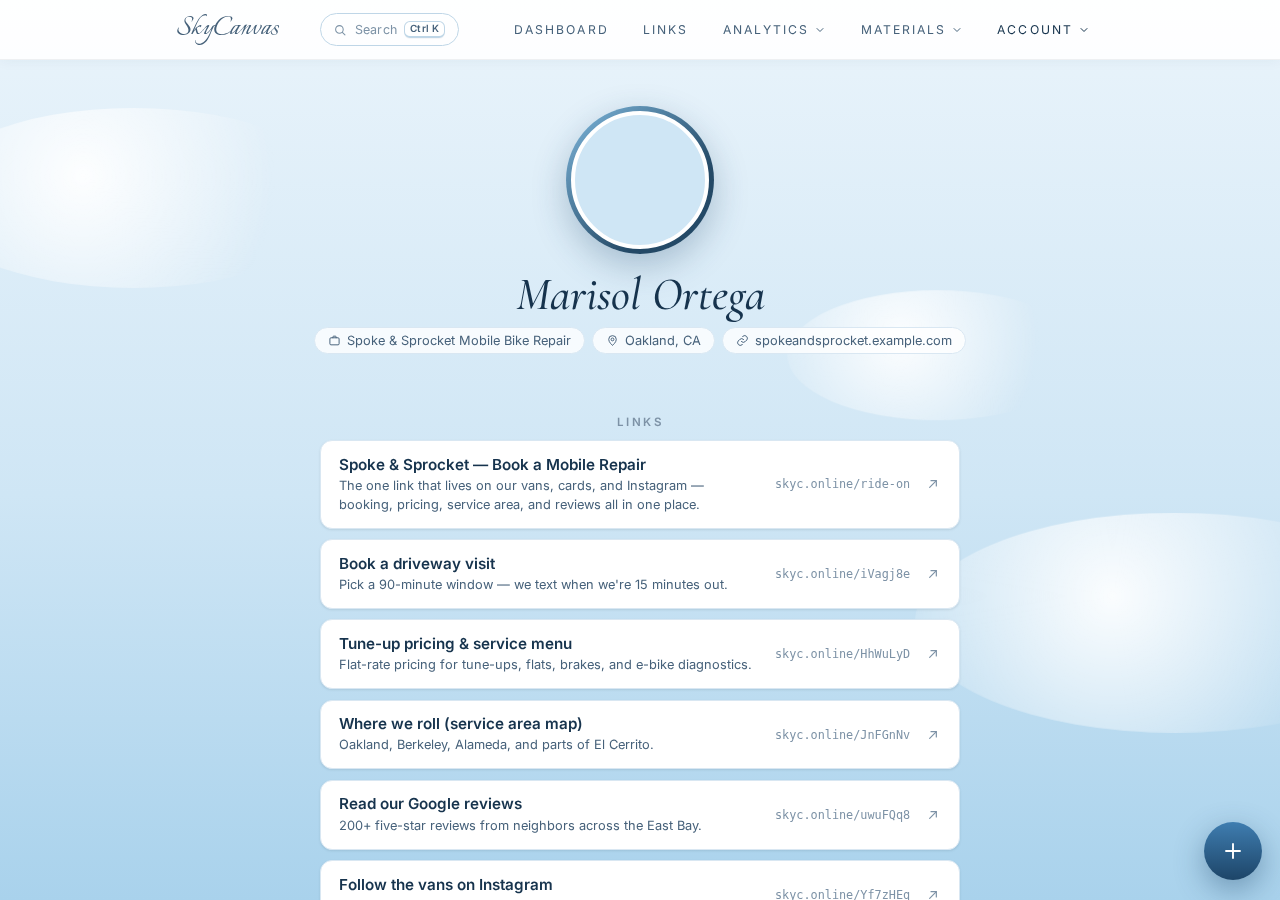
Marisol Ortega runs Spoke & Sprocket Mobile Bike Repair out of two white vans that roll through Oakland driveways six days a week. She started the business in 2022 after a decade behind a shop counter, watching customer after customer wrestle a road bike into the back of a Prius. Her pitch is simple: we come to you, we fix it in your driveway, you keep riding.
The mechanics side of the business runs beautifully. The internet side does not. Marisol had a booking calendar on one domain, a pricing page on another, a service area map buried three clicks deep on her website, and a Google reviews link she copied from her phone every time somebody asked. Her Instagram bio pointed to the homepage. Her business cards pointed to the booking page. Her van decals pointed to nothing at all because she could not fit a real URL on vinyl.
She wanted one link. One short, memorable thing she could paint on a van, print on a card, drop into a DM, and know it worked. That is what this walkthrough is about.
1. Sign up in under a minute
Marisol opened SkyCanvas on her laptop between two afternoon appointments. The signup form is exactly what you would expect: an email, a username, a password. She used her business email and grabbed the username spokesprocketmobileb before somebody else did.
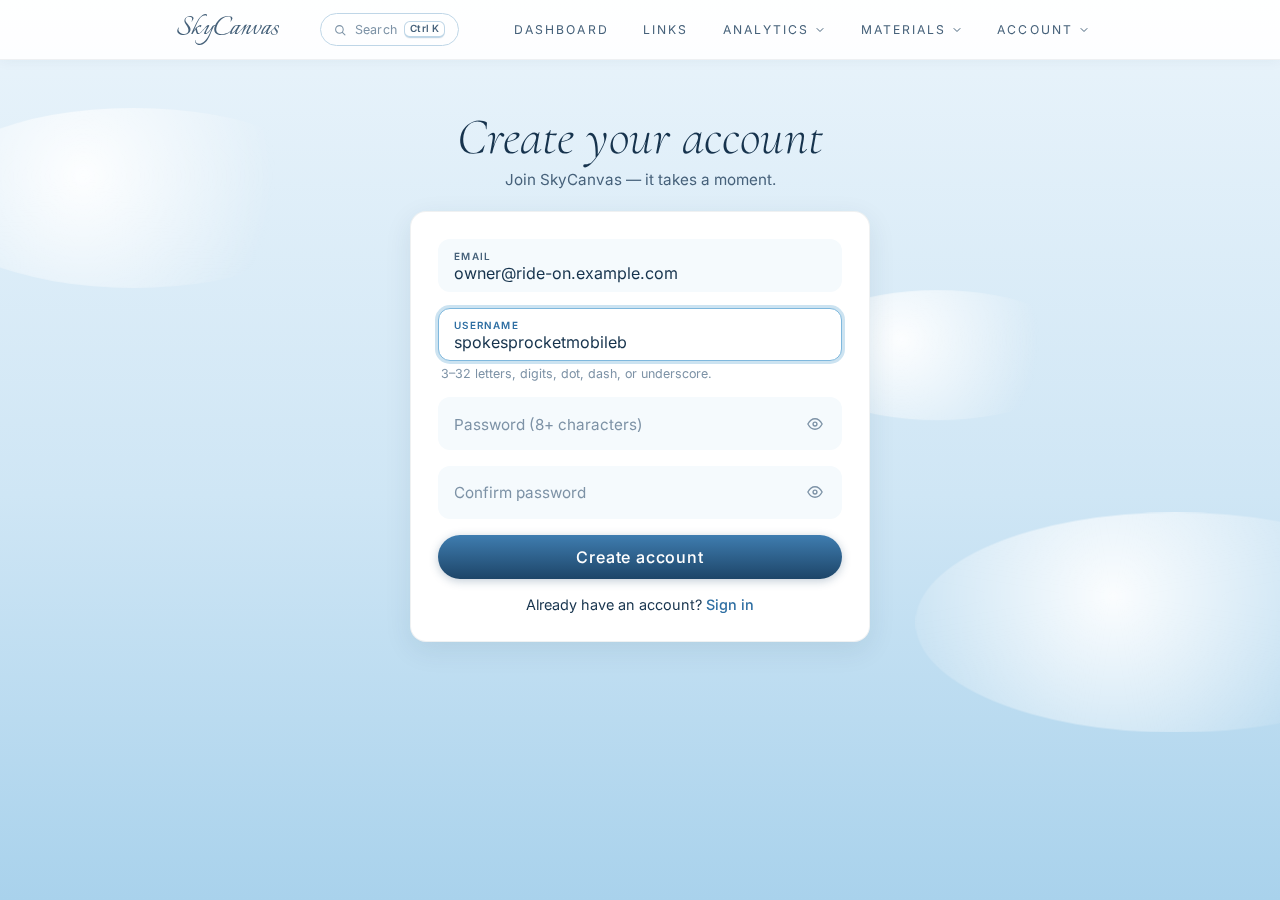
No credit card. No plan picker. She hit Create account and was in.
2. Land on the dashboard and get oriented
The first thing SkyCanvas shows you is your dashboard. For a brand-new account it is quiet, which is the point. Four KPI tiles across the top: clicks, QR scans, conversions, and links. Below that, a daily activity chart that will start to fill in once real traffic hits.
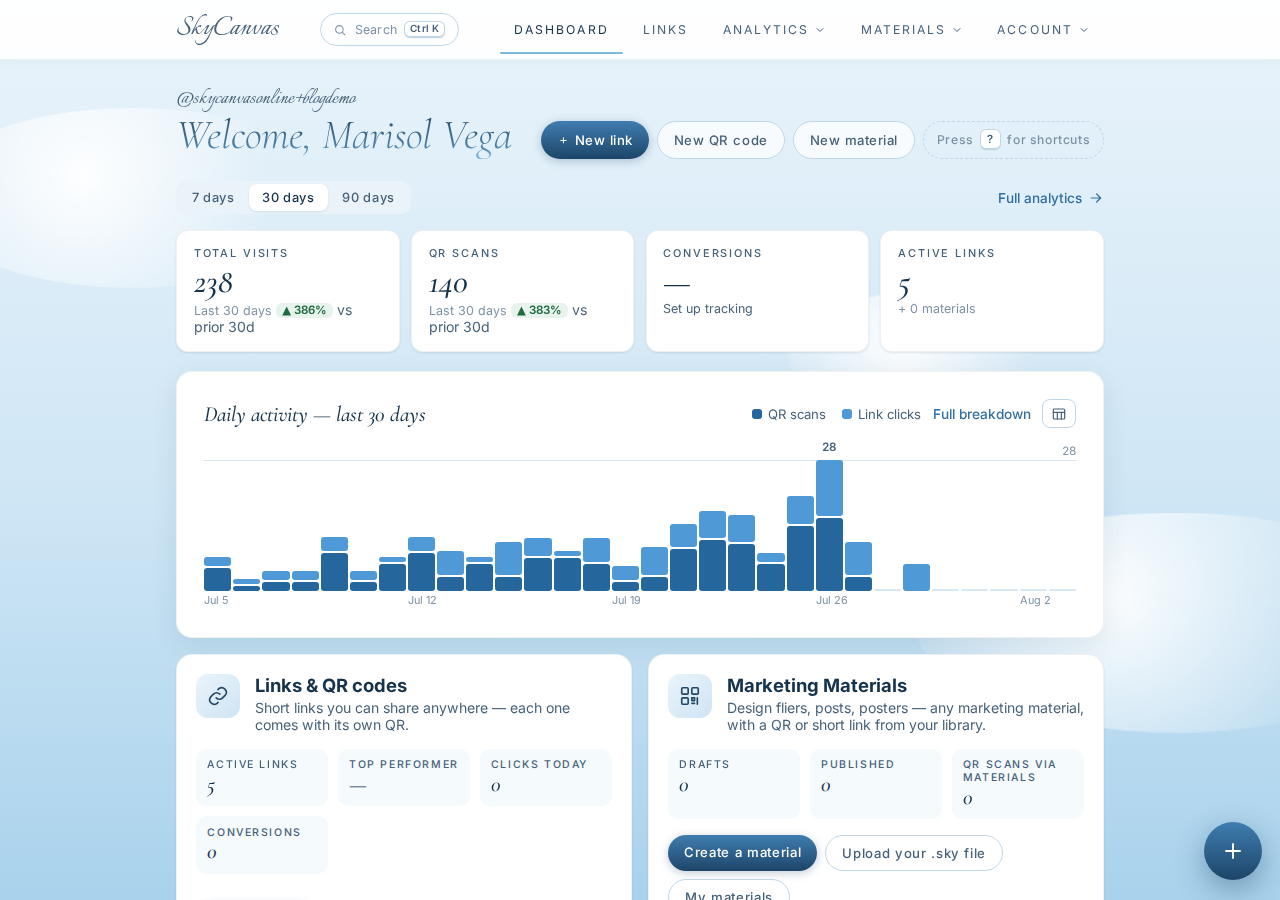
Marisol did not spend long here. She noted where the numbers would show up and moved on to the part that mattered: making the profile customers would actually see.
3. Fill out the business profile
The profile page is where Spoke & Sprocket becomes Spoke & Sprocket instead of a generic account. Marisol filled in the display name, the company name, the tagline that lives on the side of the van (We come to your driveway. You keep riding.), the industry, the services she offers, and a short line about who her customers are.
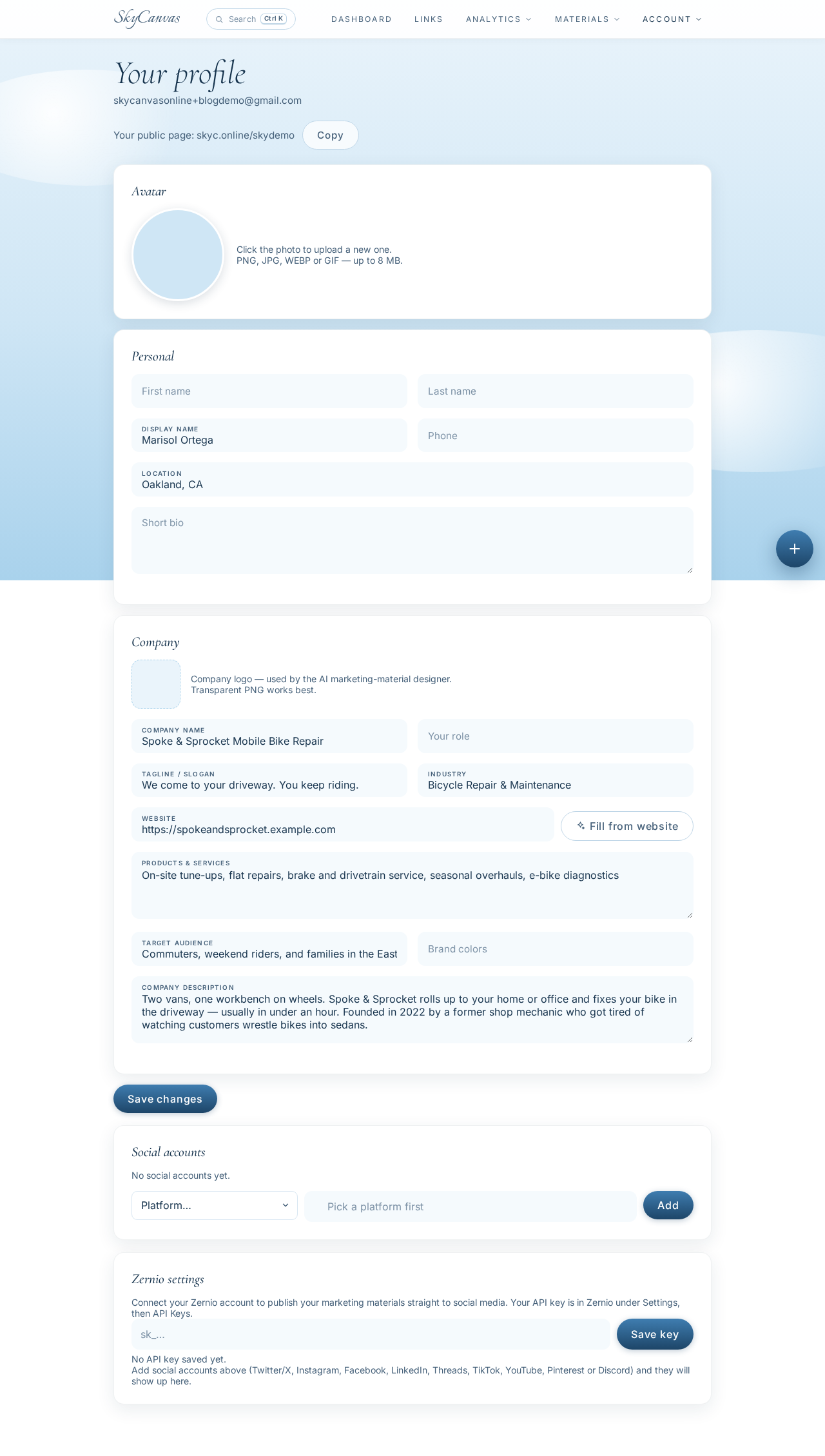
This is the copy that shows up on her public link-in-bio page later, so she took ten minutes to write it the way she would say it out loud. Two vans, one workbench on wheels. On-site tune-ups, flat repairs, brake and drivetrain service, seasonal overhauls, e-bike diagnostics. Commuters, weekend riders, and families in the East Bay who do not want to haul a bike to a shop.
4. Build the one short link
Now the piece she came for. Marisol opened the new link form and pointed the destination at her main website. She gave it a real title, a one-line description, and picked the slug herself: ride-on. The full URL that will live on everything she prints is now skyc.online/ride-on.
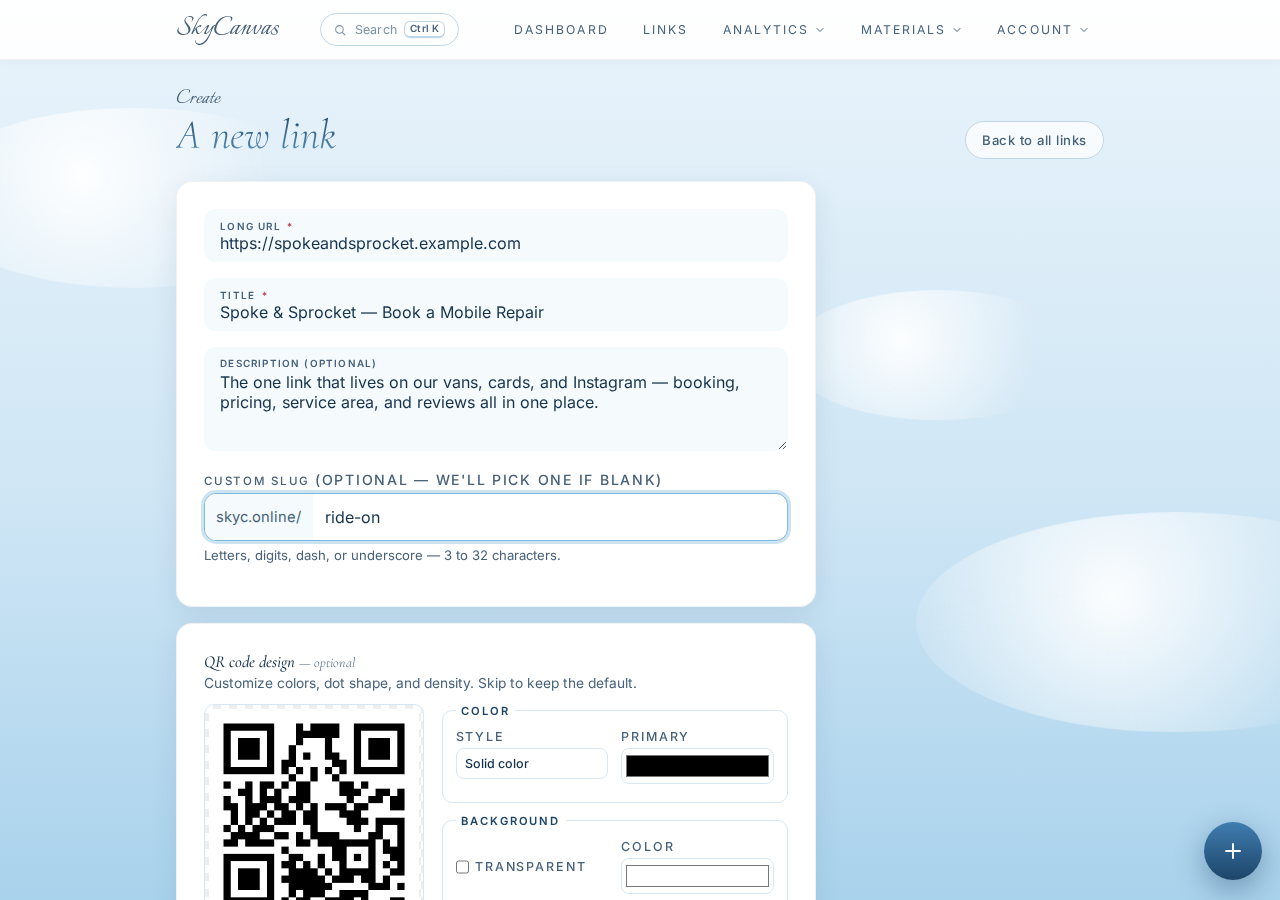
The QR preview updates live on the right as you type. That is the thing she is going to paint on the vans, so it was nice to see it forming while she filled the form in.
5. See the link and grab the QR
After she saved, SkyCanvas dropped her onto the link detail page. Here is the short URL, the destination, and the generated QR code, ready to download at whatever size she needs.
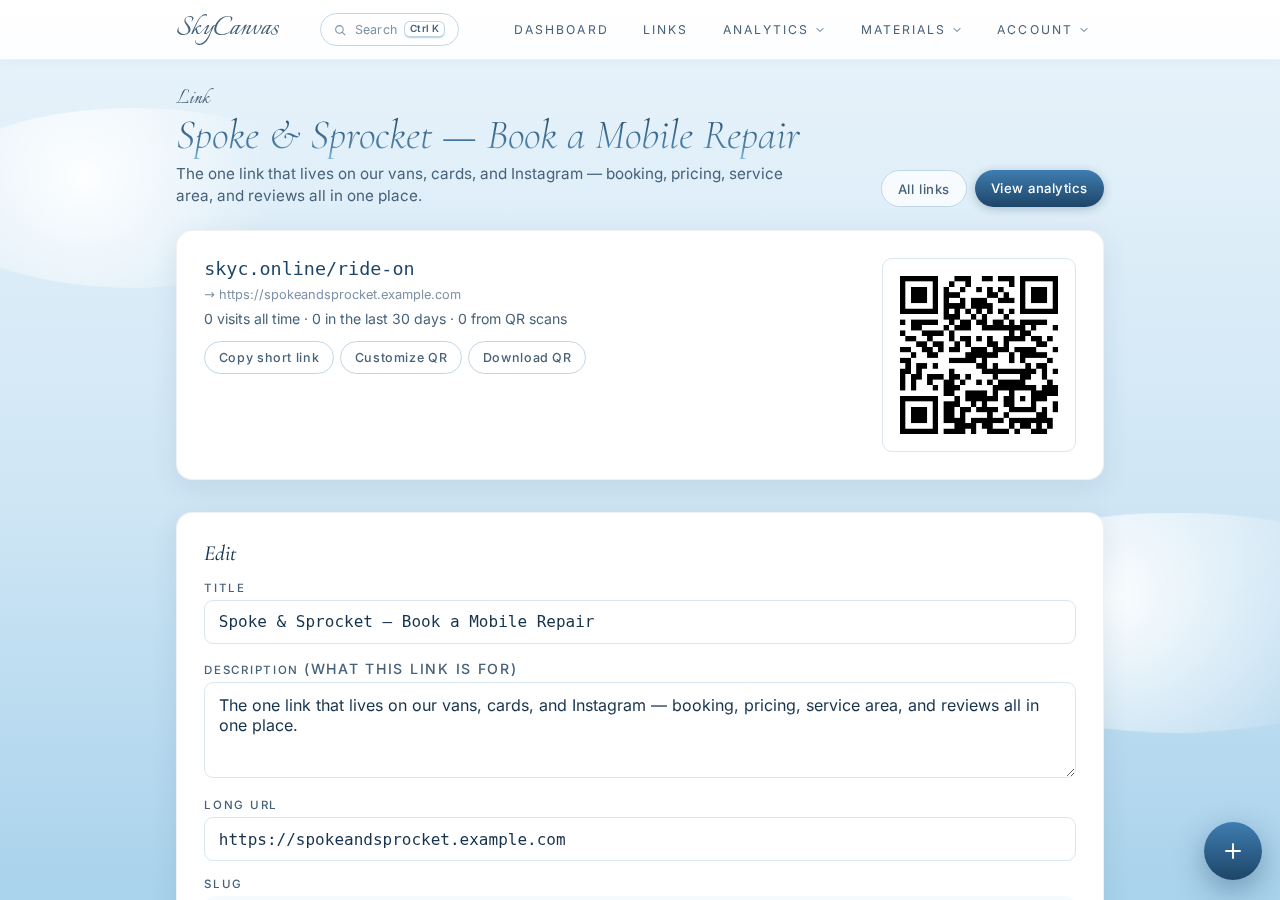
She could have stopped here. A black-and-white QR next to a short URL is already enough to hand a card to a customer. But the vans are dark green with an orange stripe, and the QR looked like it belonged to somebody else’s business.
6. Match the QR to the vans
The QR customization panel lets you set the module color, a secondary color, and the background. Marisol punched in the deep forest green from her van paint, added the orange accent from the stripe, and left the background white so it stays scannable on a matte decal.
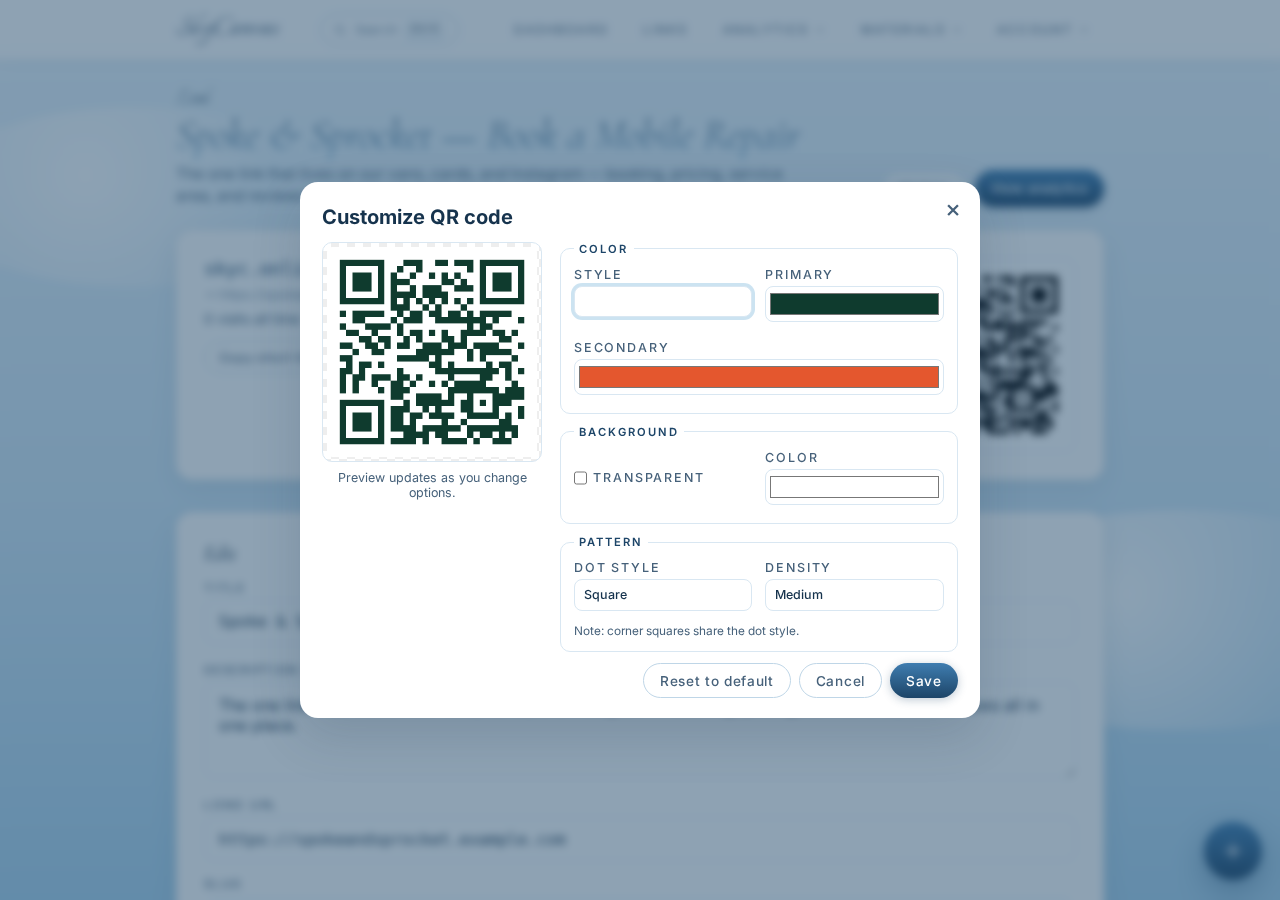
The live preview updated as she picked colors. She downloaded a large PNG for the van decal shop and a smaller one for her business cards. Same QR, same short link, one file per use case.
7. Add the rest of the links to the public profile
The whole point of a link-in-bio is that one URL branches out to everything a customer might want. Marisol added five more public links to her profile:
- Book a driveway visit points to the scheduling calendar with a note that they text 15 minutes out
- Tune-up pricing and service menu so people know what a flat repair costs before they book
- Where we roll (service area map) covering Oakland, Berkeley, Alameda, and parts of El Cerrito
- Read our Google reviews for the 200+ five-star notes from neighbors
- Follow the vans on Instagram for driveway rescues and the occasional shop-dog cameo
When she opened skyc.online/ride-on in a fresh tab, this is what a customer sees. The business name, the tagline, the short bio, and every public link laid out in one clean stack.
One link on the van. One link on the card. One link in the Instagram bio. Every customer question, one tap away.
What changed for Spoke & Sprocket
Before SkyCanvas, Marisol was copy-pasting three or four URLs into every DM and hoping the customer picked the right one. Now the van decals point to skyc.online/ride-on, the business cards point to skyc.online/ride-on, the Instagram bio points to skyc.online/ride-on. When she updates her pricing or her service area, she updates the underlying link, not the vans.
The dashboard will show her which of those five public links customers actually tap. If nobody clicks the Instagram link and everybody clicks pricing, she knows what to promote and what to quietly drop.
If you run a service business that lives on referrals and word of mouth, one short link that carries everything is worth an afternoon of setup. Create your SkyCanvas account and put your whole business behind one URL.
Spoke & Sprocket Mobile Bike Repair is a fictional business we created to show a real SkyCanvas workflow. Every screenshot is real, captured live while writing this guide.